User Manual of VDR-300NU
Adding a PPPoA WAN service
This section describes the steps for adding the PPPoA WAN service.
Step1 Choose Advanced Setup > Layer2 Interface > ATM Interface to dsiplay the ATM Interface
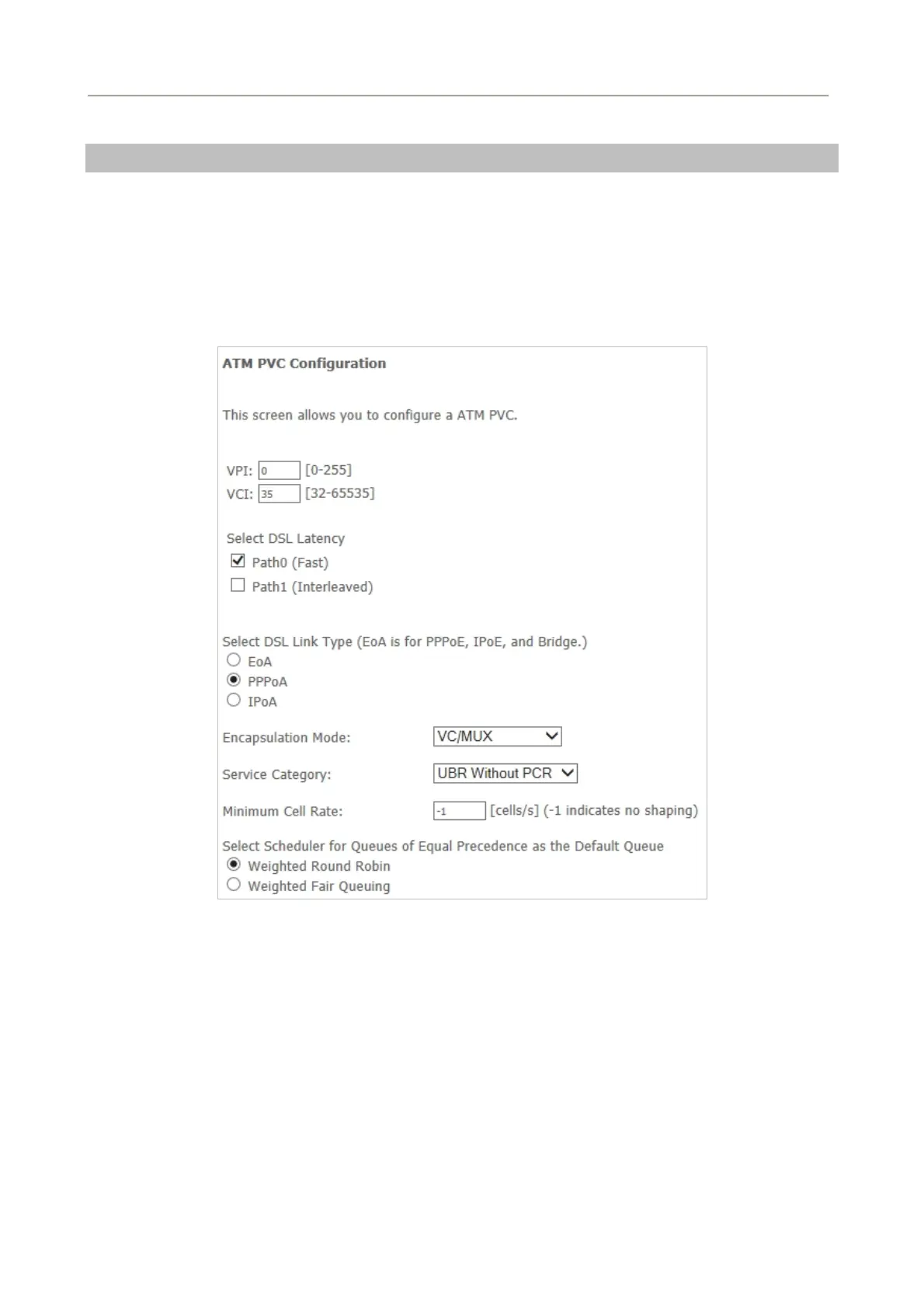
Configuration page. On this page, you need to add a PVC for PPPoA mode. Click the Add button
on the ATM Interface Configuration page to display the following page.
Figure 5-2-23
Step2 Select the DSL link type to be PPPoA and select the encapsulation mode to be VC/MUX (according
to the uplink equipment). After finishing setting, click the Apply/Save button to apply the settings.
Step3 Choose WAN Service and click Add to display the following page.
48



 To Next Page