Chapter E - DIMAX3 DIGITAL SYSTEM ADJUSTMENT
E-22 Planmeca Proline EC X-ray unit
CALIBRATING PANORAMIC SENSOR HEAD
Technical Manual
Checking the calibration
You can test whether the calibration succeeded as follows. Do not remove the calibration
block from the sensor head.
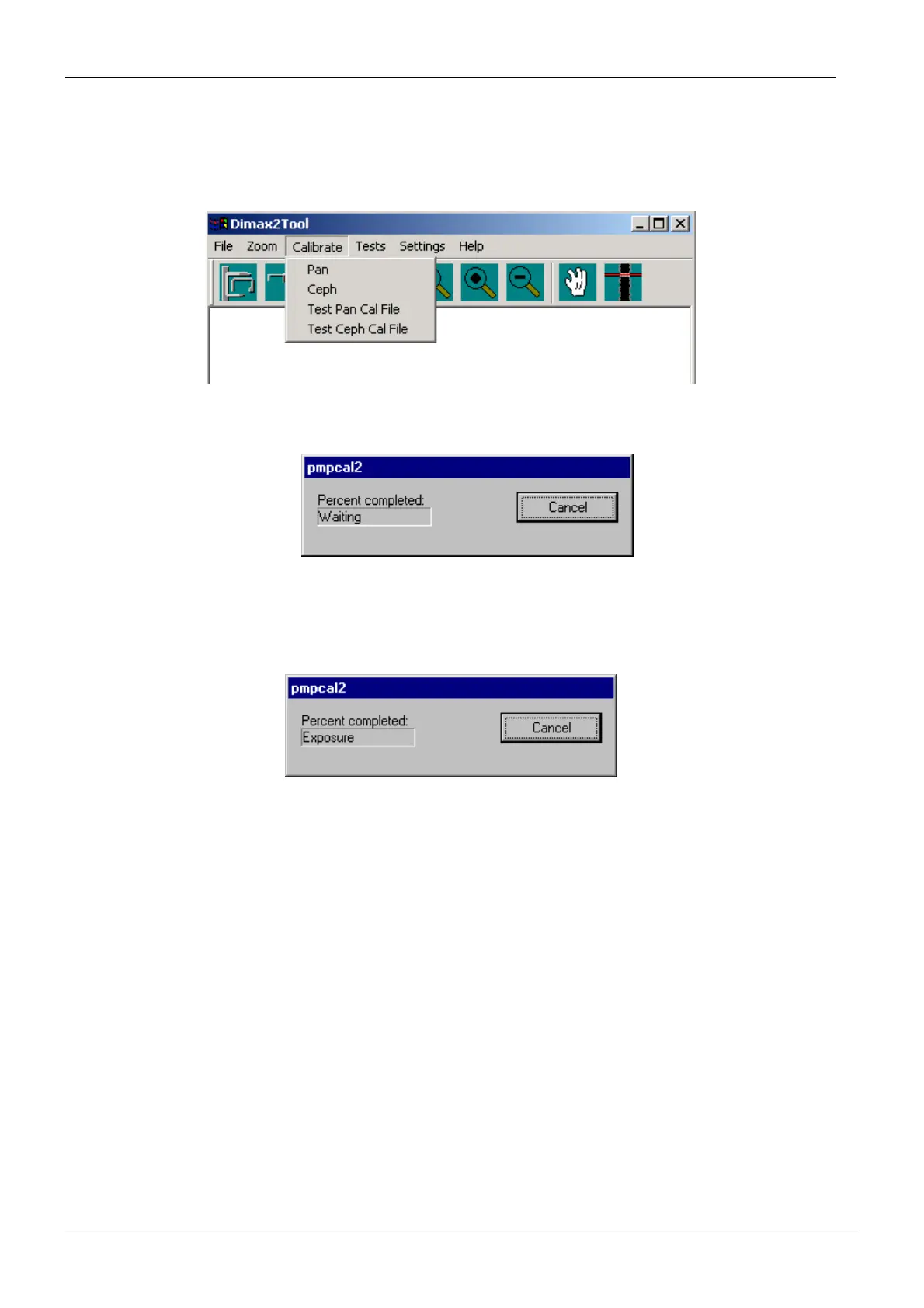
Take a test exposure by selecting Test Pan Cal File from the Calibrate menu.
Figure 39
The pmpcal2 window with text Waiting appears.
Figure 40
Touch the ready field to drive the X-ray to the exposure position.
The text Exposure appears.
Figure 41
Take an exposure. The calibration block image should be evenly grey. If it is not, recalibrate
the sensor head. If recalibration does not help, check that the Dimaxis, DIDAPI and drivers
you are using are all from the same CD rom. Check also the X-ray beam and patient position
-
ing mechanism adjustments by taking a ball phantom exposure.
Perform the calibration with the other binning values (resolution).














 To Next Page