Chapter E - DIMAX3 DIGITAL SYSTEM ADJUSTMENT
Planmeca Proline EC X-ray unit E-33
PATIENT POSITIONING MECHANISM
Technical Manual
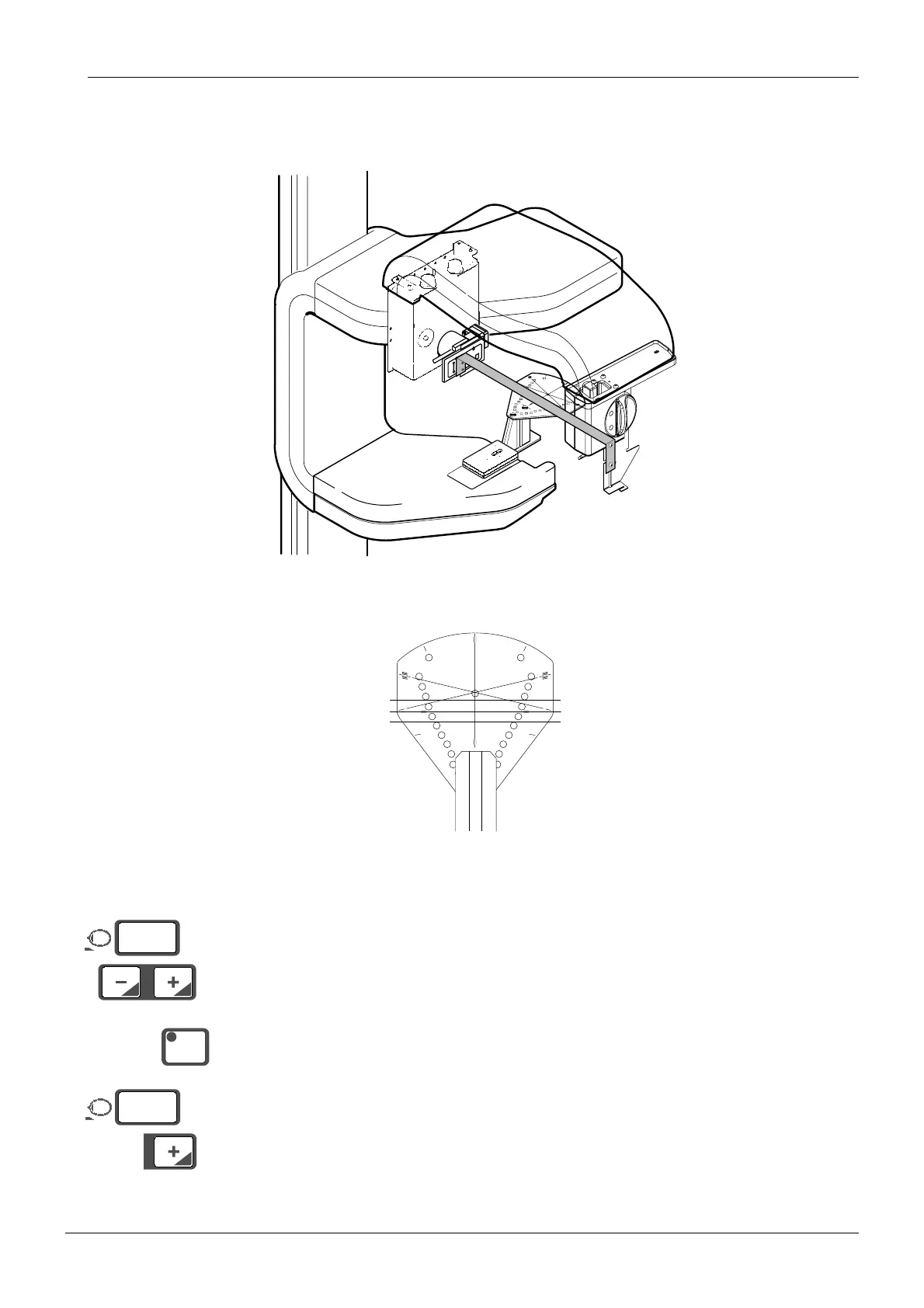
Leave the ball phantom tool in position and place alignment tool adapter to the sensor head.
Place the alignment ruler in position between the primary slot and the sensor alignment tool
as described earlier.
Figure 60
The line on the alignment ruler must line up with the x-line on the ball phantom (Fig. 61).
Figure 61 0° position
Enter the service mode.
Press either of the patient positioning keys once to switch the patient positioning lights on
then a second time to adjust the position of the patient positioning mechanism until the line on
the ball phantom lines up with the line on the alignment ruler. The position of the mechanism
will appear on the display.
Press the CTL-key. The indicator light will come on.
Hold the patient positioning plus (+) key down (about five seconds) until you hear a signal and
the millimeter display zeroes. This indicates that the new position of the patient positioning
mechanism has been programmed into the memory.
Remove the alignment pin and exit the service mode.
Take another ball phantom picture to check the alignment again. Readjust if necessary.
START
END
PLANMECA No.50971
X-LINE
Y-LINE
Dimax2_adj2.eps
START
END
PLANMECA No.50971
X-LINE
Y-LINE
X-LINECA.EPS
Alignment ruler
Ball phantom
Tubehead side
Sensor head side
°
mm
12
CTL
°
mm
00














 To Next Page