Chapter D - ADJUSTMENT & CALIBRATION
Planmeca Proline XC X-ray unit D-21
PATIENT POSITIONING MECHANISM
Technical Manual
3.2 Patient positioning mechanism adjustment
If the patient positioning mechanism is too near or too far from the column it will have to be
centered.
Remove the cover from the lower shelf. Attach the ball phantom tool.
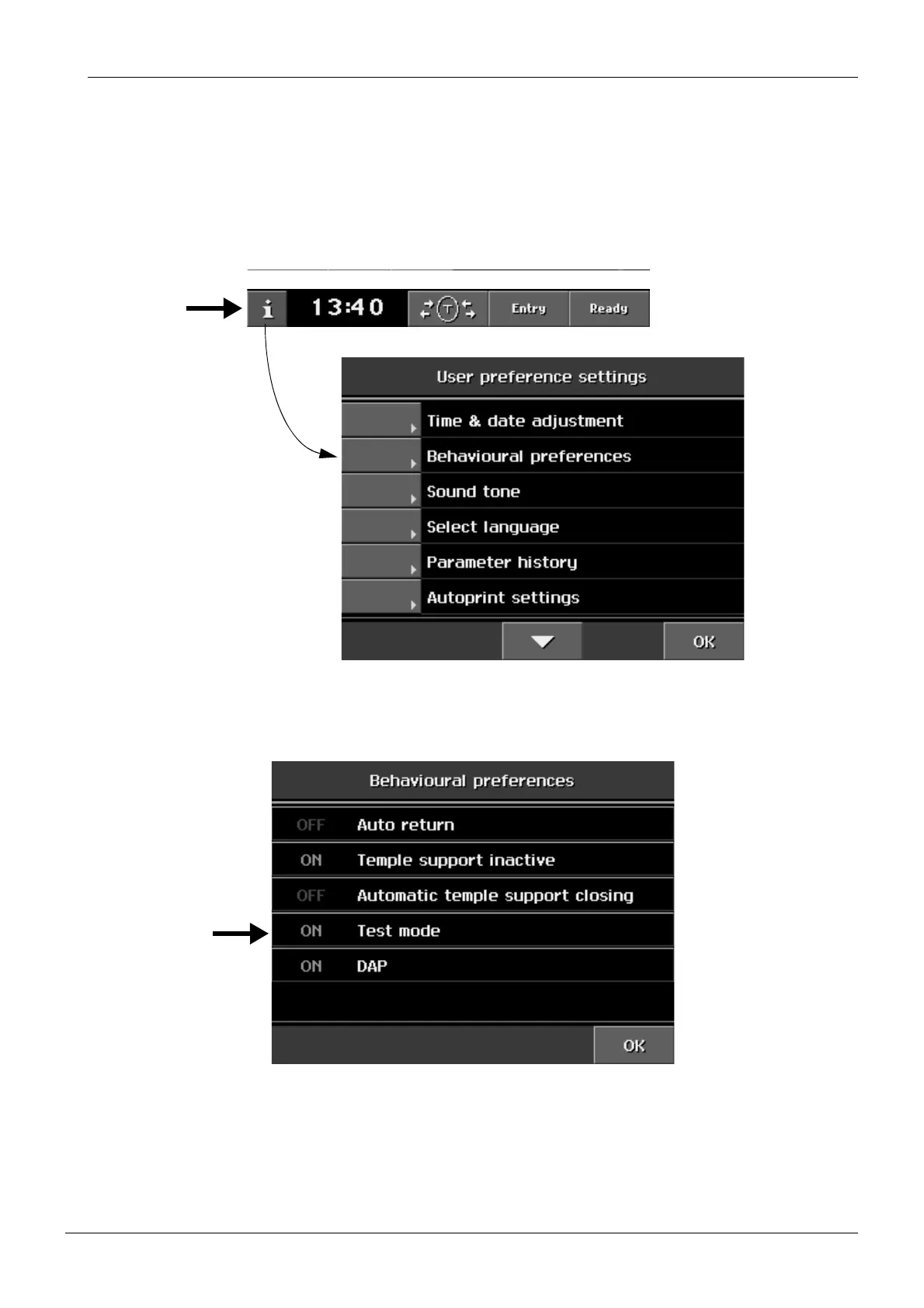
Select the Test mode as follows. Touch the i-field on the
Main
display. The list of User set-
tings appears.
Figure 40
From the list of User settings select
Behavioural preferences
. The display shown below
appears. Touch the Test mode field to enable the test mode (ON).
Figure 41














 To Next Page