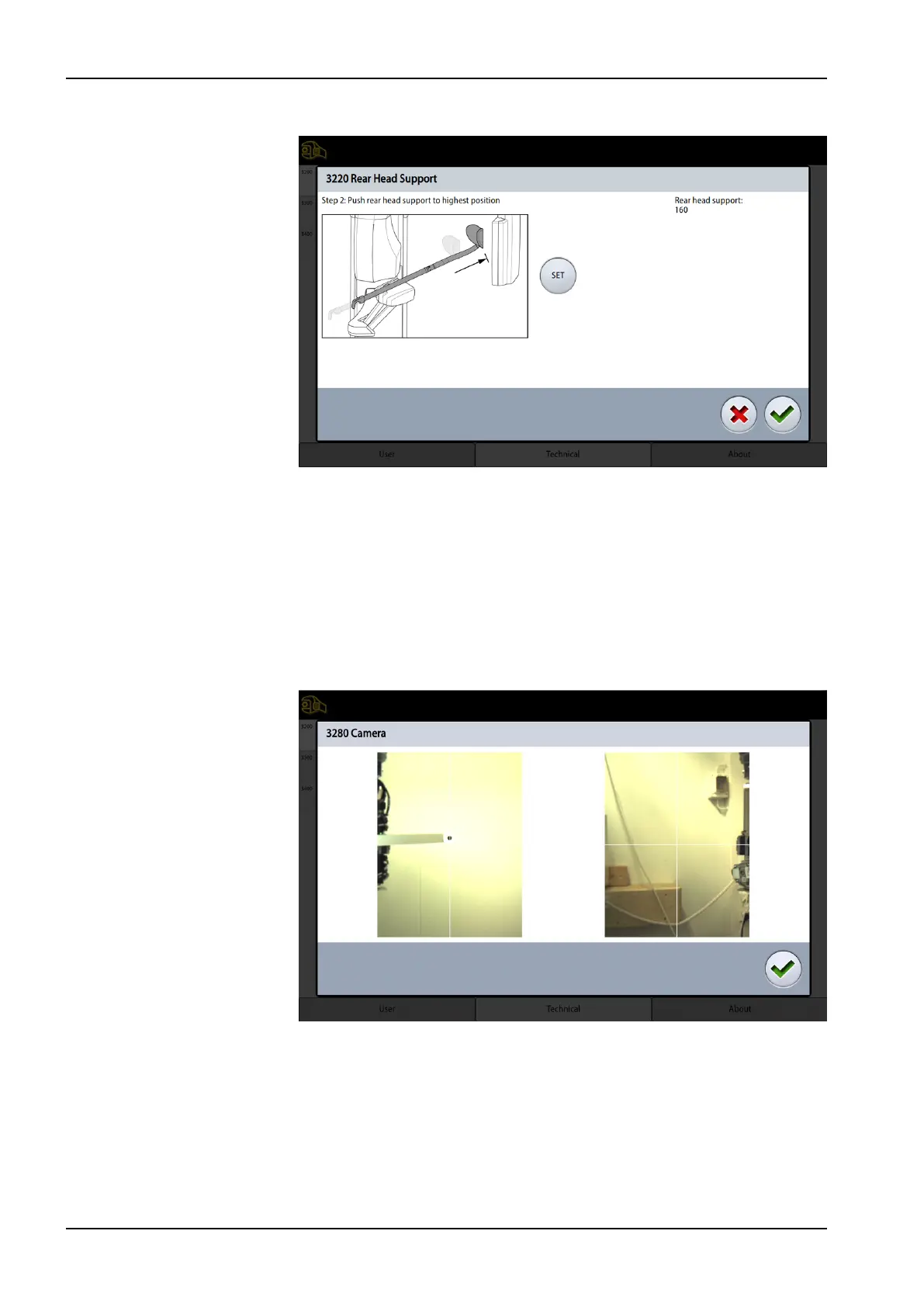
Push the rear head support to its highest position and touch the SET icon.
The rear head support is now calibrated. Exit the calibration mode by
touching the green check mark button.
5.15 Patient camera calibration
Enter the calibration mode:
1. Touch the service spanner on the Main display.
2. Touch Technical and enter password (1701).
3. Touch Calibrations (3200) and select Camera (3280). The Camera
display appears.
5 Adjustments and calibrations
118 Planmeca Viso Technical manual









 To Next Page