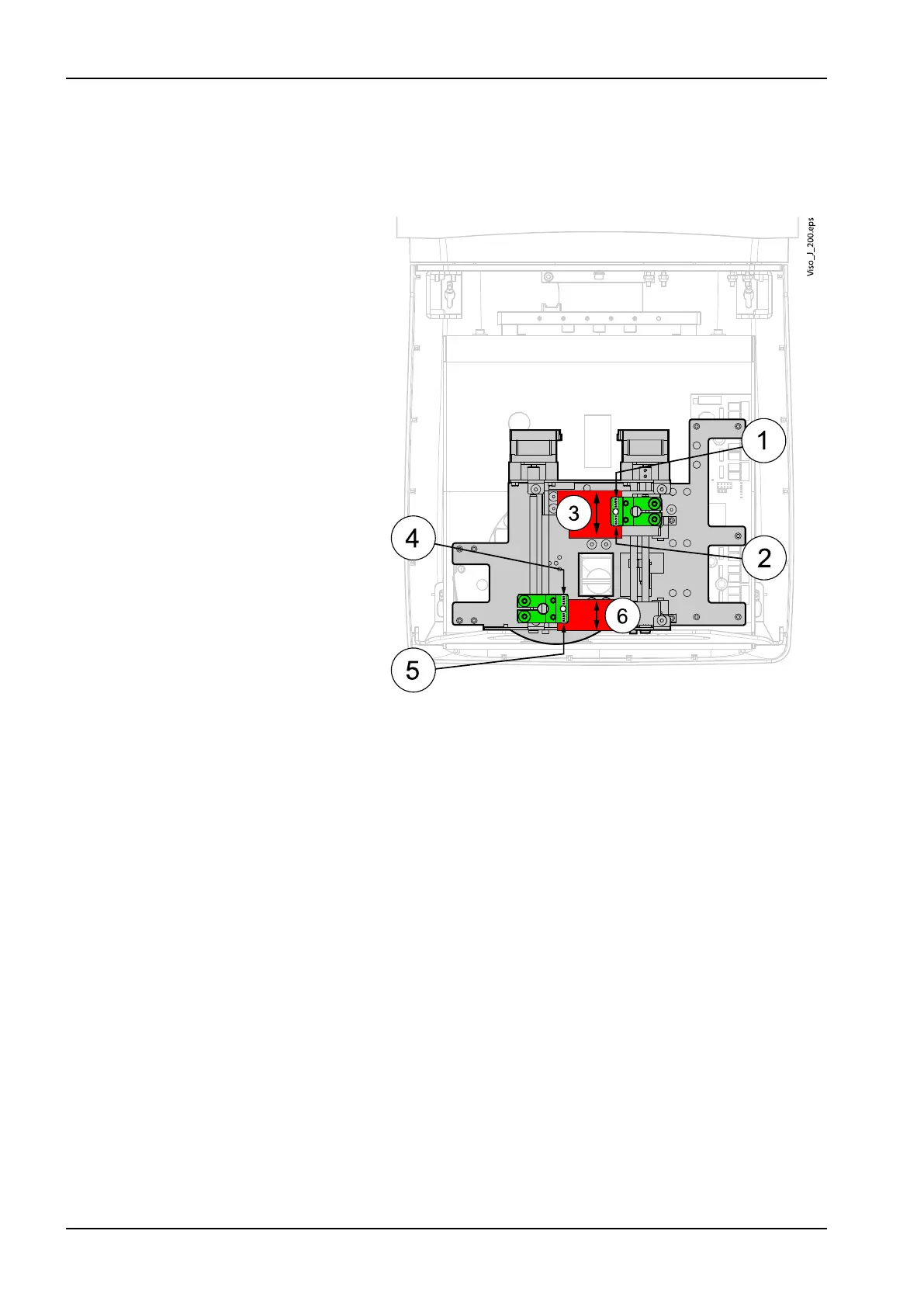
If the upper side borderline in the test image is tilted, use the screws (1) and
(2) to adjust the upper side collimator blade (3) angle.
If the bottom side borderline in the test image is tilted, use the screws (4)
and (5) to adjust the bottom side collimator blade (6) angle.
After adjustment perform the Collimator adjustment - Angle calibration again.
Check the calibration result is Passed: true. Readjust the collimator blade
angles if needed.
Attach the removed covers.
5.6 Adjusting C-arm rotation movement
1. Select Technical from the bottom of the display.
The technical setting mode is password protected and the password is
asked when the mode is entered for the first time after switching the unit
on. The password is 1701.
5 Adjustments and calibrations
90 Planmeca Viso Technical manual









 To Next Page