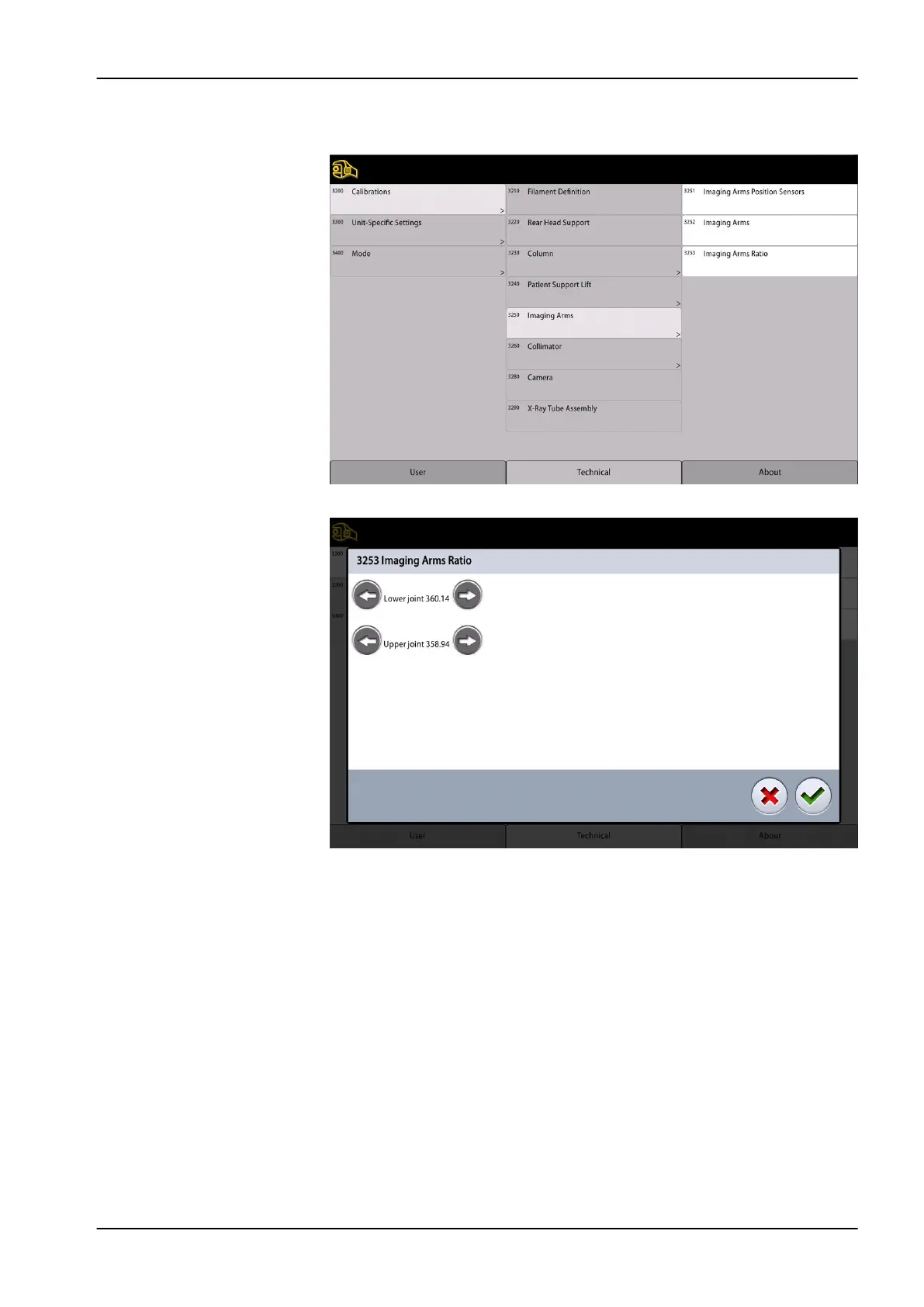
2. Touch Calibrations (3200) and select Imaging arms (3250) and Imaging
arms ratio (3253).
3. The following display appears.
4. Increase the Lower joint value if the angle is > -210.00. Decrease the
value if the angle is < -210.00.
5. Exit the calibration mode by touching the green check mark button.
5.7 Column adjustments
5.7.1 Adjusting moving column position
Sidways adjustment
1. Drive the column near the lowest position (1).
2. With a spirit level, check that the moving column is parallel with the
stationary column sideways (2).
3. To adjust the column position loosen the two attachment screws (3) on
the left side of the column. Adjust the moving column position with
attachment screws (3) and nuts located between the columns (5) so that
5 Adjustments and calibrations
Technical manual Planmeca Viso 91












 To Next Page