5 Adjustments and calibrations
5.1 Adjustment procedures
The following sections list and describe the procedures for adjusting the X-
ray beam, patient positioning mechanisms and columns.
After installing the X-ray unit perform the following checks and adjustments:
1. Take a ball phantom exposure. Refer to section "Ball phantom exposure"
on page 57.
2. Perform the Device tool calibrations. Refer to section "Calibrations with
Device Tool program" on page 59.
5.2 Ball phantom exposure
To check the panoramic X-ray beam and the patient positioning mechanism
adjustments, carry out a ball phantom test using Planmeca Romexis.
1. Attach the ball phantom to the patient support base. The ball phantom is
included in the X-ray unit delivery. Ensure that the phantom is tightly
attached to the patient support base.
2. In Planmeca Viso, select panoramic program. Set image layer to 0 mm
and set the exposure values to 60 kV and 16 mAs.
3. In Planmeca Romexis, select 2D imaging -> Panoramic Exposure. When
the Waiting for Exposure window appears, press the X-ray unit’s
exposure button.
CAUTION
Radiation is generated when the exposure button is pressed. Take
adequate protection measures.
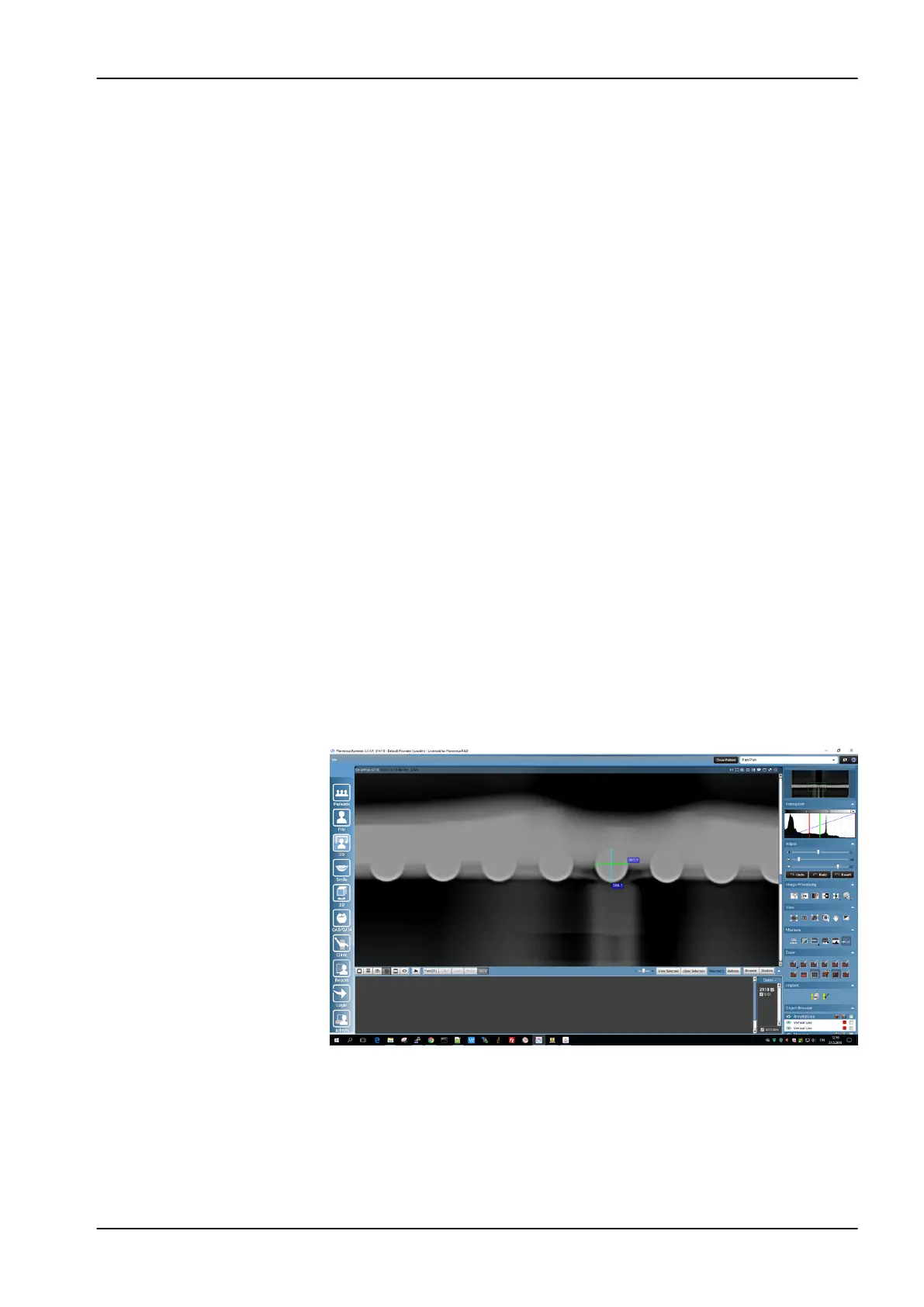
After the exposure, the image displays in Planmeca Romexis. Select the
SmartPan layer 5/10.
Using the Draw and Measure tools, calculate the ball roundness. For
information on using the Planmeca Romexis Draw and Measure tools, see
the Planmeca Romexis user’s manual, publication number 10014593.
Measure the difference between the front-most ball’s width and height. The
ratio in ball height and width must ≥ 0.95.
If the ratio is less than 0.95, adjust the patient support base position as
follows.
5 Adjustments and calibrations
Technical manual Planmeca Viso 57












 To Next Page