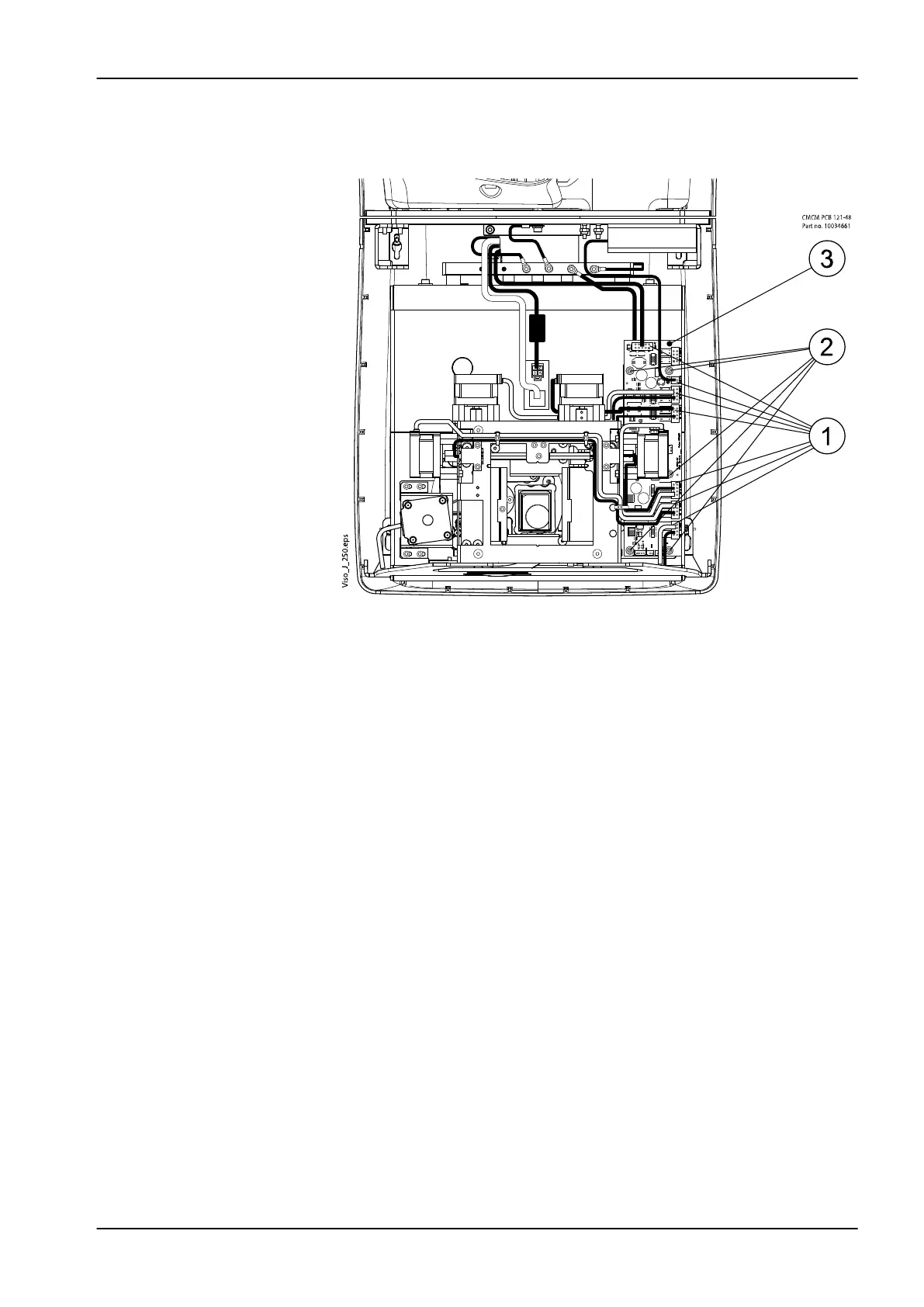
4. Disconnect all the cables that are connected to the CMCM PCB (1).
Unscrew the PCB attachment screws with 3 mm Allen key (2) and
remove the PCB (3).
5. Install the new CMCM PCB in reverse order.
6.3 Replacing position sensors
Upper joint position sensor
1. Switch off the X-ray unit.
2. Remove the upper arm cover. Refer to section "Removing upper arm
covers" on page 122.
3. Remove the moving column upper cover and EMC cover. Refer to
section "Removing column covers" on page 131.
6 Parts replacement
Technical manual Planmeca Viso 143









 To Next Page