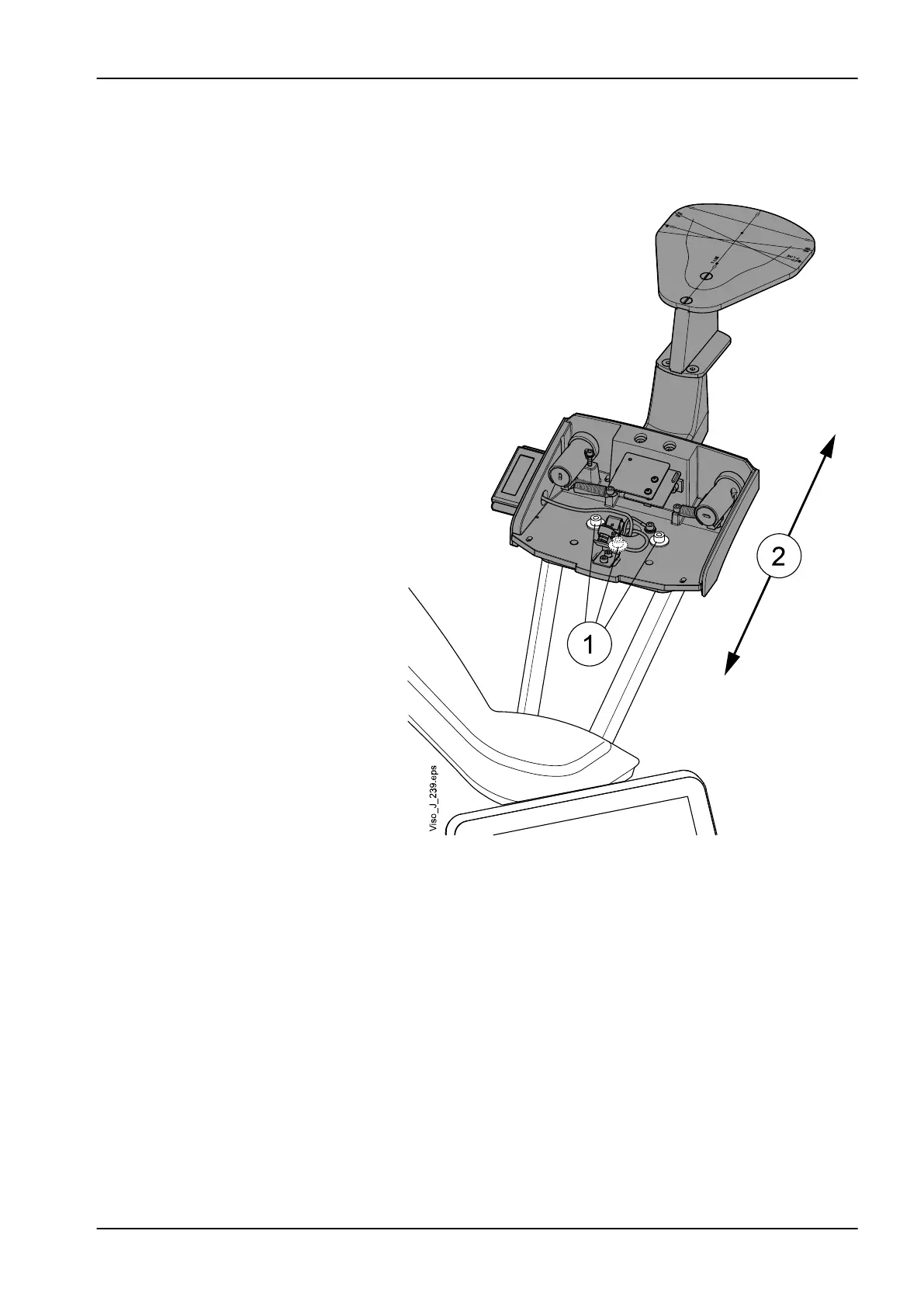
2. Loosen three patient support base attachment screws (1) and adjust the
base backwards/forwards (2). If the front-ball's height is smaller than
width, move the base forwards and vice versa. Tighten the attachment
screws.
5.3 Calibrations with Device Tool program
5.3.1 General
Introduction
With Planmeca Device Tool program, it is possible to perform the following
tasks:
• Update Planmeca Viso system software
• Calibrate Planmeca Viso X-ray unit
• Carry out 3D quality assurance (Q/A) tests
• Configure Network Settings
5 Adjustments and calibrations
Technical manual Planmeca Viso 59












 To Next Page