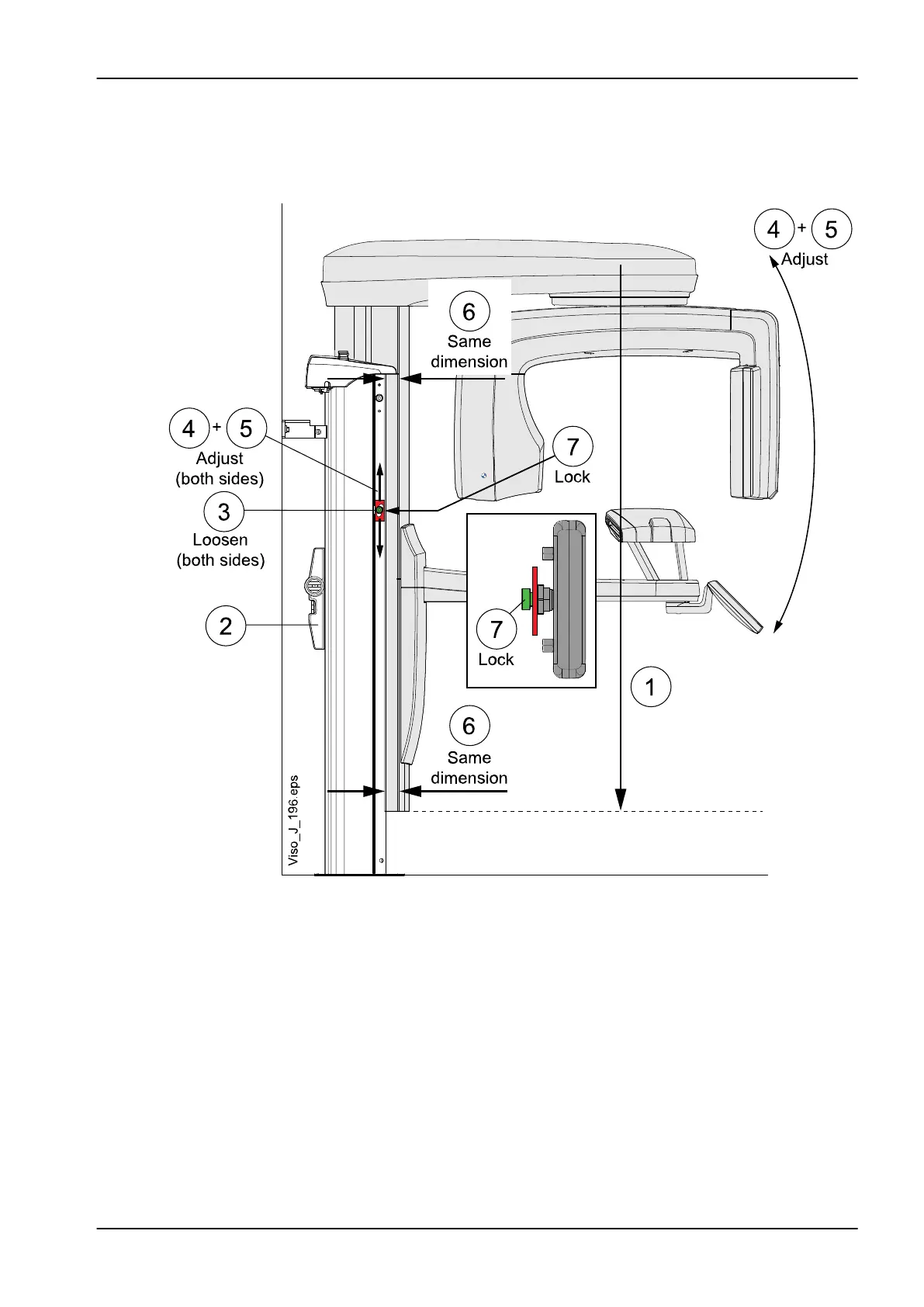
4. Manually adjust the moving column position (4 and 5) so that it is parallel
with the stationary column (6) as shown on the figure below. Note, that
the adjustment washers below the attachment screws moves when you
move the column (4 and 5).
5. Tighten the attachment screws (7).
5.7.2 Calibrating column motor position sensor
CAUTION
Protect yourself against electrical shock. The X-ray unit contains live parts
on some PCBs and connectors.
1. Remove the stationary column top cover (1 in the image below).
5 Adjustments and calibrations
Technical manual Planmeca Viso 93









 To Next Page