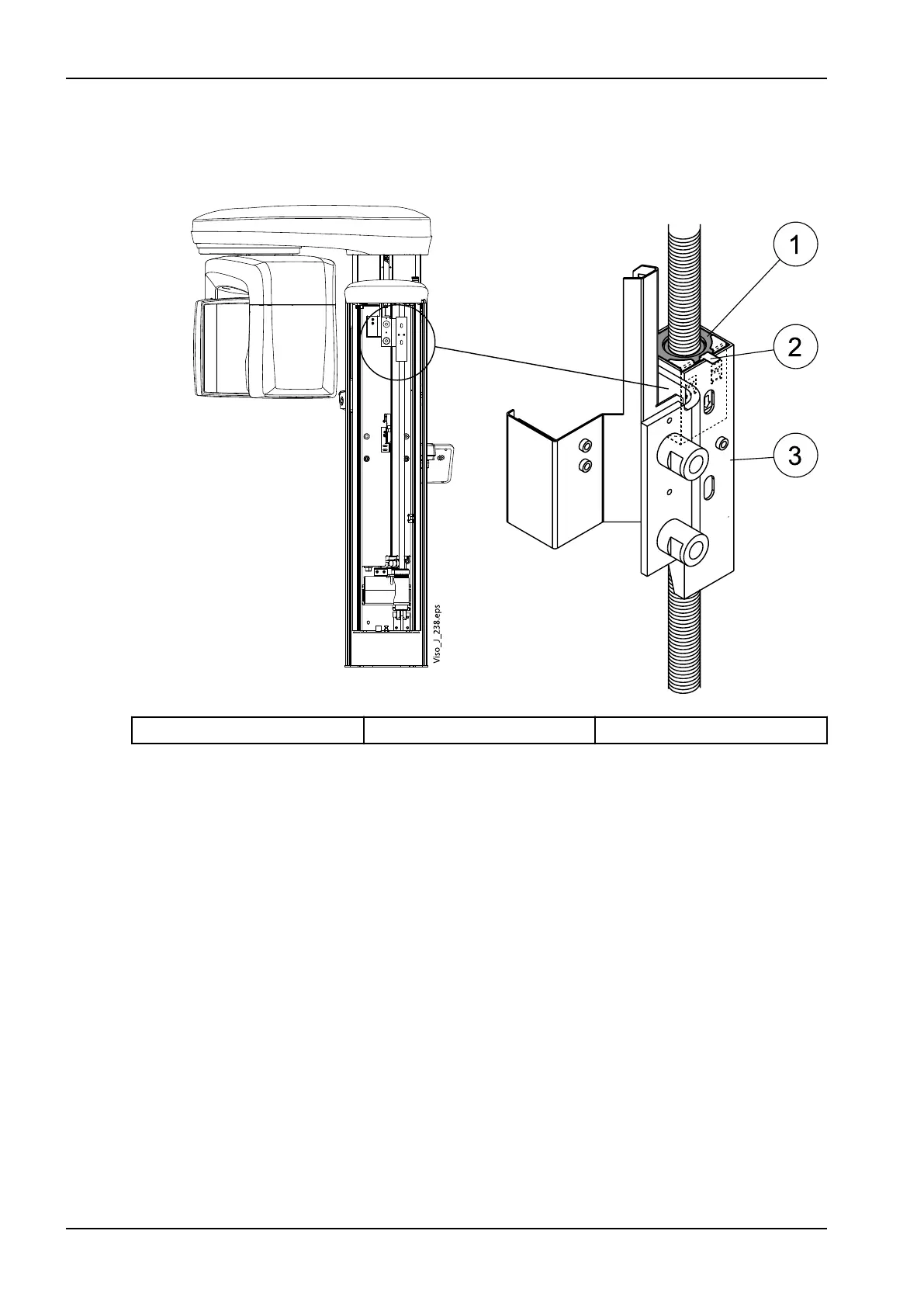
The column motor nut assembly is attached to the fixed column and can be
seen from the opening on the fixed column top. Check whether the lug of the
indicator sheet is bent and the top surface of the secondary motor nut is
level with the edge of the column nut frame, or a little higher.
1. Upper motor nut 2. Lug of the indicator sheet 3. Column nut frame
If the secondary nut is clearly inside the column nut frame and the lug of the
indicator sheet is straightened, the column motor nut assembly must be
replaced.
4 Annual maintenance
52 Planmeca Viso Technical manual











 To Next Page