17
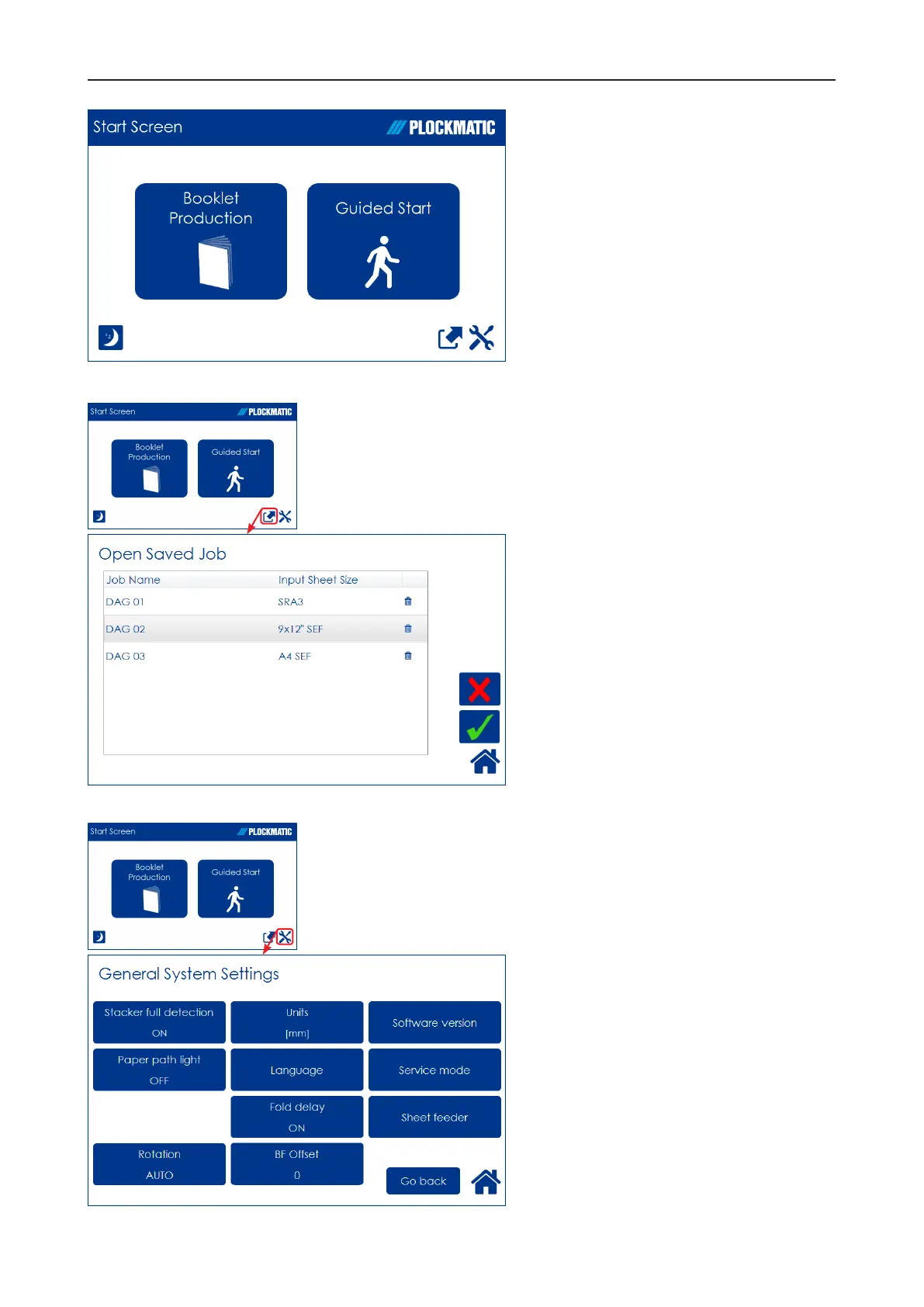
Guided Start
Guided Start is a function that takes
you through all the basic settings
the Booklet Maker System needs
for booklet production in eight easy
steps.
See “Guided Start” in section 2
“Making Booklets” for details.
The Jobs Screen
Pressing the [Open Jobs] button in
the Start screen opens the Open
saved Job screen. From here you
can open a saved job. Jobs can
be stored, deleted, customized etc.
Handling jobs is described in section
4, “Jobs”.
General System Settings
Pressing the [Tools] button opens the
General Systems Settings screen.
From here you can change basic
settings like the display language,
setting units from millimeters to
inches and more. See section 3,
”Tools” for how to work with the Tools
screen.



 To Next Page