POLYURETHANE
MACHINERY
CORPORATION
PH-2 SERVICE MANUAL
6. INSTALLATION
6 INSTALLATION
WARNING! Use suitable protection and follow the recommenda-
tions in the Safety Information enclosed and provided by material
suppliers when installing or working with the Proportioner.
CAUTION! Make sure the power cable is disconnected from the
main power source before connecting to the Terminal Strip in the
Console.
NOTE! To ensure the PH Series Proportioner works correctly, the
electrical supply must meet the specifications indicated on the Se-
rial Number Placard affixed to the Electrical Console.
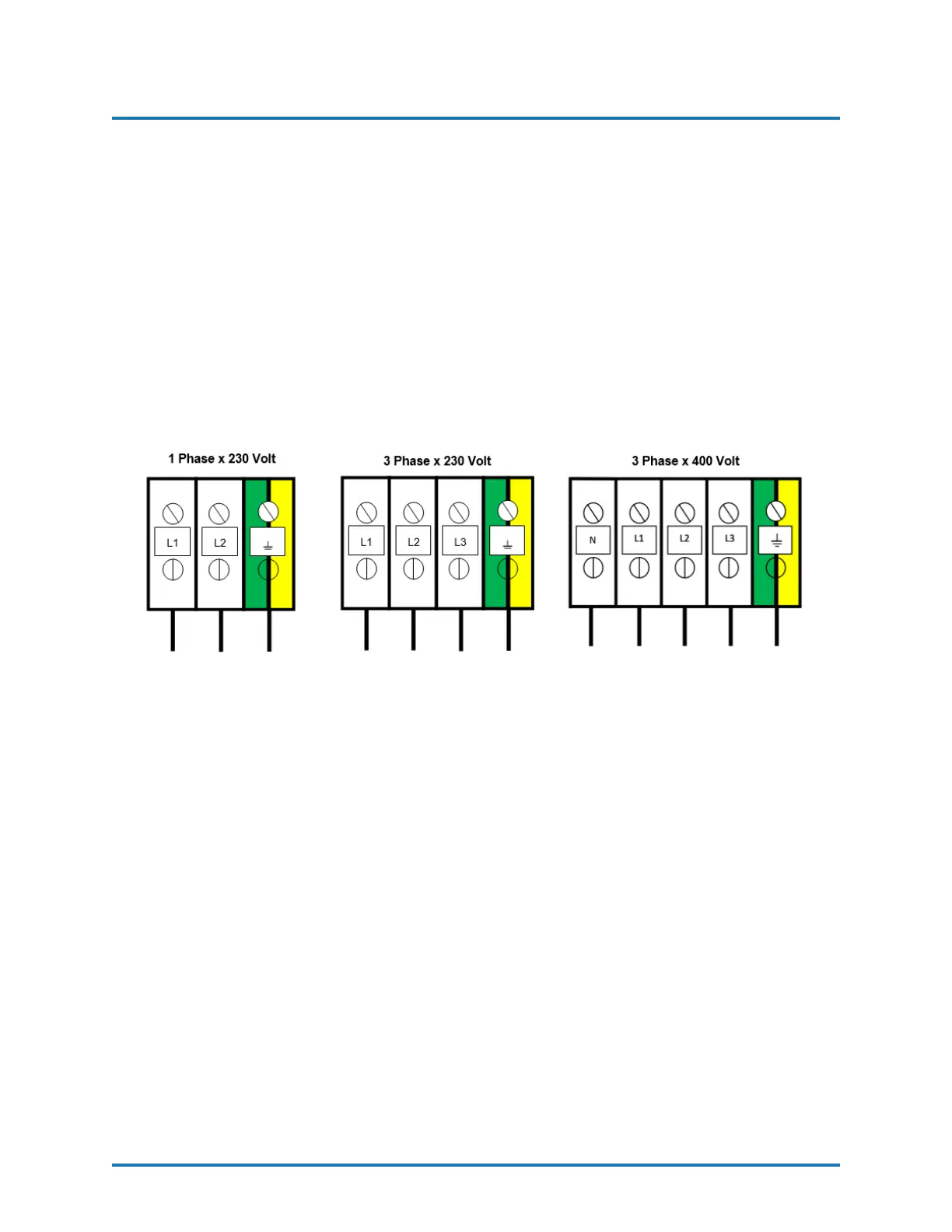
1. Insert the main power cable by passing it through the wire stop at the bottom of the
electrical console and connect as shown in the diagram above.
2. Fill the Hydraulic Reservoir with 10 gallons (37 Liters) of approved hydraulic fluid.
See page 53 for hydraulic oil specifications.
NOTE! Do not fill the tank to maximum capacity;
use the Visual Level Indicator on the tank to make
sure the amount of hydraulic fluid is not more than
10 gal (37 L) or 80% of the tanks maximum capacity.
3. To check the level of the hydraulic fluid in the Hydraulic Pump Case, disconnect the
Hydraulic Hose from the 90 degree fitting and remove Fitting from Hydraulic Case.
Add fluid as required. Reattach Fitting and Hydraulic Hose. Turn the hydraulic
pressure control knob counter clockwise until it stops, that is the lowest hydraulic
pressure setting.
REVISION 1.2 17


 To Next Page