Edition: A03 September 6, 2018
34
Repeat Index Value: The next printing is the N time of the repeat value. The repeat value of the
counter source must not be zero.
Text source: User can modify the text content; the next printing content will be changed after
saving the settings. Maximum is 100 fonts.
3.3.4 Printing Monitor
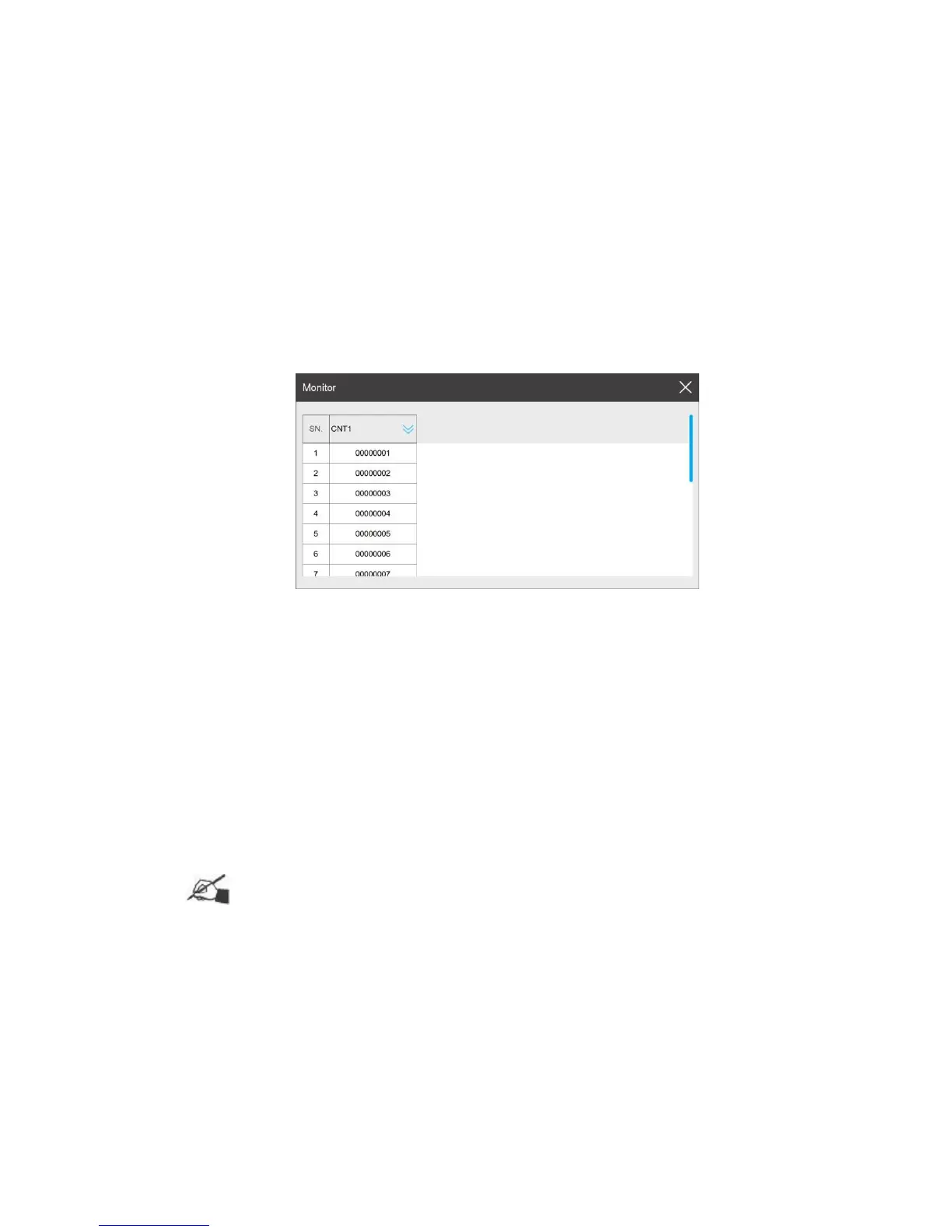
After printing a message which contains dynamic source (counter, shift, date time, device info,
dynamic text), click【Monitor】 to check the printing data and incoming data.
Dynamic source information will be displayed by sequence. The user may pull
down the menu to check if data quantity is more than 5pcs.
The display sequence can be manually selected: 【Pull down】 to select the data.
Click 【Off】 to close the monitor.
Monitor information is updated in real time.
The print monitor list display is determined by the print cache. For example, if
print cache is set to 10, the monitor list will display 10 records.
3.3.5 Re-print
Tips: Reprint is invalid if the message is without a dynamic source (counter, scan, shift,
date time, device info). Reprint function is available only when the message with the dynamic source
is printed at least once.
Start/Stop printing, click 【Reprint】to reprint the last message.
Long press the button【Reprint】, to display the reprint interface.



 To Next Page