Edition: A03 September 6, 2018
38
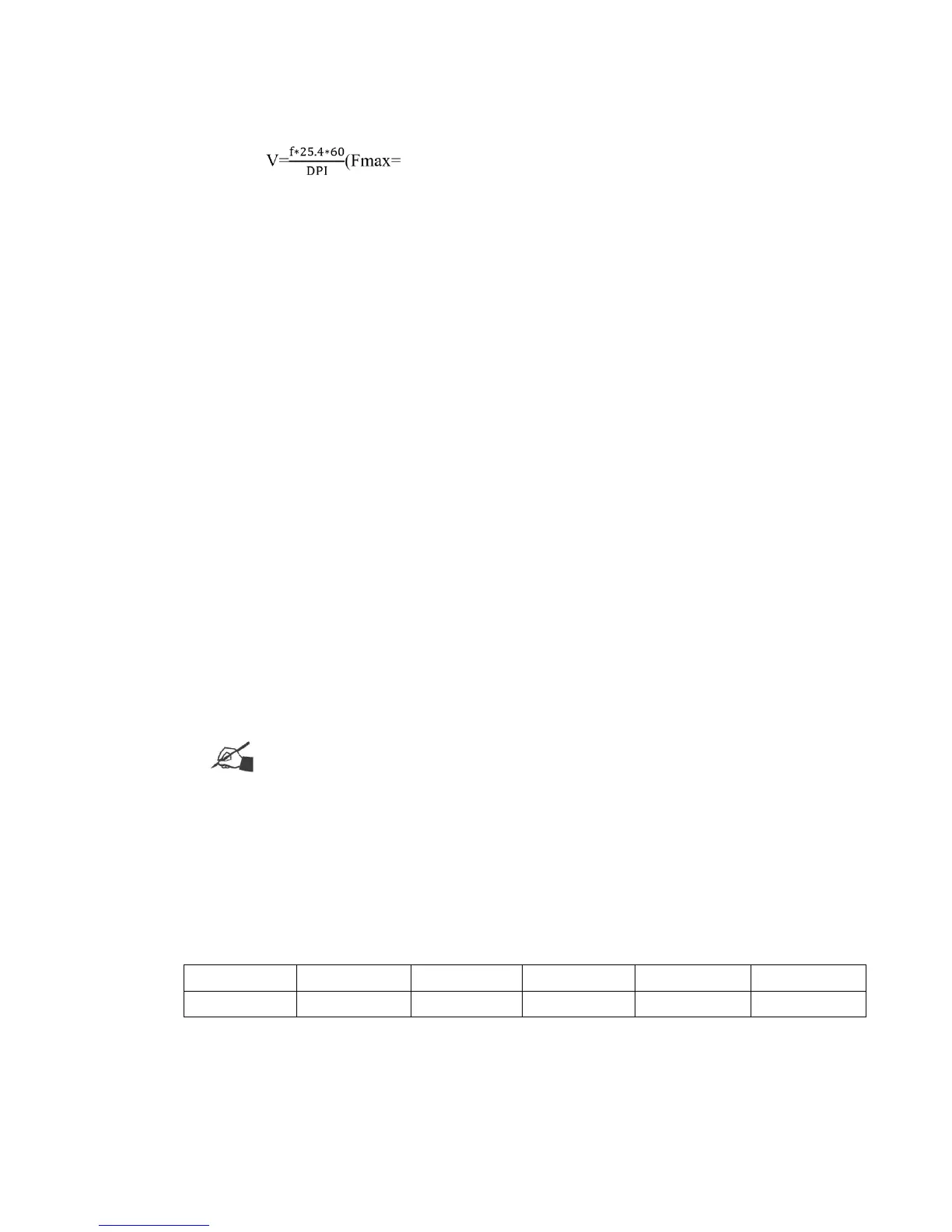
Line Speed :Line running speed (ie. conveyor). Input the range of the line speed according to
DPI . 12Khz,fmin=15hz)
3.4.5 Special Printing
Print mode:Continuous printing or reverse printing. Switch the mode for the corresponding
settings to change between continuous/reverse printing.
Continuous printing: Continuous printing numbers range from 0-9999. 0 sets this function to
OFF, 9999 sets to unlimited; If the user sets their value to N (within 1-9998), once the sensor detects
a signal, N number of messages will be printed.
Long-term PC.: Once activated you need to activate the photocell continuously (pointing at
an object) to enable continuous print. When setting this function to off, you only need to sense
(trigger) the photocell one time to activate continuous printing.
Printing Interval: The distance from the beginning of the first message to the beginning of the
second message. Default value is 0mm, range between 0-9999.99mm.
Reverse printing:The print number for each direction ranges from 0-9999, 0 means OFF. If
the user sets the value to 5 it will print 5 times according to the print direction in settings, it will then
print 5 times in the opposite direction.
Reverse Interval: This is the delay for the reverse direction print which can be set between 0-
1000mm.
Note:Continuous printing interval should be greater than the message length,
otherwise it may cause poor printability as both directions printing will overlap.
3.5 System setting
3.5.1 System management
System time:
Note:
1. When in leap year, the system will modify the maximum value of February automatically.
2. The maximum value of “Days” will change according to the actual days for each month.
Unit: 【mm or inch】click the icon to select unit.



 To Next Page