Edition: A03 September 6, 2018
36
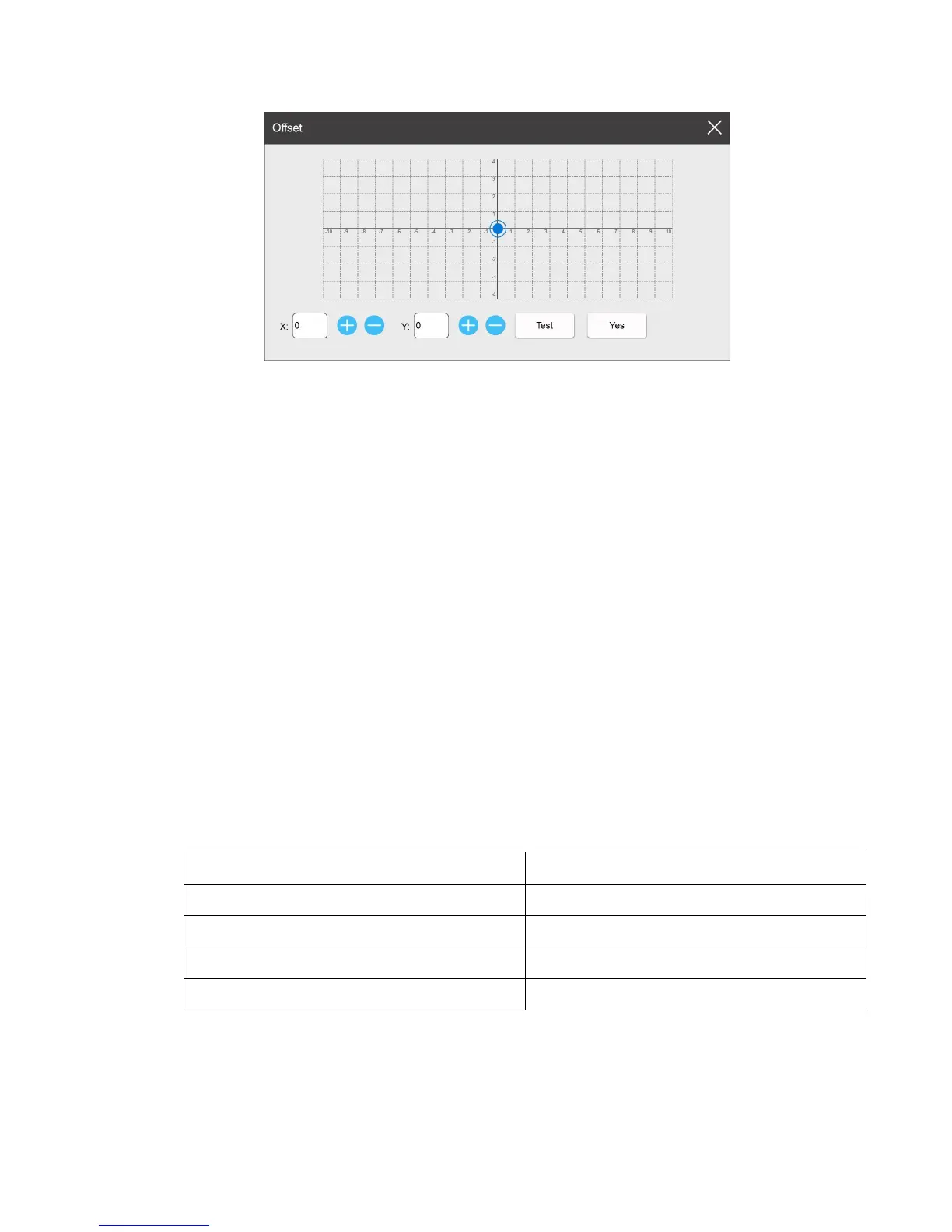
Click 【Test】and sense the photocell to test the print location information. According to this
method the user can adjust X, Y axis to combine the two heads for perfect alignment. Select ‘Yes’
to save the setting information.
Note: Double print head combined mode must be set for the offset settings above to appear.
3.4 Print Parameter
3.4.1 Print Setting
Print head: Max number of print heads is 2. User can select single P1, single P2, combined
printhead or separated printhead.
Print Direction: Set the printing direction of the printhead: L to R (from left to right), and R
To L (from right to left). In separated mode the user can set the P1,P2 print direction separately.
Mirror: Three options: None, Horizontal and Vertical. In separated mode the user can set the
P1,P2 mirror separately.
Photocell settings:
3.4.2 Printhead Setting
Nozzle switch: Two channels of nozzles for each printhead (left, right); user can select to use
left/right or double nozzle(s). (Note: Using a single channel will save half the ink drops, so the
optical darkness will be lighter).



 To Next Page