27
PORA ELECTRIC MACHINERY CO.,LTD.
PR-DTC-4100.A / AD
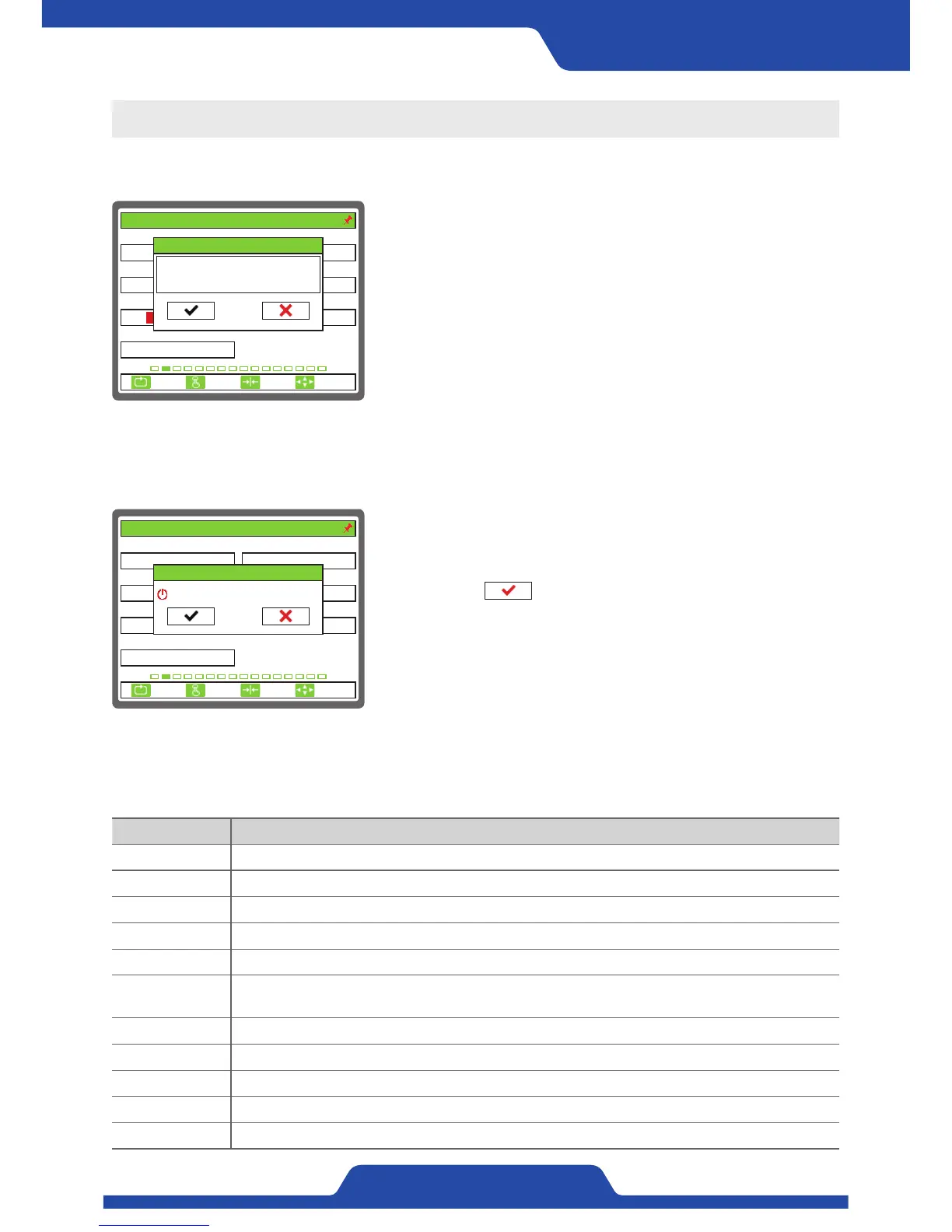
4) Input BCD
- In case that it needs to input BCD data, a pop-up comes out as well.
However, it is not possible to input number.
- It is selectable if a user inputs current data or cancel it by using [Left/
right button].
- On pop-up, data which was input before and BCD data which is
being read currently are shown.
6) Unit guidance
Unit Guidance
mV/V It means the feature of tension detector.
kg, N It means N tension.
BCD It means AD data which BCD controller processes.
% This is data which is set as percentage.
% FS This is a percentage data based on full scale of tension.
% RO
This is a percentage data which is on the basis of regular output of a controller.
(24V or analog output)
sec This means data which sets time.
mpm This means data which sets speed.
um This means data which sets width of materials.
mm This means data which sets length unit. (Diameter)
xN This means ratio of data which is set.
1. SENSOR SELECT 2. SENSOR SIG(mV/V)
3. FULL SCALE(kg, N) 4. CAL.TENSION(kg, N)
5. ZERO INPUT(BCD) 6. SPAN INPUT(BCD)
100
PRTL
7. CALI. SCALE(%)
100.0
30
3.0
2. TENSION CALIBRATION
ESC CLR SET
SELECT
0/ 0
4095/ 4095
Curr. 0/ 0
5. ZERO INPUT(BCD)
-150/ -150
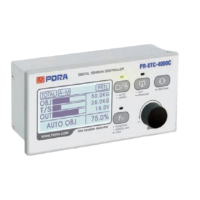
5) Complete setting
1. SENSOR SELECT 2. SENSOR SIG(mV/V)
3. FULL SCALE(kg, N) 4. CAL.TENSION(kg, N)
5. ZERO INPUT(BCD) 6. SPAN INPUT(BCD)
100
0/ 0
PRTL
7. CALI. SCALE(%)
100.0
30
3.0
2. TENSION CALIBRATION
ESC CLR SET
SELECT
4095/ 4095
SETUP
DO YOU WANT TO EXIT?
- If pressing [Cancel button] in every setting mode, main setting item
will be activated and pressing [Cancel button] again, a pop-up
window for termination will appear.
- Please select check using [Left/right button], and press [Enter
button] to complete setting mode.


 To Next Page