3. Hyper Terminal (RS-232)
It is able to check the status of operation and setting data of a product through PC. Hyperterminal is kind of a
communication program which is used to connect to communication service of normal text environment. For
further inquiry, please contact the web site or headquarter of PORA Electric Machinery Co., Ltd.
(+82-31-455-8183)
4. Ethernet (※Option)
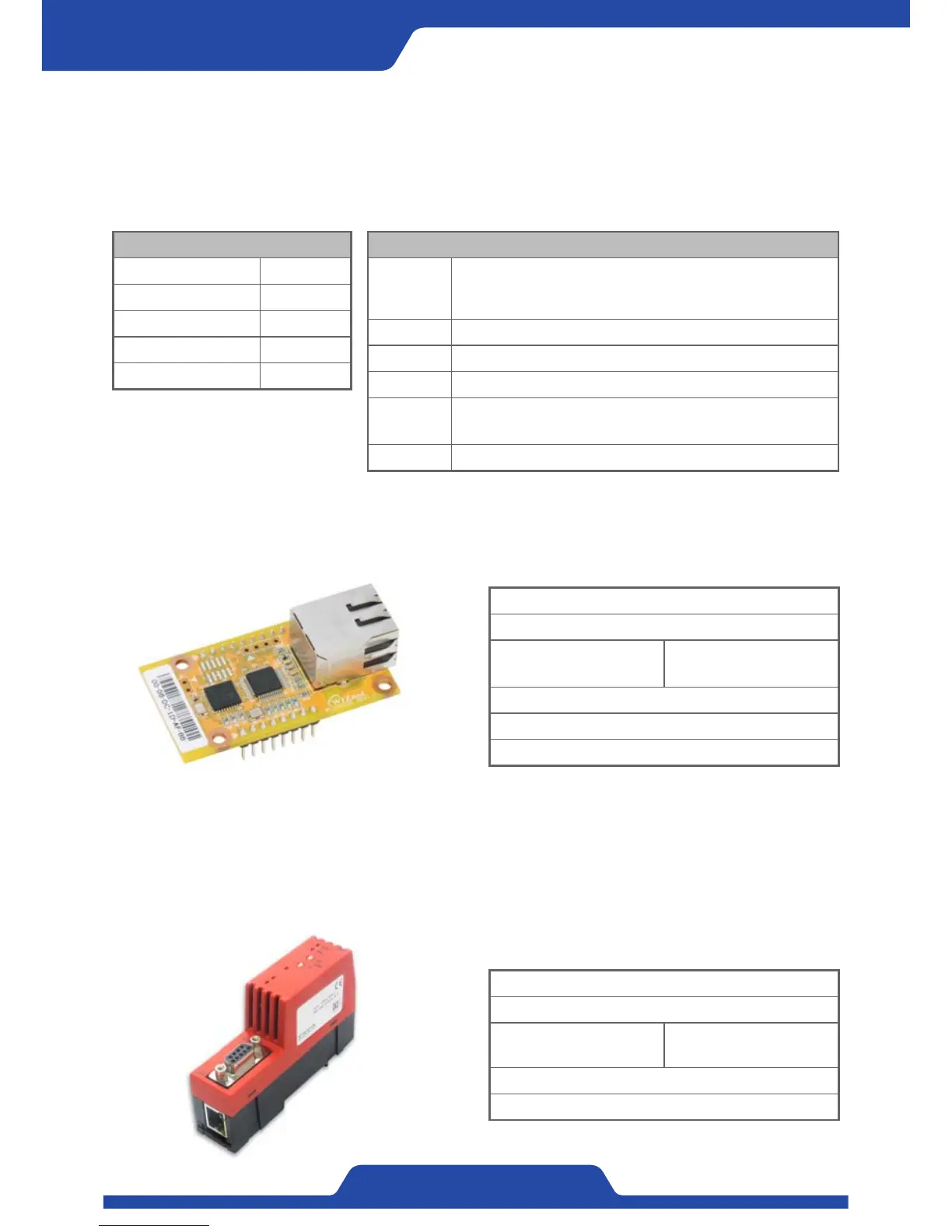
It is able to compose communication by connecting the module as follows to the system which is comprised of
fieldbus using ethernet communication. Please ask in advance to PORA if using ethernet.
Connection: RJ45 socket
Cable: Ethernet cable, twisted pair
Baudrate:
10 Mbps or 100 Mbps
Automatic adjustment
Transmission: Half duplex or full duplex
Module Company: Wiznet
Model: WIZ550S2E
5. Profibus-DP (※Option)
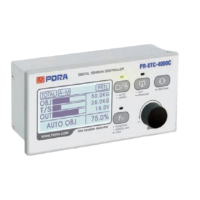
It is able to compose communication by connecting the module as follows to the system which is comprised of
fieldbus using Profibus-DP. Communication through Modbus-RTU is done between PR-DTC-4100.A(D) and the
following module and then can control PR-DTC-4100.A(D) outside through Profibus-DP. Please ask in advance
to PORA regarding Profibus-DP.
Connection: RS-485 socket
Cable: Profibus cable, Shield pair
Baudrate:
9.6 kbps ~ 12 Mbps
Automatic adjustment
Module Company: Hilscher
Model: NT 50-DP-RS
Table to set port
Bit / Second (B) 115200
Data bit (D) 8
Parity (P) None
Stop bit (S) 1
Control flow (F) None
Command statement
READY?
Checking the connection of hyper terminal
( After checking connection is completed, it is able to run
below command.)
PORA? It shows the sentences of company introduction.
IDN? It shows the specifications of a product much in detail.
VERS? It shows the history of product version.
DATA?
It is able to check the data by entering into product setting
display.
LOG? Tension and control output is shown by one second.


 To Next Page