9. TAPER
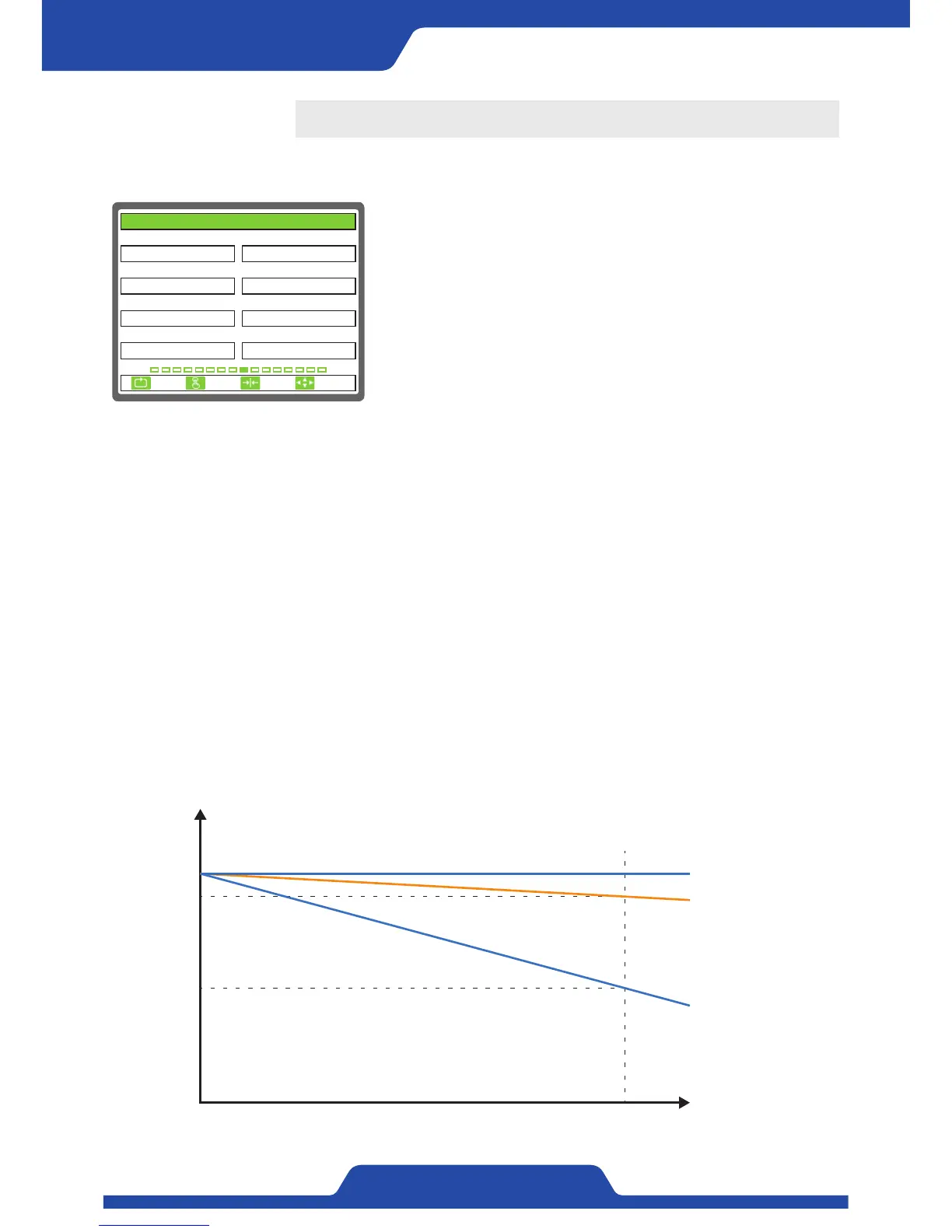
It is able to set the items related taper control.
1) DIAMETER INPUT: It is to set the way of detecting diameter
operation.
●
Select item: PULSE, ANALOG
- PULSE: Calculate diameter operation using pulse signal installed to a
scroll.
- ANALOG: Calculate diameter operation using 1 channel in 3 channels of
Analog input.
2) THICKNESS(um): It is to set the width of materials.
- Setting range: 0.0 ~ 2000.0
- It is applied when [1. DIAMETER INPUT] is selected to‘Pulse’.
※NOTE
As the diameter of roll increases, decrease tension value softly. It will decrease the stress
inside roll and lead to reduce defect of wrapped roll.
1. DIAMETER INPUT 2. THICKNESS(um)
3. REEL PULSE 4. TAPER RATIO(%)
5. DIAMETER MIN(mm) 6. DIAMETER MIN(BCD)
1
ANALOG
0100.0
7. DIAMETER MAX(mm)
1000.0
8. DIAMETER MAX(BCD)
16383
100.0
100.0
9. TAPER
ESC CLR SET
SELECT
3) REEL PULSE: It is to set the input number of pulse per one rotation.
- Select item: 1, 2, 4, 8
- It is applied when [1. DIAMETER INPUT] is selected to‘Pulse’.
4) TAPER RATIO(%): It is to set the ratio of taper.
- Setting range: 0.0 ~ 100.0
5) DIAMETER MIN(mm): It is to set the minimum diameter of materials.
- Setting range: 0.0 ~ 2000.0
6) DIAMETER MIN(BCD): It is to input analog values when materials are minimum diameter.
- Input range: 0 ~ 16383
7) DIAMETER MAX(mm): It is to set the maximum diameter of materials.
- Setting range: 0.0 ~ 2000.0
- It is applied when [1. DIAMETER INPUT] is selected to‘Analog’.
8) DIAMETER MAX(BCD): It is to input analog values when materials are maximum diameter.
- Input range: 0 ~ 16383
- It is applied when [1. DIAMETER INPUT] is selected to‘Analog’.
Tension (kg)
10
9
5
0
MAX
Diameter (mm)
Taper ratio 100%
Taper ratio 90%
Taper ratio 50%


 To Next Page