29
PORA ELECTRIC MACHINERY CO.,LTD.
PR-DTC-4100.A / AD
3. TENSION CONTROL
It is to set the items related to tension control.
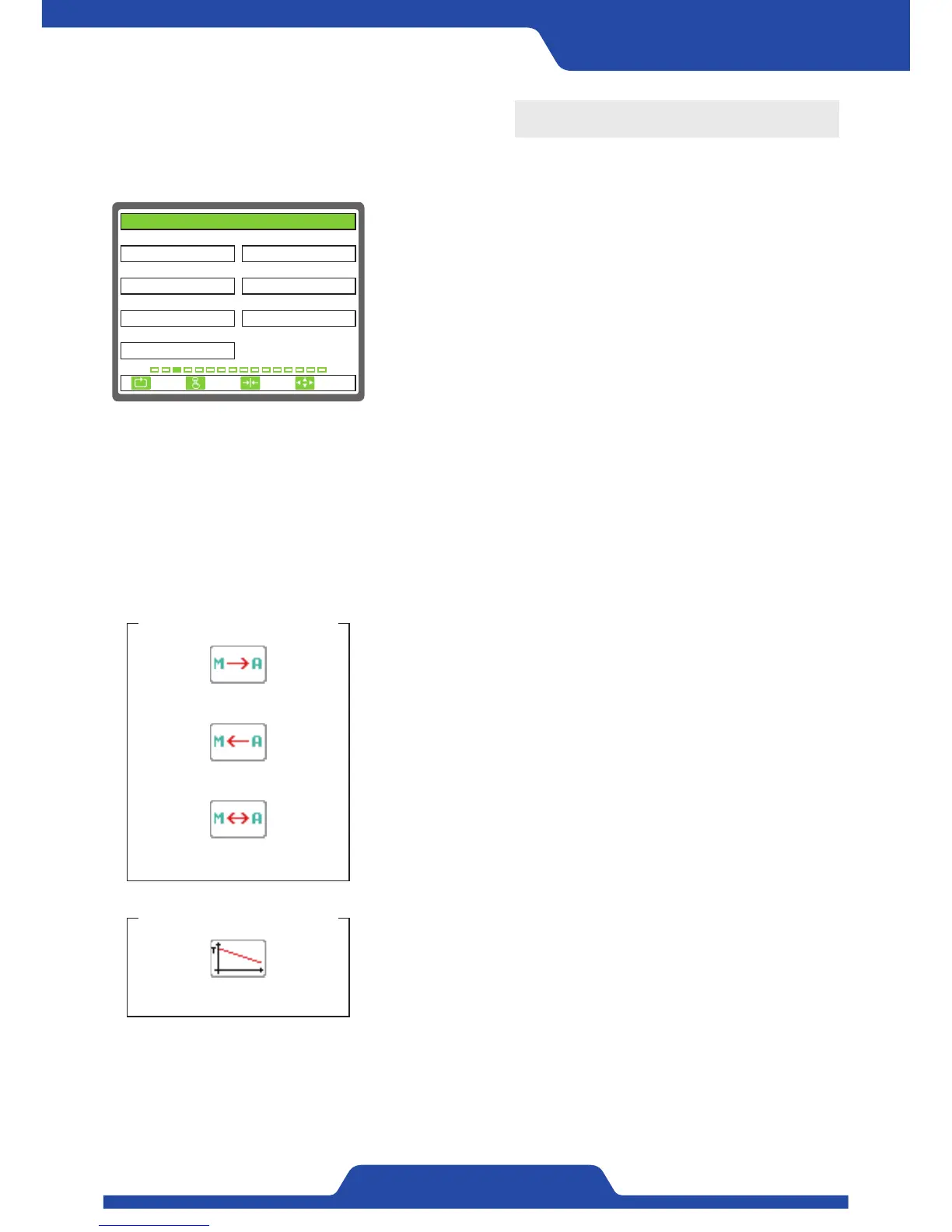
1) TENSION ZONE: It is to set the system position which controls
tension.
●
Setting item: UNWIND, REWIND
- Taper control is only possible when setting rewind.
2) ZERO RANGE(% FS): It is to set the range indicating tension as zero
point.
- Setting range: 0.0 ~ 10.0
3) TENSION LMT(% FS): It is to set the maximum values of target
tension.
- Setting range: 0.0 ~ 100.0
- It is not able to adjust target tension more than set-up values.
4) TENSION HI(% FS): It is to set the lower limit of tension.
- Setting range: 0.0 ~ 100.0
- An alarm will occur if tension is detected more than set-up values.
5) TENSION LOW(% FS): It is to set the lower limit of tension.
- Setting range: 0.0 ~ 100.0
- An alarm will occur if tension is detected lesser than set-up values.
6) M/A CHANGE: When switching manual/auto mode, it is selectable
whether to interlock target tension and controlled
output values or not.
●
Setting item:
UNUSE, MANU-->AUTO, MANU<--AUTO, MANU<->AUTO
- MANU-->AUTO: When switching from manual mode to automatic
mode, current tension values is applied as target
tension.
- MANU<--AUTO: When switching from automatic mode to manual
mode, current output values is applied as manual
torque output values.
- MANU<->AUTO: The above all two things are applied.
7) TAPER USE: It is selectable whether to use taper tension function or
not.
●
Setting item: UNUSE, USE
- When setting‘use’, set-up values within main item of [9. TAPER] will
be applied.
TAPER USE - USE
An icon shown on a screen
1. TENSION ZONE 2. ZERO RANGE(% FS)
3. TENSION LMT(% FS) 4. TENSION HI(% FS)
100.0
UNWIND
7. TAPER USE
UNUSE
5. TENSION LOW(% FS)
0.0
6. M/A CHANGE
UNUSE
100.0
0.5
3. TENSION CONTROL
ESC CLR SET
SELECT
An icon shown on a screen
M/A CHANGE - MANU-->AUTO
M/A CHANGE - MANU<--AUTO
M/A CHANGE - MANU<->AUTO


 To Next Page