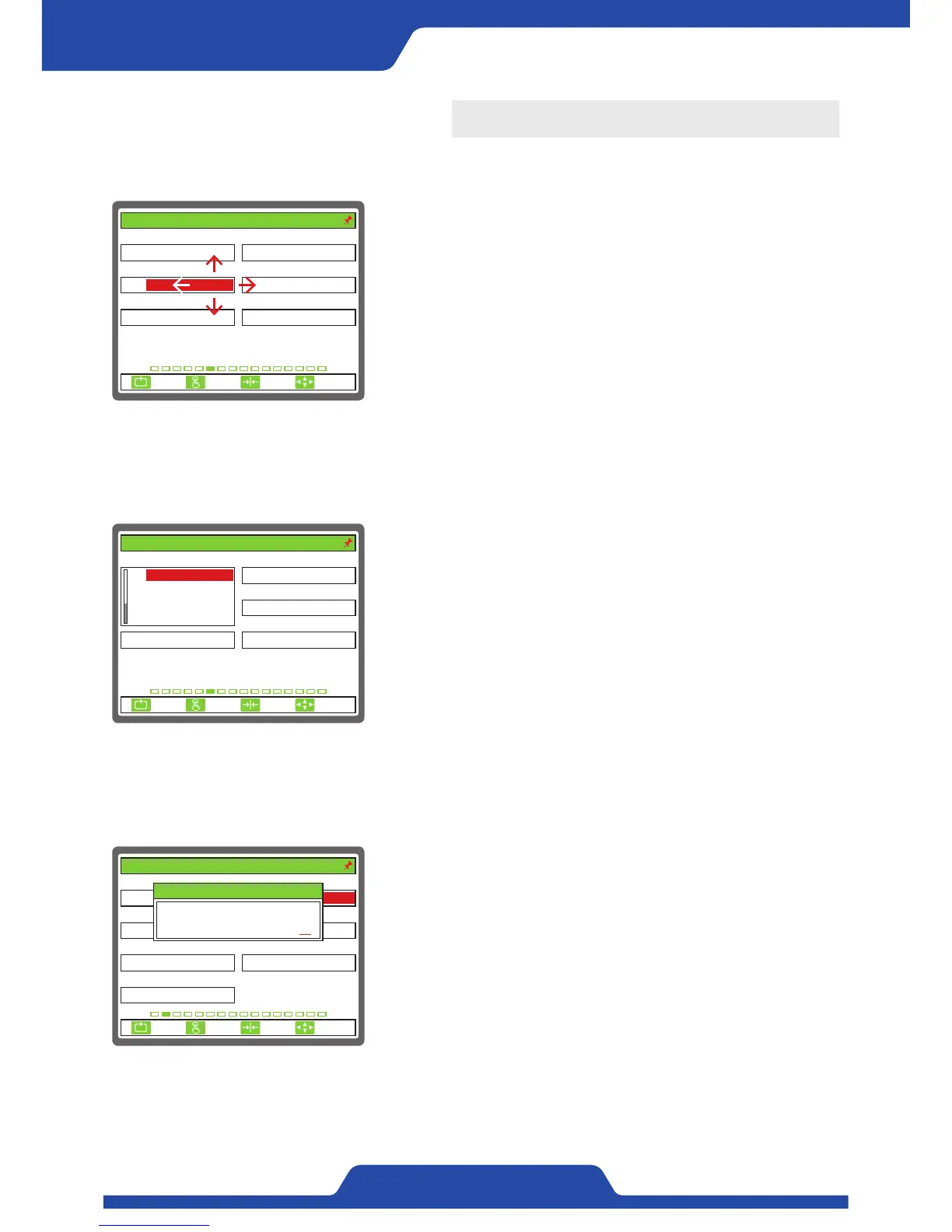
The way of setting
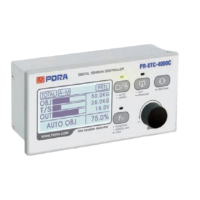
2) Select item
- In case of data which a user needs to select, when pressing [Enter
button] at the same time with an item being activated, items which
can choose below relevant data are shown.
- In case that there are lots of select items, scroll bar at the left of data
comes out and it is able to move an item within data select window
by using [Up/down] button.
1) Moving an item, select, input
- It is able to change a screen using [Up/down/left/right button] and
move setting item inside a screen.
- It is able to check the current location from the color of a setting
data.
- It is able to activate relevant item by pressing [Enter button] in the
item a user hopes to set.
- The way of setting changes depending on the shape of data which a
user wants to set.
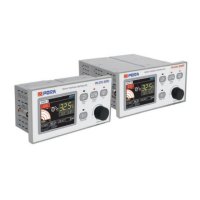
3) Input number
- In case of data which needs to be input number directly, a pop-up to
input number comes out.
- It is able to move ciphers by using [Up/down/left/right button] to set
number.
- On pop-up, it shows the maximum figures selectable, the data being
set before and the data being used now.
1. ANALOG 1 2. ANALOG 1 INPUT
3. ANALOG 2 4. ANALOG 2 INPUT
5. ANALOG 3 6. ANALOG 3 INPUT
UNUSE 0...10V
0...10VUNUSE
0...10V
6. ANALOG INPUT SEL.
UNUSE
ESC CLR SET
SELECT
1. ANALOG 1 2. ANALOG 1 INPUT
3. ANALOG 2 4. ANALOG 2 INPUT
5. ANALOG 3 6. ANALOG 3 INPUT
UNUSE
0...10V
0...10VUNUSE
0...10V
6. ANALOG INPUT SEL.
ESC CLR SET
SELECT
TENSION
TORQUE
LINESPEED
UNUSE
1. SENSOR SELECT 2. SENSOR SIG(mV/V)
3. FULL SCALE(kg, N) 4. CAL.TENSION(kg, N)
5. ZERO INPUT(BCD) 6. SPAN INPUT(BCD)
100
PRTL
4095/ 40950/ 0
7. CALI. SCALE(%)
100.0
30
2. TENSION CALIBRATION
3.0
ESC CLR SET
SELECT
Max. 35.0
Curr. 3.0
2. SENSOR SIG(mV/V)
3.0


 To Next Page