User’s Manual 14
2.3.1 Installing / Replacing the Battery Pack
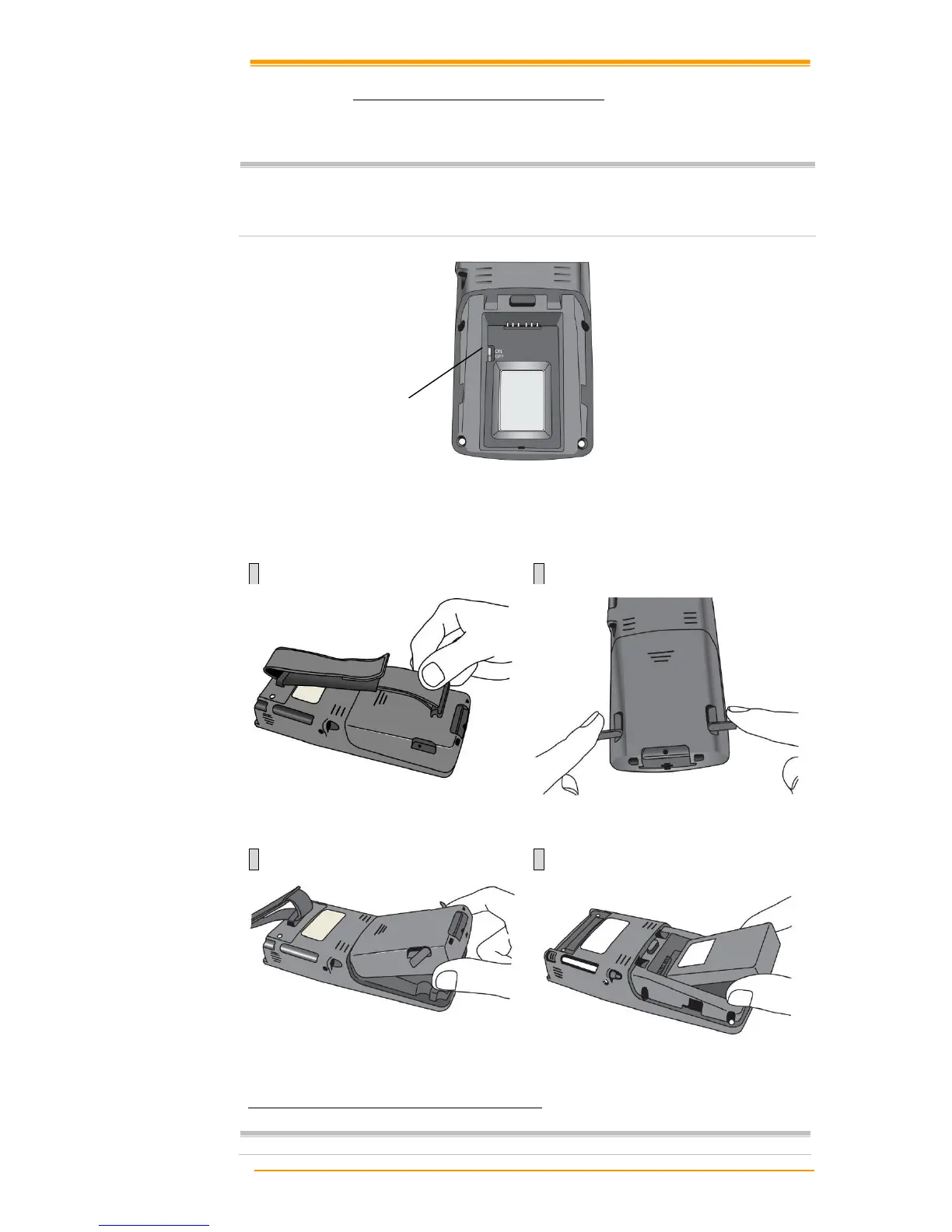
How to install or replace the main battery in the mobile computer
Important:
Data you enter may not be properly stored until the built-in backup battery has
been adequately charged. Please turn on the back up battery switch before you
charge the mobile computer.
1 2
If the Mobile Computer has a hand-strap,
detach and loosen the hand-strap
Rotate the latches to the open position
3 4
Remove the battery cover. Position the battery pack with the label side
toward you
Figure 2-7 Installing / Replacing the Main Battery
Note:
Please follow the above procedure in reverse to reassemble the battery cover.
Backup Battery Switch



 To Next Page