User’s Manual 15
2.3.2 Charging the Battery Pack with a Power Adapter
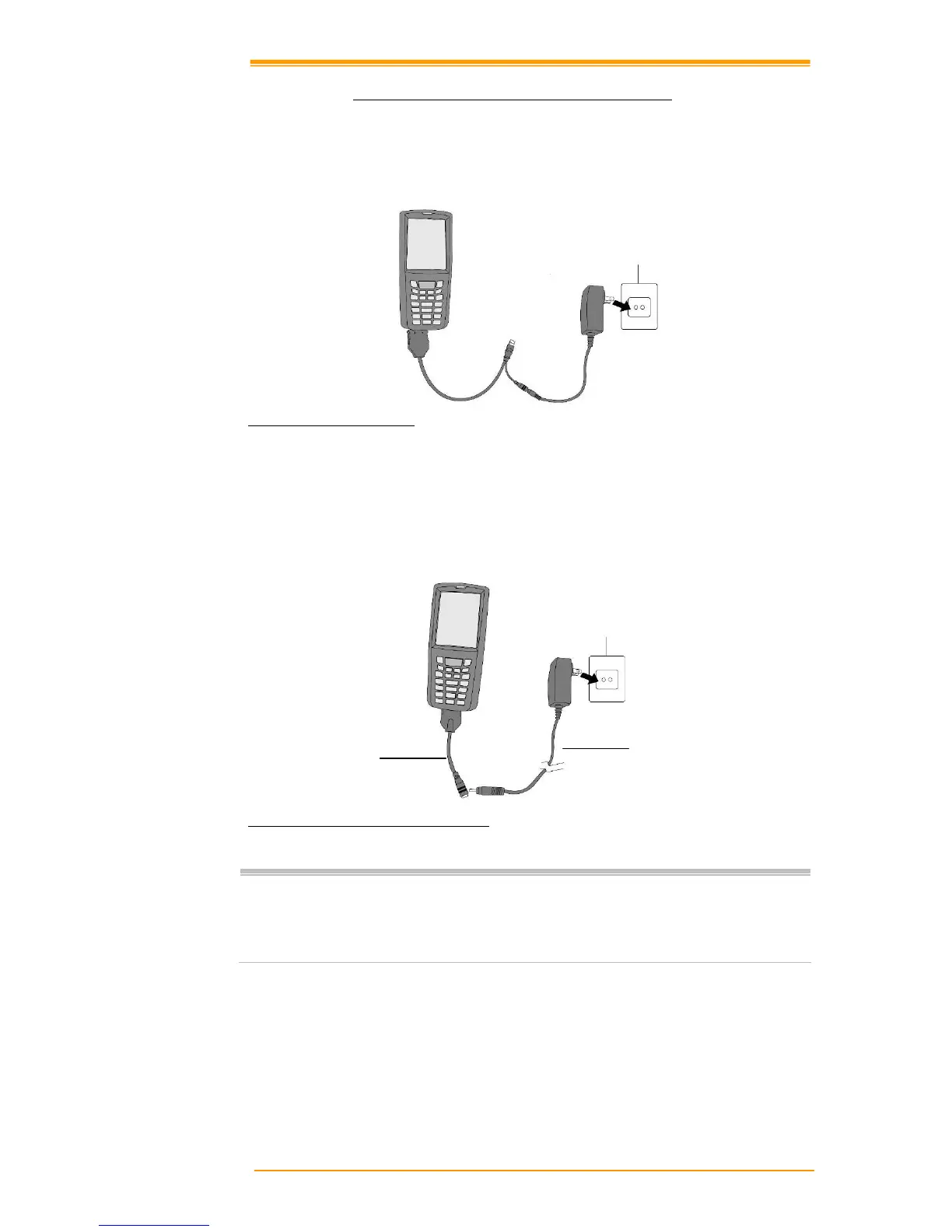
a) Using a RS232/Charging Cable or USB/Charging Cable
1. Plug in the RS232/Charging cable or the USB/Charging cable to the TPC7050
2. Connect the
AC adapter to the cable’s power jack and an electrical outlet.
Figure 2-8 Supplying Power
b) Using a DC-IN Converter
1. Plug in the DC-IN Converter to the PDA bottom connector
2. Plug in the connector of the power adapter with DC-IN Converter
3. Connect the power adapter to a power source
Figure 2-9 Charging with Power Adapter
Notes:
! When charging the battery pack, the Power LED on the Mobile computer is
Red.
! When the battery pack is fully charged, the Power LED turns to green.
Power supply
DC-IN Converter



 To Next Page