User’s Manual 29
3.8 Disk on Chip
Flash memory is a re-writable location in which to store up to 128MB of programs and data
files. The benefit of this feature is that files and programs saved in Flash Memory are
unaffected by the TPC7050’s power status.
No
te:
The DiskOnChip storage memory persists for all reset (warm/cold reboot)
conditions and software/firmware updates. We strongly recommend installing all
applications, applets, programs, and important data files to the DiskOnChip
Flash location.
Caution:
If an application or a data file is installed or saved in RAM, a cold reset will
result in the loss of that application or data file.
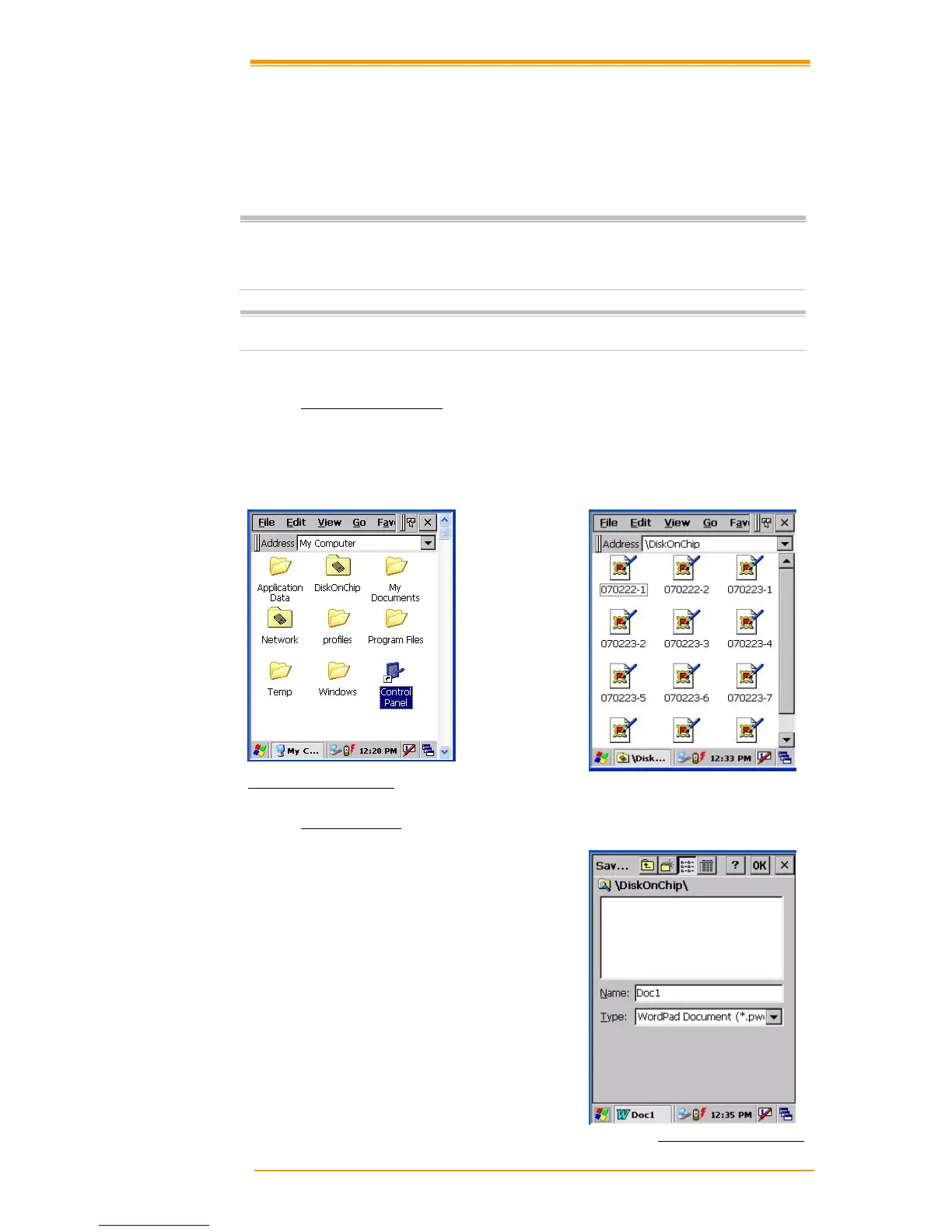
3.8.1 DiskOnChip Location
To access the contents of DiskOnChip storage:
! Double-tap the My Computer icon on the desktop
! Double-tap the DiskOnChip icon to view DiskOnChip
Figure 3-12 DiskOnChip
3.8.2 Saving to Flash
To save an application or data to Flash
Memory from your current application,
select File"# Save As"# navigate to the
DiskOnChip location and save it.
Figure 3-13 DiskOnChip



 To Next Page