User’s Manual 55
8.3.6 Hot Function Key
Please refer to Function Key Setting above.
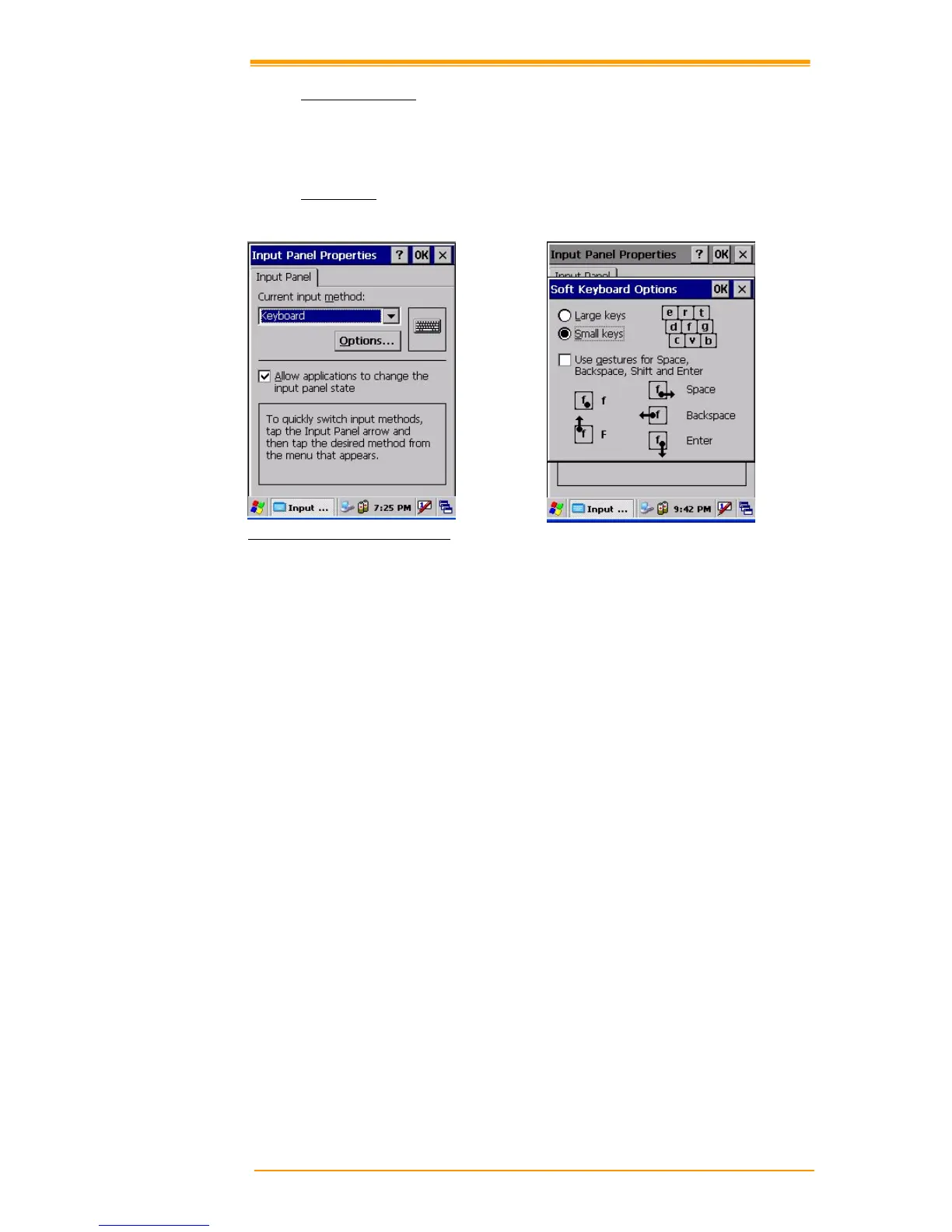
8.3.7 Input Panel
You can set up the input method and options.
Figure 8-11 Input Panel Properties
1. Select keyboard and press Options. The Soft Keyboard Options window appears.
2. Select the size of the keys.
3. To use gestures for Space, Backspace, Shift and Enter, click the gestures check box.
4. Click OK to save the changes.
5. Select the handwriting recognition as the current input method and click Options. The
handwriting recognition features window appears.
6. Set time needed to recognize handwriting.
7. Click OK to save the setting.


 To Next Page
 Loading...