___________________________________________________________________________________________________________
Part Number 6300-095D Page 27 of 43
Appendix 5 – Relays and Auxiliary Inputs
Relays
The PowerShield Controller has four relays that can be used to trigger a piece of external equipment when certain events
are detected. For example, a relay could be used to turn on a light, sound a beeper or trigger an input to a
SCADA/Building Management System when the event occurs. The relay will be in its normal state when the event it is
associated with is not active. If the event occurs, the relay will be activated.
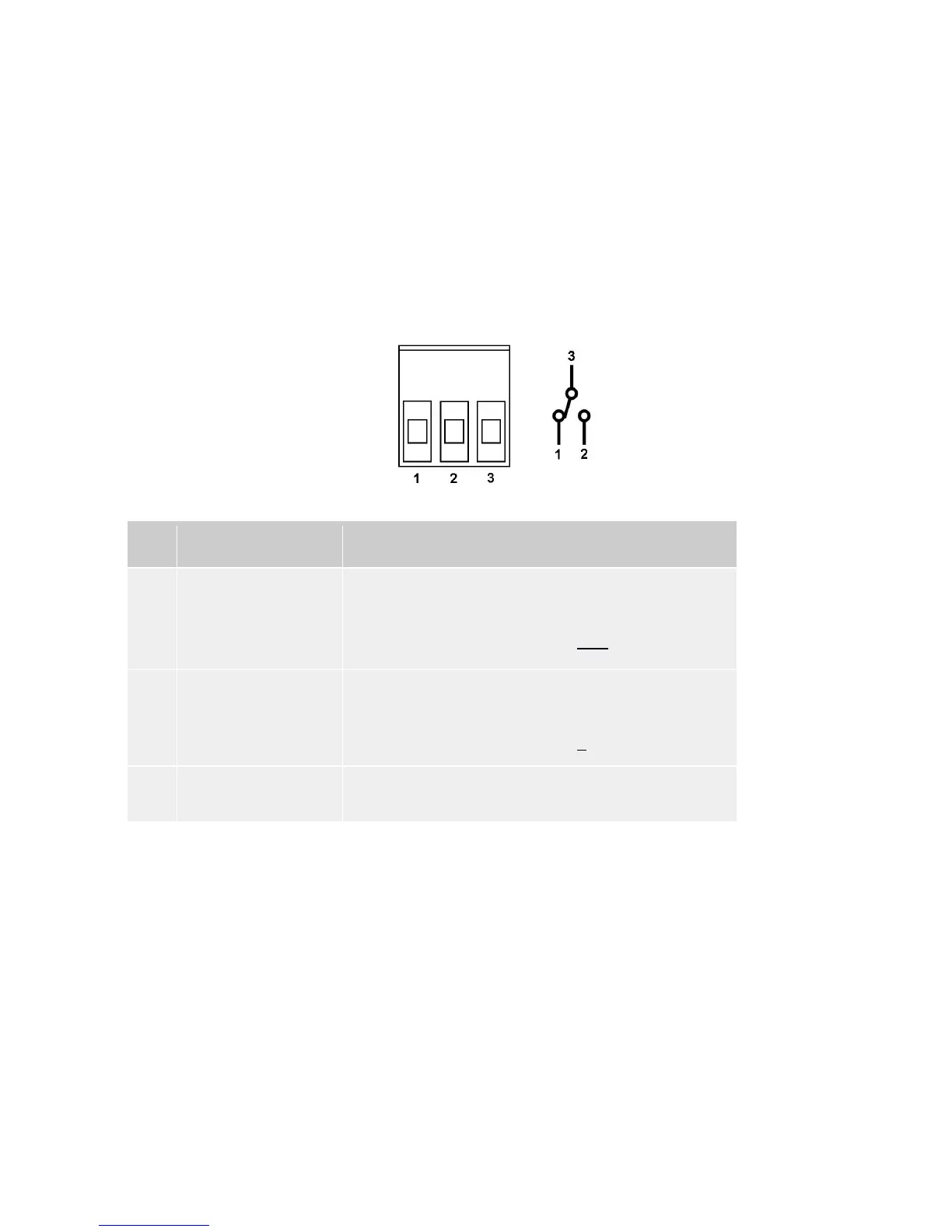
The relays are Single Pole Double Throw relays and have 3 terminals as shown below (illustration shows relay in not
activated state). The relay terminals can be accessed at the rear panel of the PowerShield Controller using screw
terminal connectors.
The relay contacts are rated for 1A, 30VDC. They must not be used to switch higher, AC or DC, voltages.
Pin Name Function
1 Normally closed contact The Common Contact is connected to this pin when the relay is
not activated.
Connect external circuit to this pin and the Common Contact if you
want the circuit to be on when the relay is not activated.
2 Normally open contact The Common Contact is connected to this pin when the relay is
activated.
Connect external circuit to this pin and the Common Contact if you
want the circuit to be on when the relay is activated.
3 Common contact Connects to Normally Open or Normally Closed contact
depending on relay state.
Auxiliary Inputs
The PowerShield Controller has two auxiliary inputs that can be used to read the state of a dry contact switch in third
party equipment. To activate the auxiliary input simply short the terminals of the non-polarised two way connector.



 To Next Page