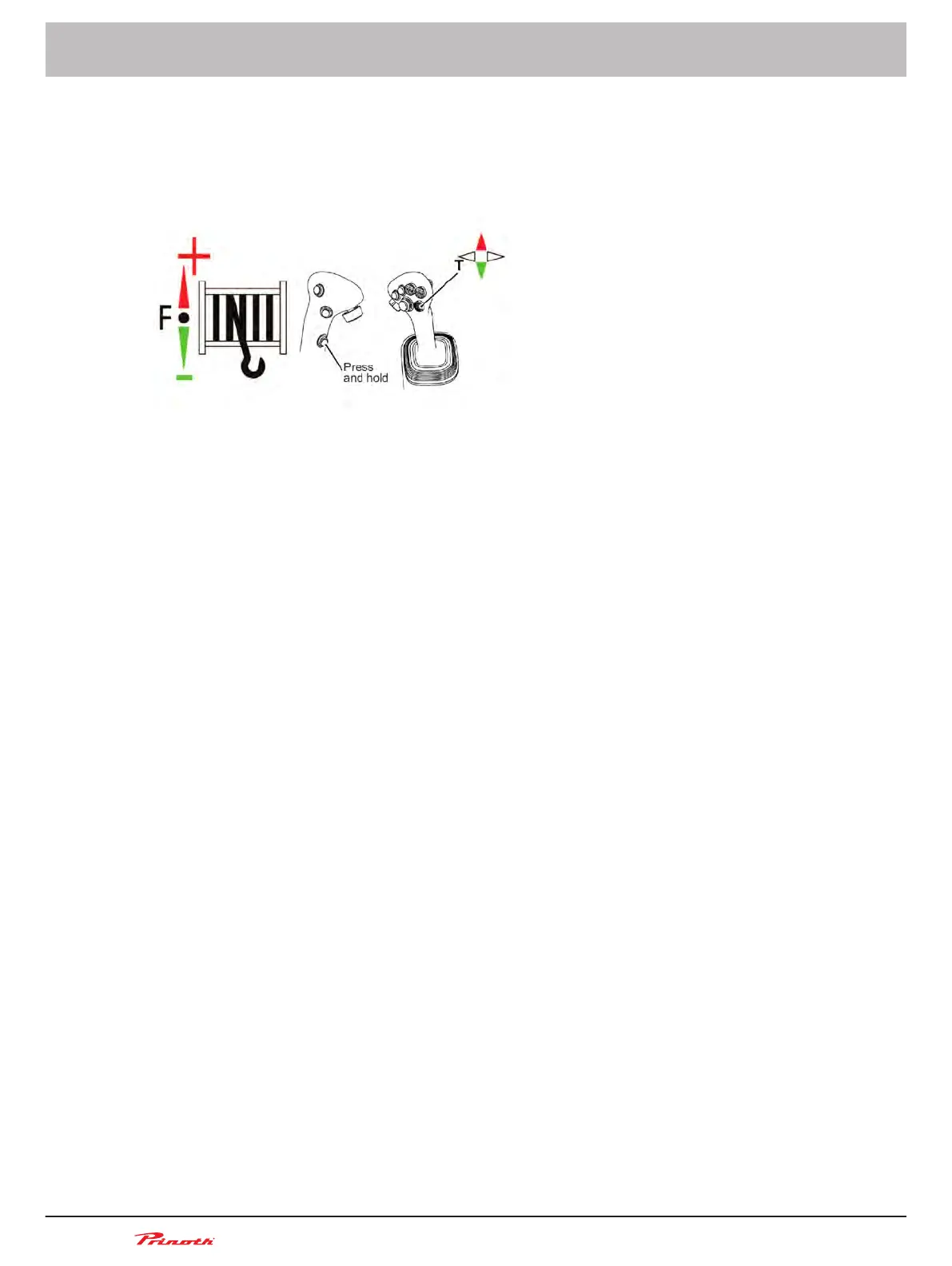
The winch arm movement corresponds to the movements carried out with the mini-joystick T:
■
Keep push-button S3 pressed and move mini-joystick to the left = Swivel winch arm to the left
■ Keep push-button pressed and move mini-joystick to the right = Swivel winch arm to the right
You do not have to move the joystick.
Figure 127: Functions available through mini-joystick T
Automatic cable traction control
■ In
some working conditions, more cable traction force may be required than the traction control is
programmed to provide. The mini-joystick T can be used to control cable traction:
□ Keep push-button S3 pressed and push mini-joystick T forward for 2 s = Cable traction force
is increased to MAX
□ After 8 s = Cable traction force is reduced to the preset level
■ When mini-joystick T is pushed forward again within 8 s, a time interval of 8 s starts.
■ In some working conditions, less cable traction force may be required than electronically speci-
fied. The mini-joystick T can be used to control cable traction:
□ Keep push-button S3 pressed and push mini-joystick T backward = Cable traction force is
reduced to MIN
□ Keep push-button S3 pressed and push mini-joystick T backward again = Cable traction
force is increased to the preset level
■ You do not have to move the joystick.
Manual cable traction control
■ If the mini-joystick T is pushed forward, the cable traction force is increased:
□ Keep push-button S3 pressed and push mini-joystick T forward = Cable traction force is in-
creased gradually
□ Keep push-button S3 pressed and push mini-joystick T forward for 2 s = Cable traction force
is increased to MAX
■ If the mini-joystick T is pushed backward, the cable traction force is reduced:
□ Keep push-button S3 pressed and push mini-joystick T backward = Cable traction force is
reduced gradually
□ Keep push-button S3 pressed and push mini-joystick T backward for 2 s = Cable traction
force is reduced to MIN
■ You do not have to move the joystick.
ROLL OUT remote control (optional)
With the ROLL OUT remote control, the operator can rewind or unwind the cable while standing along-
side the vehicle. The ROLL OUT remote control is located in the driver's cab on the right behind the
driver seat.
Operating and Maintenance Manual
Snow groomer BISON
228
(255)
15 - AUTOMATIC Winch
BISON 908930245 - 30367
15.7.4



 To Next Page