Pos. Name Image Description
9 Traction force as % Indicates cable traction force in %.
■ In
automatic cable traction control mode (A and A-ECO),
the effective traction force is displayed.
■ In manual cable traction force control mode (hand), the
specified cable traction force is displayed.
10 Economical range indica-
tion in tachometer
In winch operation, the economical range switches from 1300 -
1600/min to 1400 - 1700/min.
Keyboard 2
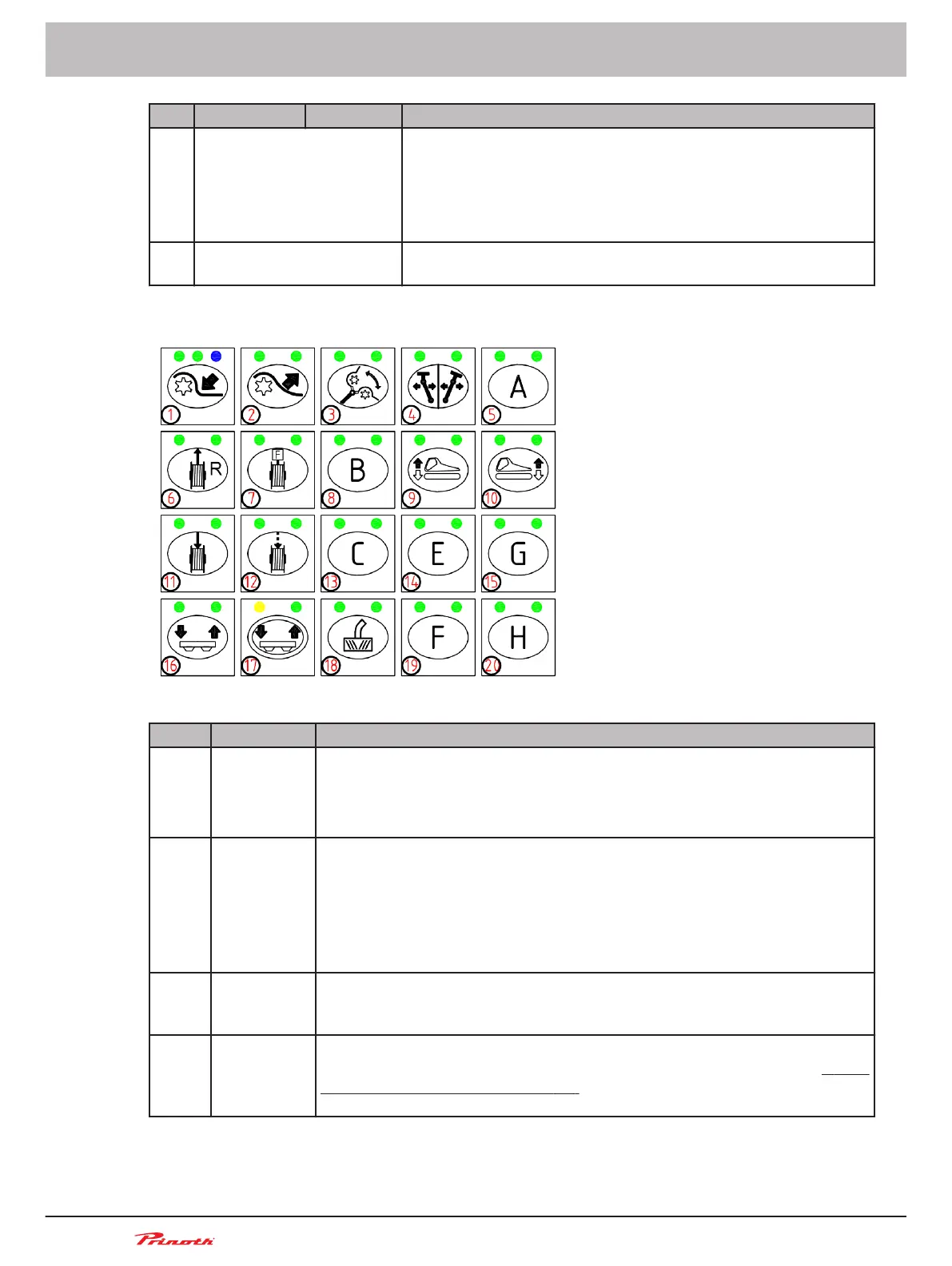
Figure 124: Keyboard 2 (A37) on the control console
Pos. Name Description
A37/6 Unwinding
the cable
Pressing the push-button switch activates cable unwinding in manual mode
or when using the ROLL OUT system.
■ Manual
mode: This means that manually pulling the cable unwinds it. If
the cable is released, unwinding will be stopped.
A37/7 Winch oper-
ation
Pressing the push-button switch activates winch operation.The menu can be
used to select between manual or automatic traction force control.
If the cab door is opened during winch operation, there are two possibilities:
■ If
the cable is not tensioned, winch operation is deactivated. Winch op-
eration must be reactivated again after the door is closed.
■ If the cable is tensioned, winch operation will remain activated.
A37/11 Rewinding
the cable
Pressing the push-button switch for 2
s activates manual cable rewind. This
means that manually pulling the cable rewinds it. If the cable is released, re-
winding will be stopped.
A37/12 Rewinding
the last few
meters of ca-
ble
Press the push-button switch to rewind the last approx. 2 m (6 ft) of cable
(this function may only be used for the last few meters of cable).
➽
See
"Rewind the last few meters of cable" (p. 230)
Operating and Maintenance Manual
Snow groomer BISON
226
(255)
15 - AUTOMATIC Winch
BISON 908930245 - 30367
15.7.2



 To Next Page