Pos. X Function (C.80) Pos. Entering the password (C.90)
5
■ Press to confirm
■ Repeat
this procedure for all other
digits of the password
■ Turn rotary pushbutton B118 until
ENTER is marked
■ Press to confirm
■ Turn rotary pushbutton B118 to exit
the menu
■ Press to confirm
■ When changing to the next higher
level, you will be asked whether the
changed selection should be saved
■ Confirm by pressing or press the
ESC key on keyboard A36
Set a distance
6 Acoustic signal when you reach the distance
(5)
7 Angle blade vertical
8 Angle blade horizontal
9 Angle blade set to 0 (in each postion possi-
ble)
10 Angle vehicle vertical
11 Angle vehicle horizontal
12 Angle vehicle set to 0 (in each postion possi-
ble)
Menu level "Password level 1"
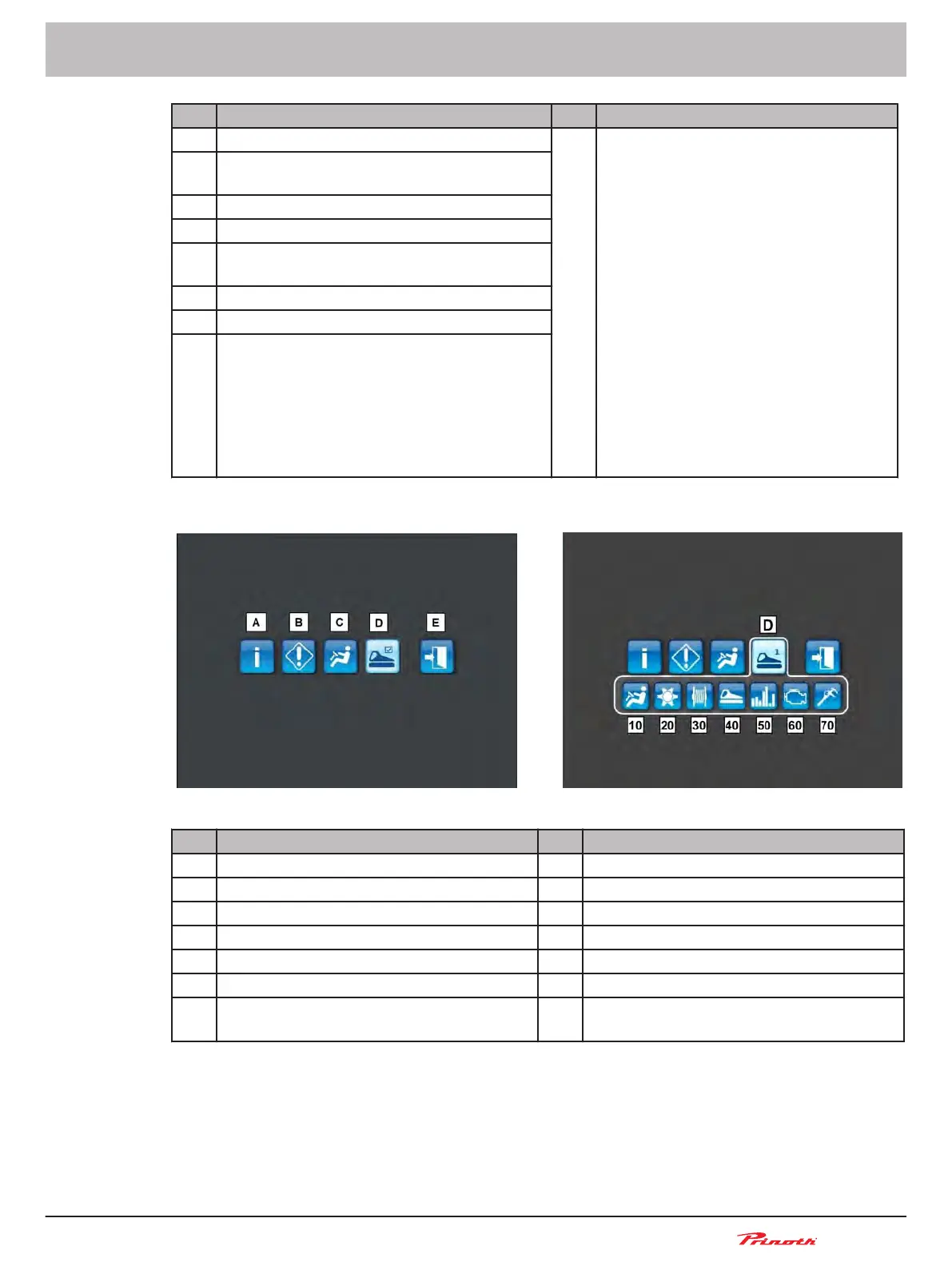
Figure 55: Main menu || Menu level "Password level 1" (D)
Pos. Main menu Pos. Menu level "Password level 1" (D)
A Information 10 Set vehicle handling
B Service 20 Set the rear tiller
C Operation 30 Set the winch
D Password level 1 40 Set the vehicle
E Exit 50 Statistics setting
60 Engine settings
70 Calibration
Snow groomer BISON
Operating and Maintenance Manual
BISON 908930245 - 30367
6 - Display
97 (255)
6.5.4



 To Next Page