25
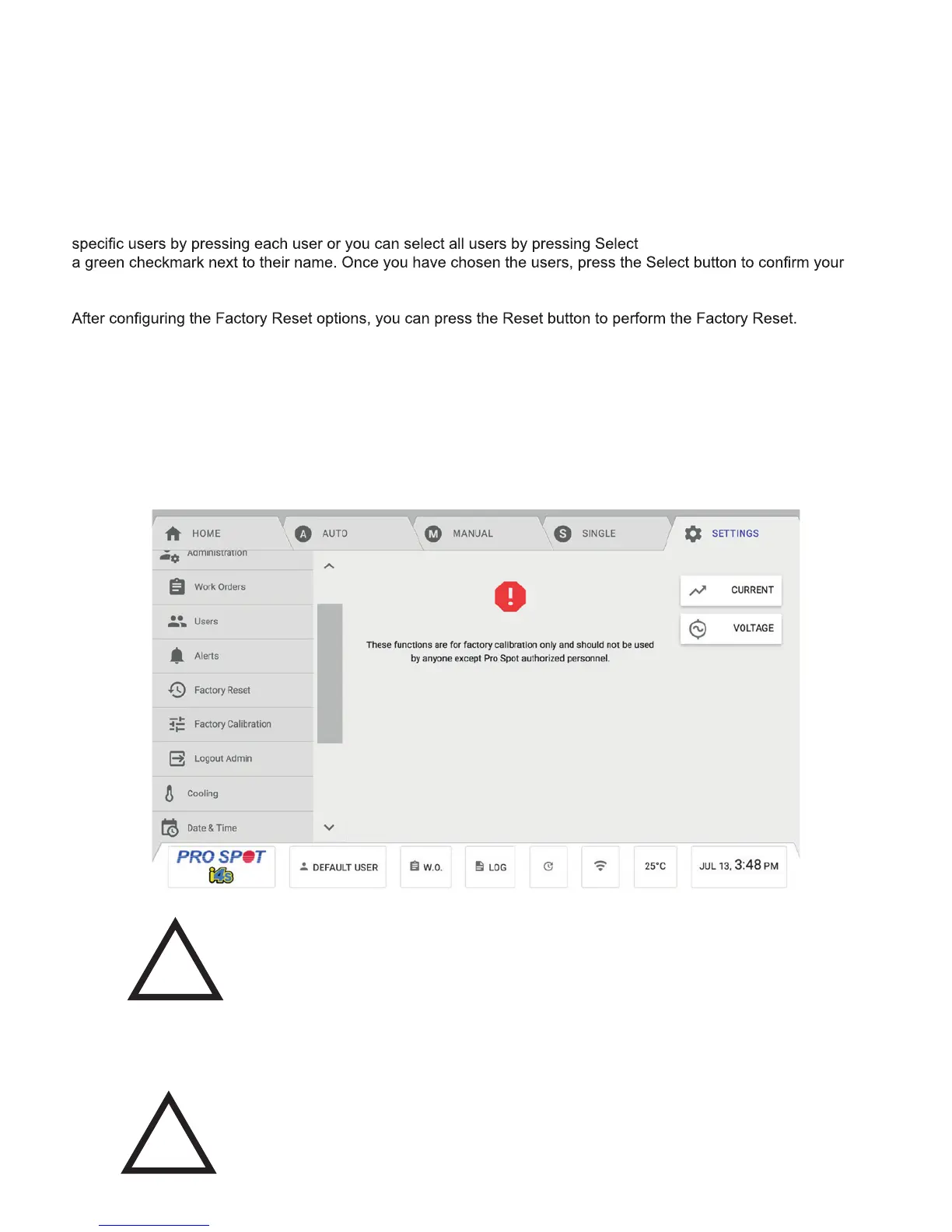
Factory Calibration Menu
The Factory Calibration provides the ability calibrate the machine to optimal performance. This should only be per-
formed by authorized Pro Spot personnel.
Checking the Auto checkbox resets all of the Advanced Auto Weld Settings to Factory Default for the selected users.
Checking the Manual checkbox resets all of the Advanced Manual Settings and material presets to Factory Default
for the selected users.
Checking the Single Sided checkbox resets all of the Advanced Single Sided Settings and single sided adapter
programs to Factory Default for the selected users.
Checking the User Preferences checkbox resets all of the User Preferences settings for the selected users.
The Select Users button allows you to select which users you want the Factory Reset to affect. You can either select
All. Selected users will have
selection.
There are also 2 other reset options: System Alerts and Complete Factory Reset. Pressing the System Alerts button
resets the Alerts settings under the Administration menu in Settings. Pressing the Complete Factory Reset button
restores the welder to factory defaults.
WARNING! These functions are for factory calibration only and should
not be used by anyone other than authorized Pro Spot personnel.
!
Voltage Calibration
The Voltage Calibration will help users measure the AC voltage between phases with a multimeter. This should
only be performed by authorized Pro Spot personnel.
WARNING! These functions are for factory calibration only and should
not be used by anyone other than authorized Pro Spot personnel.
!
Figure 4.38



 To Next Page