24
Alerts Menu
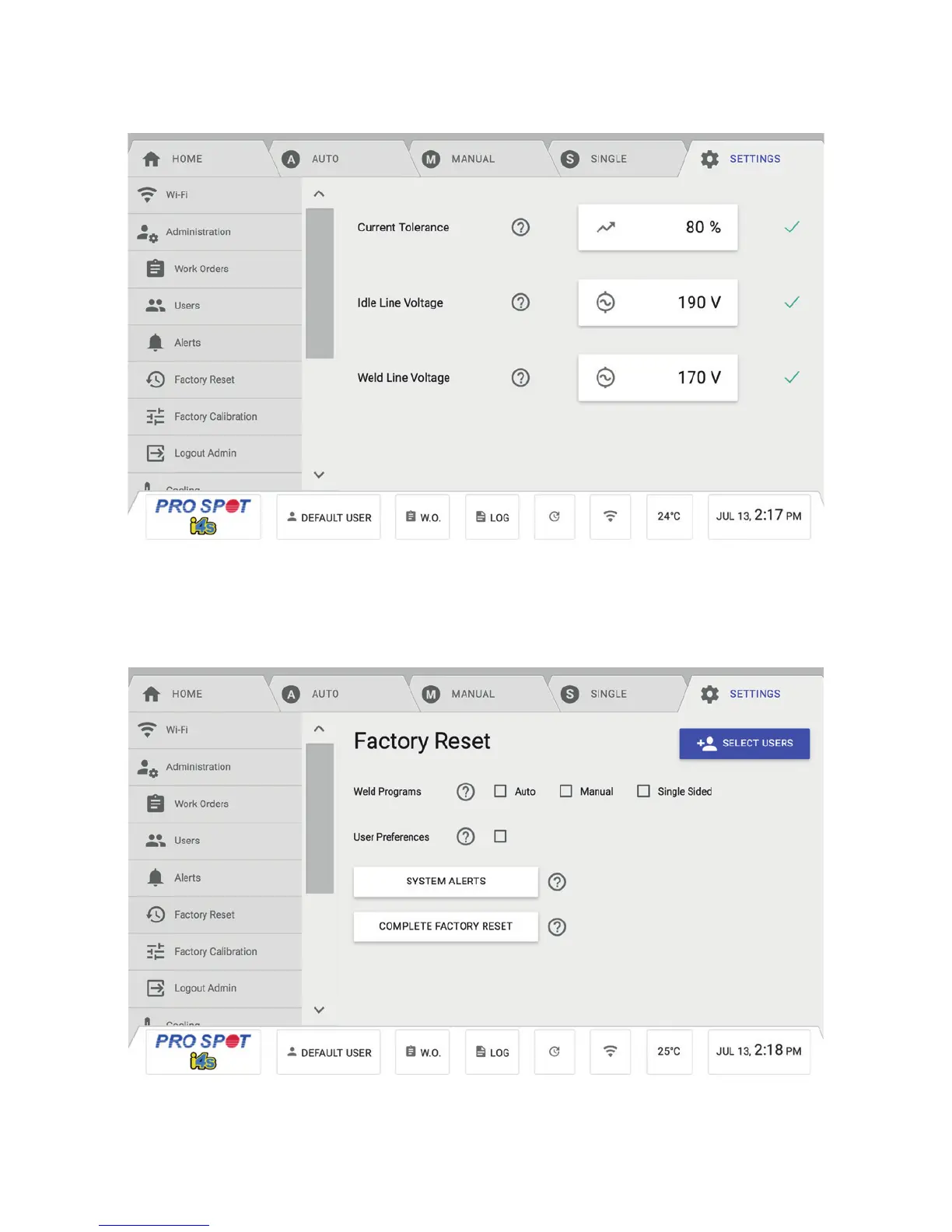
The Alerts Menu allows users to adjust the Current Tolerance, Idle Line Voltage and Weld Line Voltage (Figure 4.36).
Factory Reset Menu
The Factory Reset Menu will give you the option to reset weld programs, user preferences, system alerts
and a complete factory reset (Figure 4.37).
To Reset:
1. Select the feature you wish to reset.
2. Once you have selected one of the options listed above, press the Reset button.
Figure 4.36
Figure 4.37



 To Next Page