Beta Draft Confidential
Schedules Page
Internet Managed Thermostat Configuration Guide, Release 1.0 2-13
Part No. 600-03001-550, Rev. 1
Default Weekly Schedule
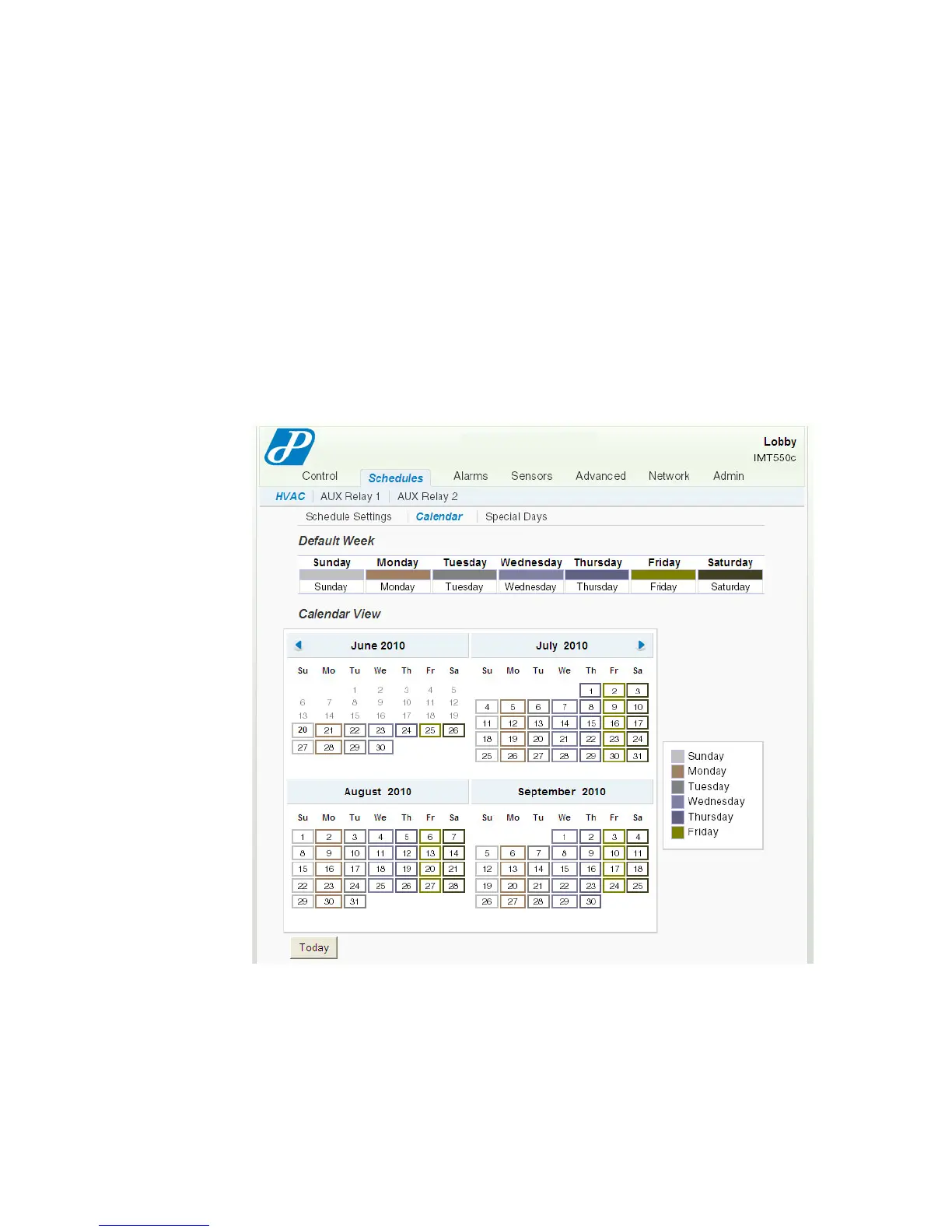
In Figure 2-8 on page 2-11, the Default Weekly Schedule table provides a template
that you can use to apply the Profiles to each day of the week. The Web page applies
this weekly template to every week in each month that is visible in the Calendar
View at the bottom of the Calendar (page 2-13) page.
To edit the Default Weekly Schedule, use the drop-down menu and select the
appropriate Profile.
Calendar
The Calendar View table displays the Profile settings for each day of the month.
Figure 2-9 Schedules - HVAC - Calendar Page
You can modify any day in the Calendar View table using either of the following
methods:
Click the date within the calendar and continue with Adding Special Days (page
2-14).
Click Special Days and continue with Special Days (page 2-14).



 To Next Page