Beta Draft Confidential
2-42 Internet Managed Thermostat Configuration Guide, Release 1.0
Part No. 600-03001-550, Rev. 1
CHAPTER 2: Configuring the Thermostat Using the Web Interface
Network Notification Settings
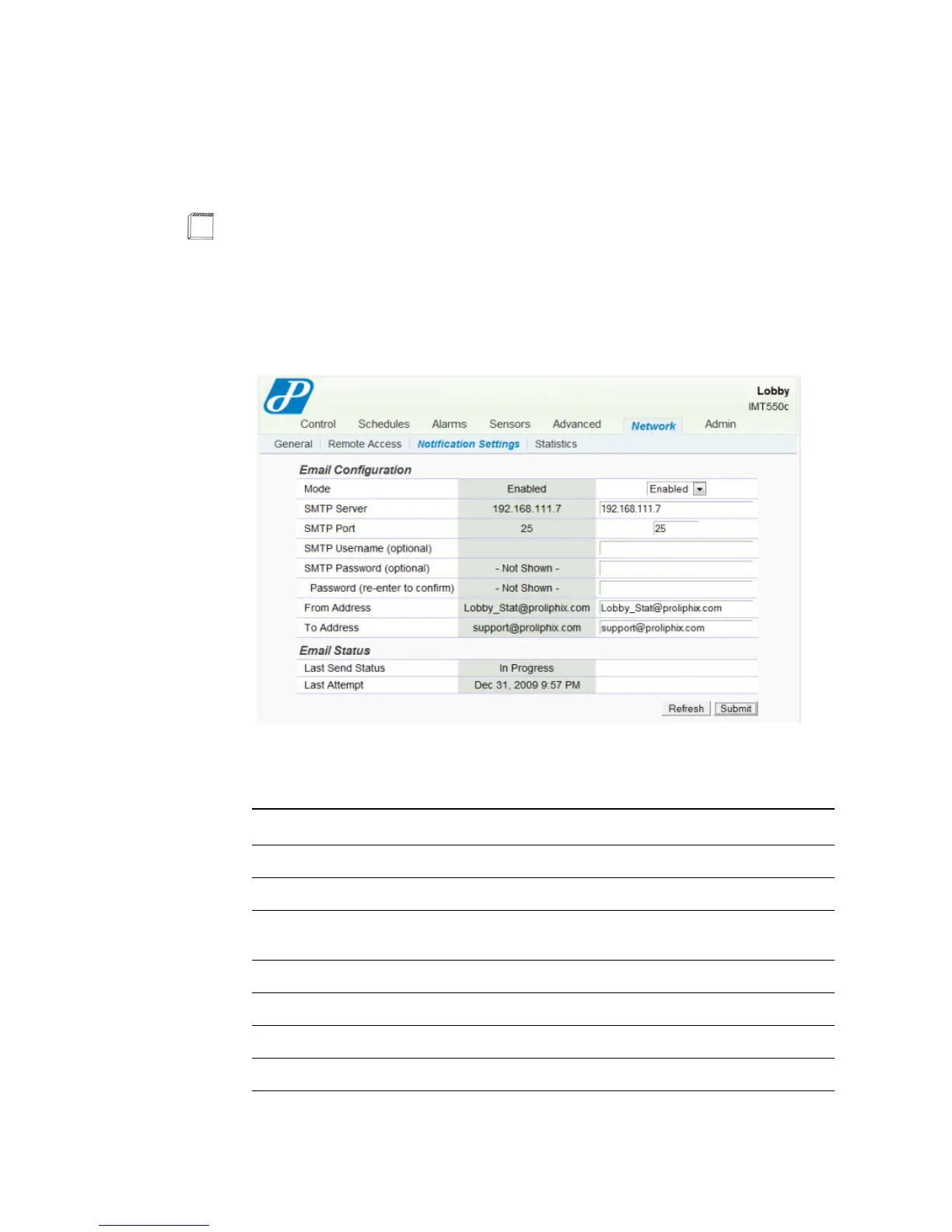
The Network - Notification Settings page displays the e-mail information.
Figure 2-30 Network - Notification Settings Page
Use Table 2-13 to configure the Notification Settings fields.
Note
This page is most often used only if the thermostat is not connected to the UEM. An
IT resource would typically use this page to work with their corporate email
servers.
Table 2-13 Network - Notification Settings Field Descriptions
Field Description
Email Configuration
Mode Select to Enable or Disable e-mail notification.
SMTP Server Specifies the designated e-mail server address or DNS name
through which e-mails are sent.
SMTP Port
SMTP Username Specifies the server authentication username field.
SMTP Password Specifies the server authentication password field.
Password



 To Next Page