Beta Draft Confidential
2-14 Internet Managed Thermostat Configuration Guide, Release 1.0
Part No. 600-03001-550, Rev. 1
CHAPTER 2: Configuring the Thermostat Using the Web Interface
Special Days
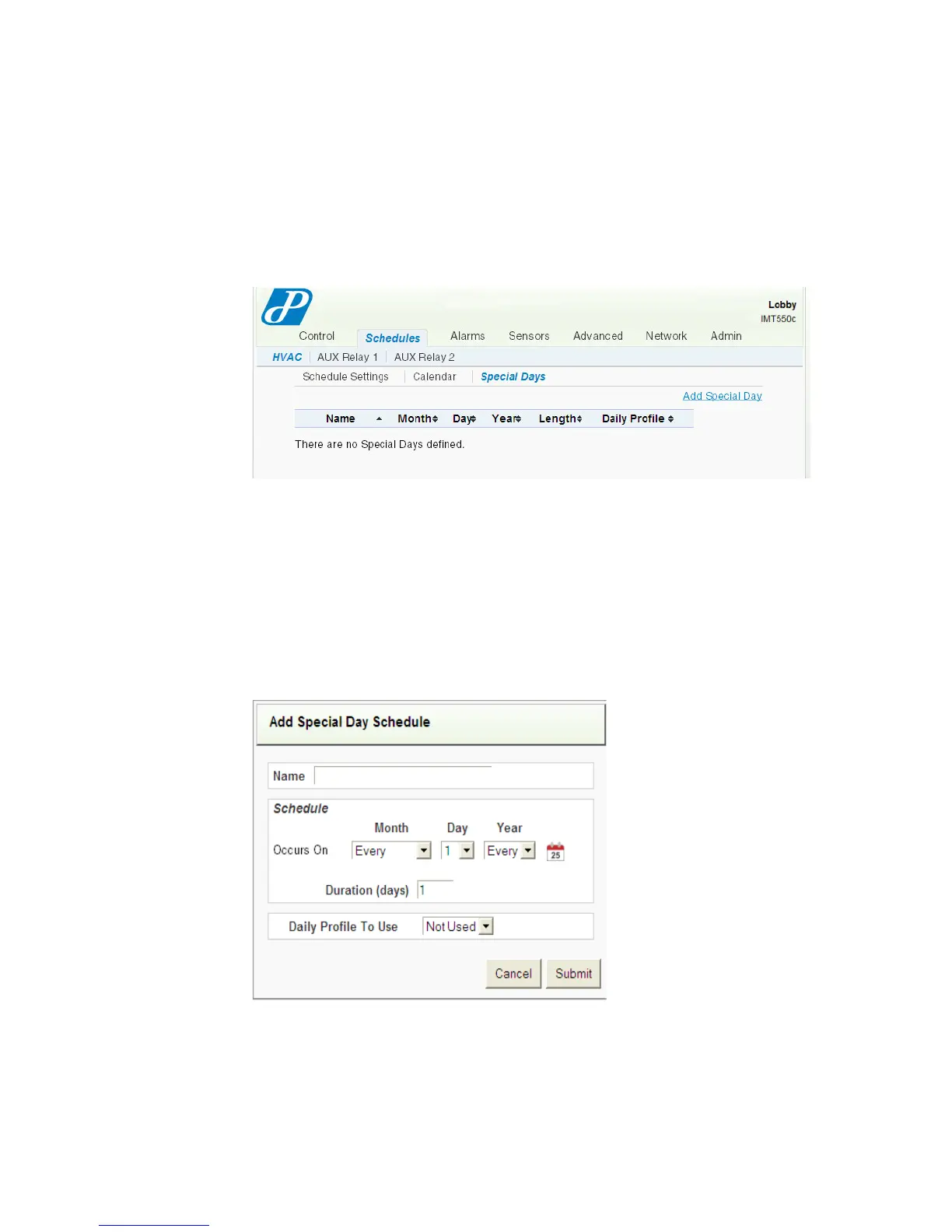
Special Days entries are organized as rows in the Special Days table. The Web page
supports 30 Special Days table entries, each comprised of a start date entered in the
Month, Day, and Year fields. In each row, you can enter one or more days as a
duration for that entry. Durations cannot exceed 60 days.
Figure 2-10 Schedule - HVAC - Special Days Page
To add a special day(s), click Add Special Day and continue with Adding Special
Days.
Adding Special Days
From the Add Special Days Schedule page, you can select any day(s) of the current
or future month, modify the information, and assign a Profile different from what is
specified in the Default Weekly Schedule (page 2-13).
Figure 2-11 Add Special Days Schedule
To add a special day(s):
1 Enter a Name for the special day(s).
2 Specify the Month, Day, and Year.



 To Next Page