Beta Draft Confidential
Admin Page
Internet Managed Thermostat Configuration Guide, Release 1.0 2-45
Part No. 600-03001-550, Rev. 1
Date and Time
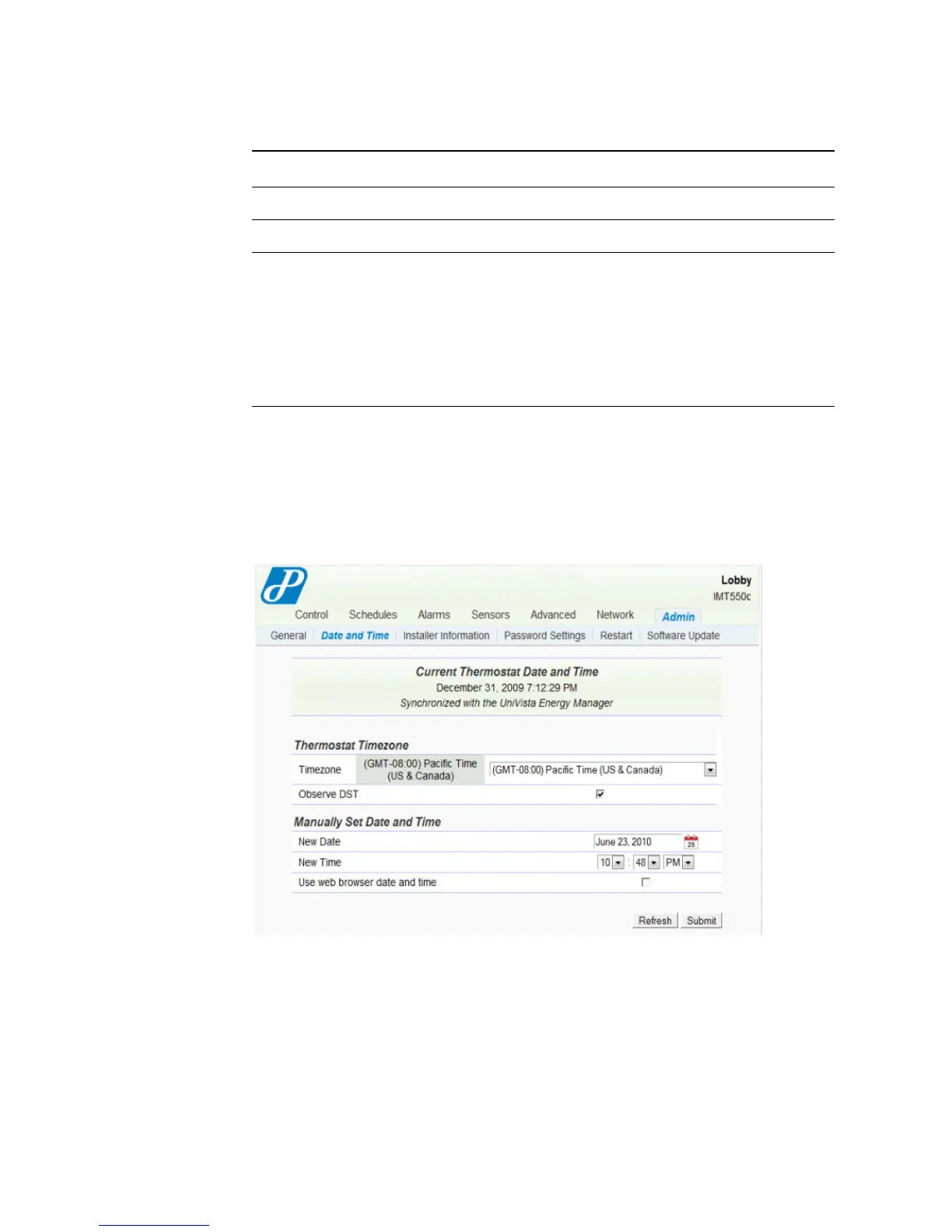
The Admin - Set Date and Time page displays the network time and time zone
information.
Figure 2-33 Admin - Date and Time Page
LCD Settings
LCD Unlock Keycode
Backlight Select the LCD backlight control.
Delay (default) – The backlight is illuminated when you
click a button and remains illuminated for 16 seconds after
the last button is clicked.
On – The backlight is enabled.
Off – The backlight is disabled from activation. A low level
ambient backlight remains visible.
Table 2-14 Admin - General Field Descriptions (Continued)
Field Description



 To Next Page