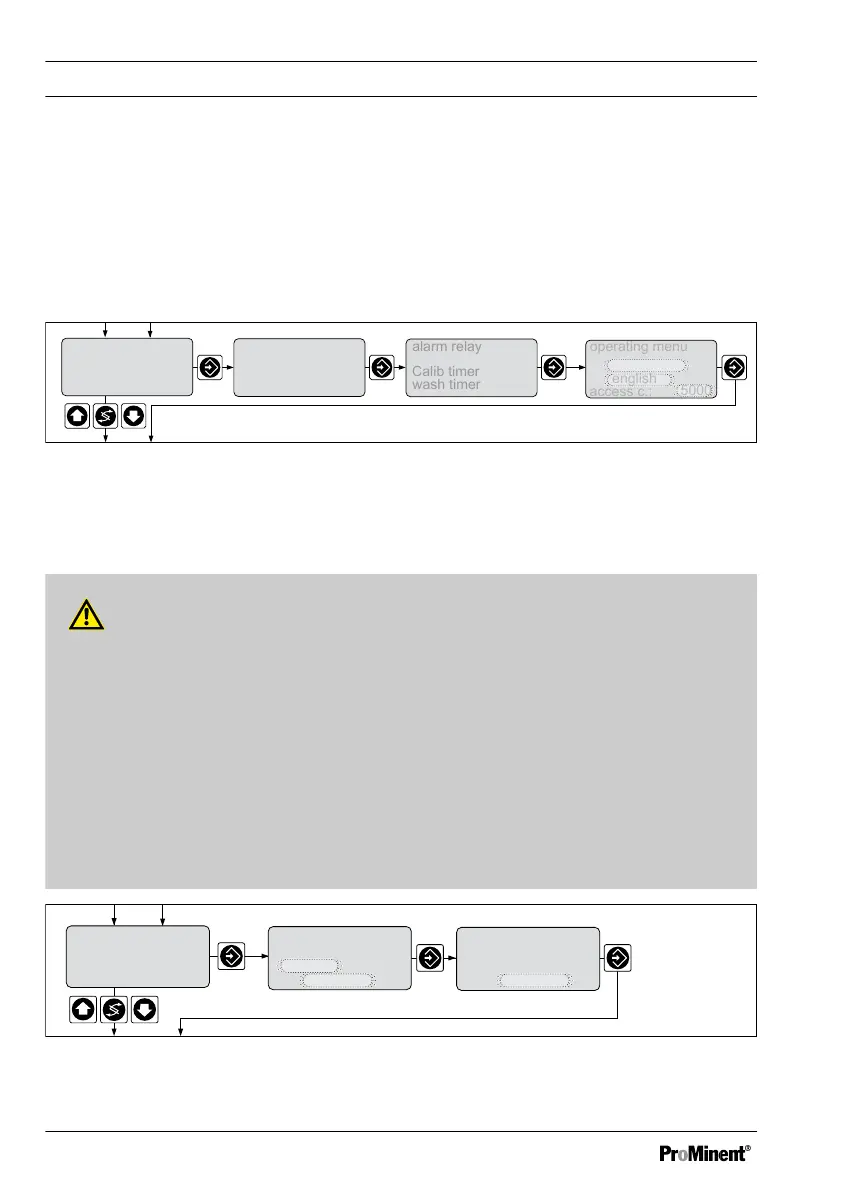
9.3 Reduced / Complete Operating Menu
The DULCOMETER
®
D1Cb / D1Cc allows settings to be made in two different compre‐
hensive menus (reduced / complete). All of the parameters of the controller are preset
and can be changed in the complete operating menu.
The controller is delivered with a restricted operating menu. If adjustments are neces‐
sary, the parameters can be changed by switching to the complete operating menu.
general setting
information
Identcode:
D1CB xxxxxxxxxx
Vxxxxxxxxxx
Srnr: xxxxxxxxxxx
alarm relay
access c.:
5000
operating menu
english
reduced
A0088_GB
operating menu
Calib timer
wash timer
_
_
Fig. 49: Reduced / complete changeover
9.4 Setting the Reading
WARNING!
Incorrect metering due to incorrect measured variable
Possible consequence: Fatal or serious injuries
– The measured variable/measuring range of the sensor/measuring device is
essential for the measured variable/measuring range!
– If the measured variable/measuring range is changed, the sensor must be recali‐
brated
– If the measured variable/measuring range is changed, the set points and limit
values will be changed to the associated starting values!
– If the measured variable/measuring range is changed, the settings in all of the
menus must be checked
Standard signal input mA
measured value
setting ?
measured value
range adjustment
20 mA
=
2
.00 ppm
measured value
range adjustment
4 m
A
= 0.00 ppm
A0019_GB
Fig. 50: Reading
Measured Variables and Operating Menus for the Standard Signal General
104















 To Next Page