Proroute GEM420 4G M2M Router
GEM420 User Manual 10
1.2.3 Hardware Configuration
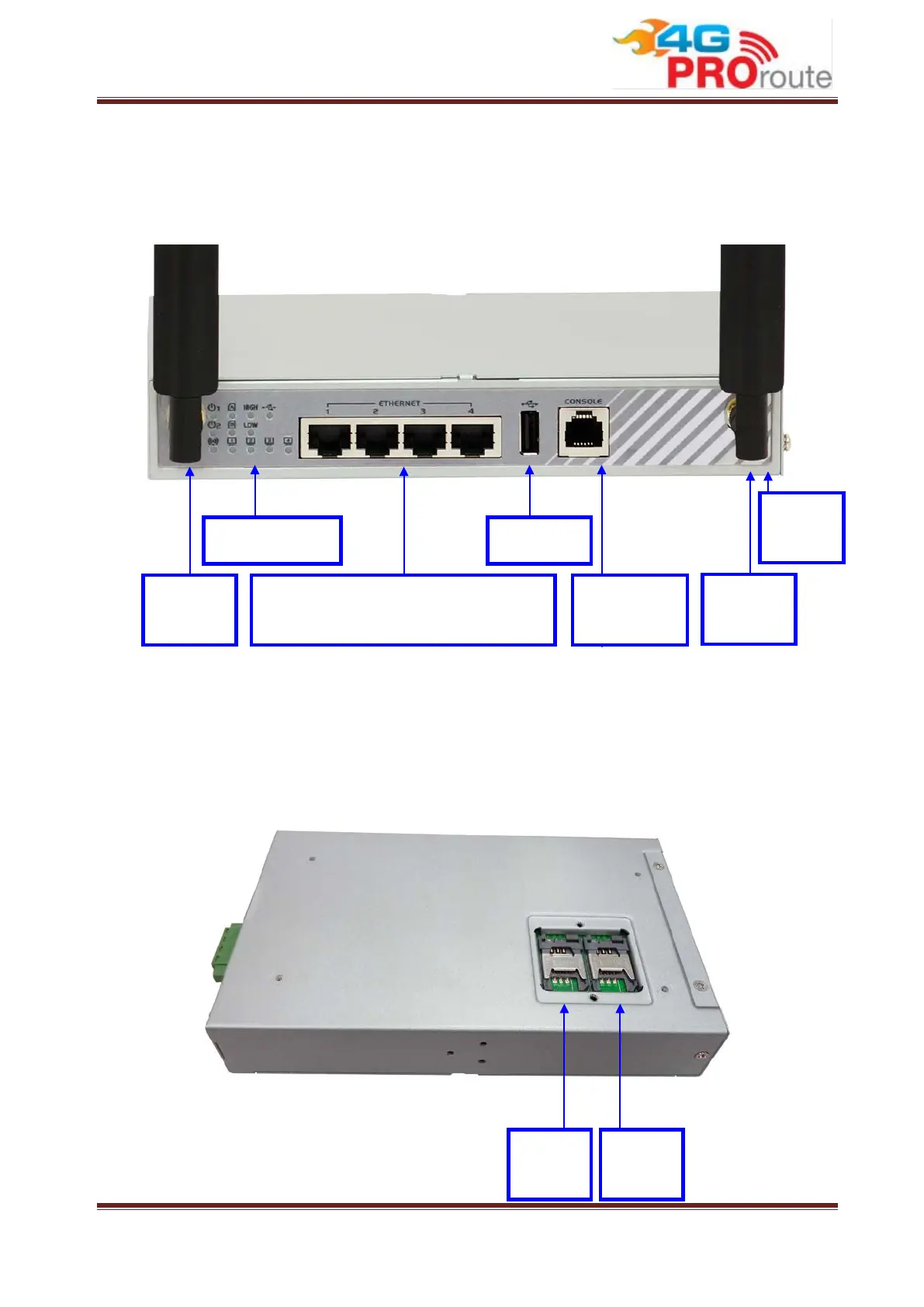
Reset Button
The RESET button provides user with a quick and easy way to resort the default setting.
Press the RESET button continuously for 6 seconds, and then release it. The device will
restore to factory default settings.
Reset
USB Port LED Indicators
Auto MDI/MDIX RJ-45 Ports
4x FE LAN to connect local devices
Cellular
Antenna
Cellular
Antenna
Console
Port
SIM B
Slot
SIM A
Slot



 To Next Page