Proroute GEM420 4G M2M Router
GEM420 User Manual 124
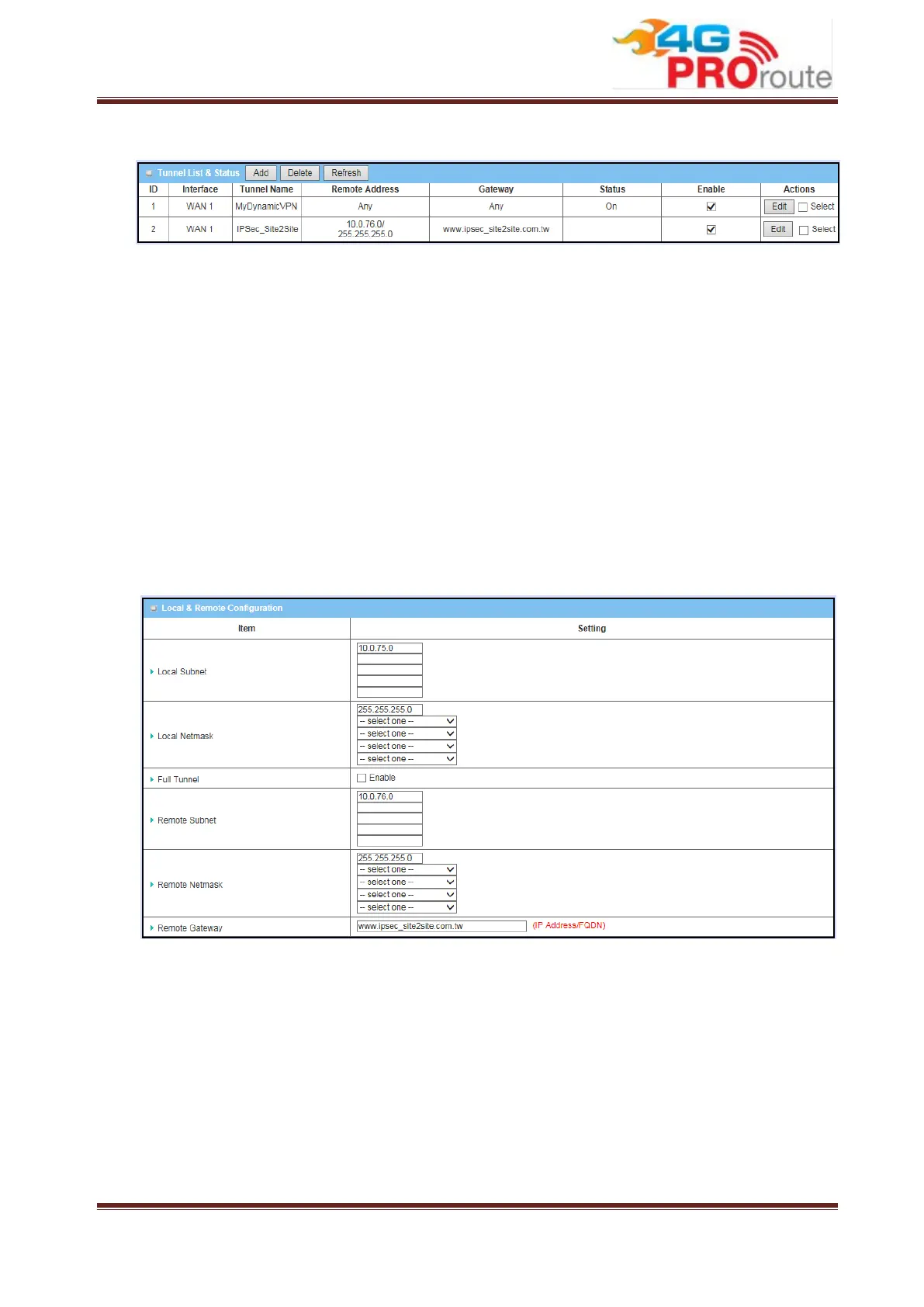
3.2.3.1.3 Tunnel List & Status
1. Add: You can add one new IPSec tunnel with Site to Site scenario by clicking the
“Add” button.
2. Delete: Delete selected tunnels by checking the “Select” box at the end of each
tunnel list and then clicking the “Delete” button.
3. Refresh: To refresh the Tunnel List & Status each 2 seconds by clicking on the
“Refresh” button.
4. Tunnel: Check the “Enable” box to activate the IPSec tunnel.
5. Edit: You can edit one tunnel configuration by clicking the “Edit” button at the
end of each tunnel list.
3.2.3.1.4 Local & Remote Configuration
1. Local Subnet: The subnet of LAN site of local Business Security Gateway. It
can be a host, a partial subnet, the whole subnet or multiple subnets of LAN site
of local gateway. The device supports VPN hub and spoke function. There are 5
local subnets to be defined here and the information will be transferred to remote
VPN sites for routing remote packets to these 5 local subnets via this VPN
tunnel.
2. Local Netmask: The local netmask and associated local subnet IP can define a
subnet domain for the local devices connected via the VPN tunnel. There are 5
local subnet domains to be defined here for hub and spoke function.



 To Next Page