Proroute GEM420 4G M2M Router
GEM420 User Manual 113
3.2.2.1 Configuration
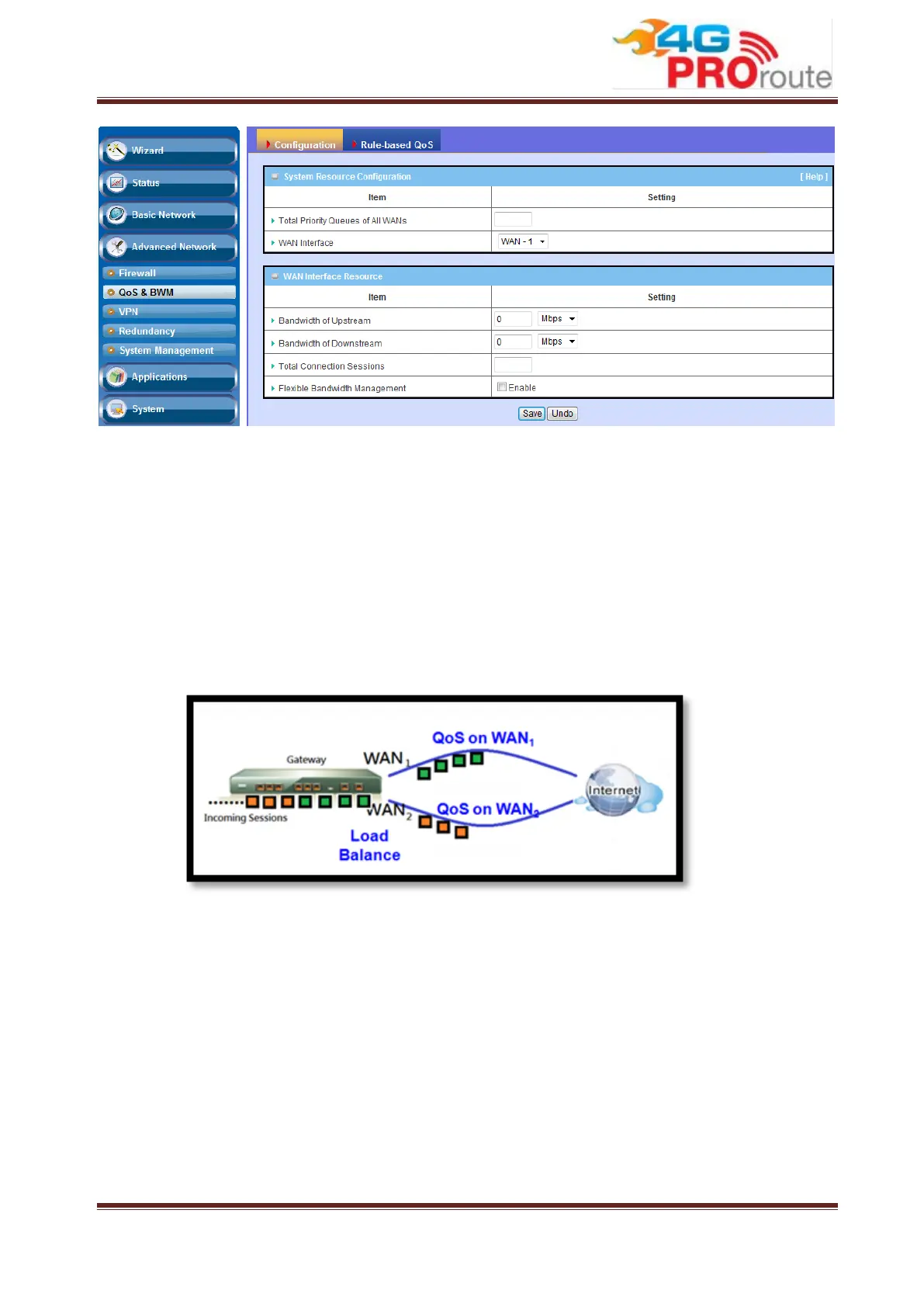
QoS on Multiple WAN Interfaces
QoS on all WAN interfaces satisfies the requirements of latency-critical
applications, minimum access right guarantee, fair bandwidth usage for
same subscribed condition and flexible bandwidth management in a more
flexible approach.
Integrated with Multi-WAN load balance function to maximize the total
network throughput.
Flexible Bandwidth Management (FBM)
Adjust the bandwidth distribution dynamically based on current bandwidth
usage situation to get the maximum system network performance, and it is
transparent to all users.
Before QoS & BWM function can work correctly, this gateway needs to define the
resource for each WAN interface. First one is the available bandwidth of WAN
connection. It was set in the Basic Network -> WAN -> Physical Interface menu
and shown here. Second one is the maximum number of connection sessions that
the WAN interface supports. The last is the maximum number of priority queues that
the WAN interface supports.



 To Next Page