Proroute GEM420 4G M2M Router
GEM420 User Manual 130
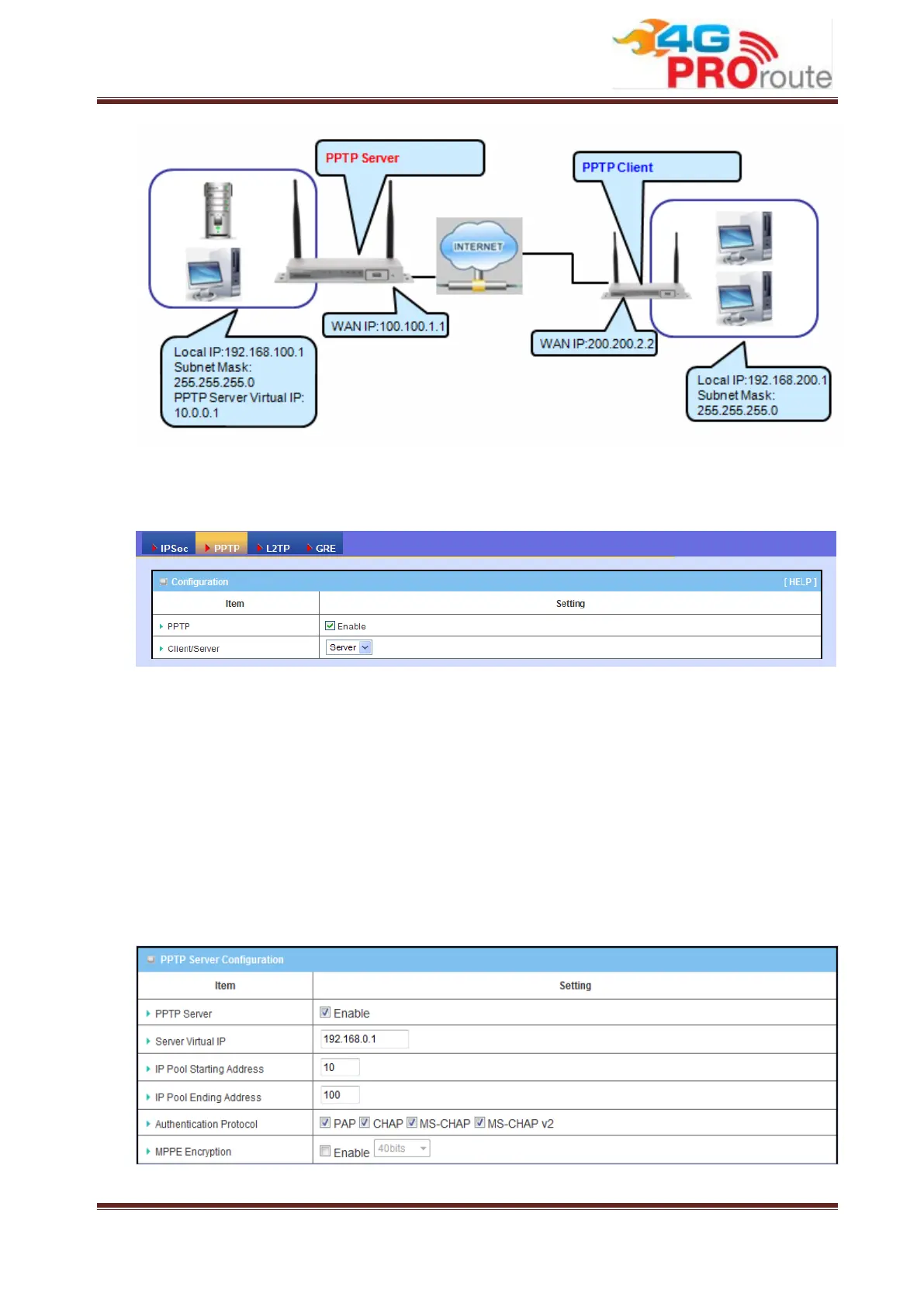
The Business Security Gateway can behave as a PPTP server and a PPTP client at
the same time.
1. PPTP: Check the “Enable” box to activate PPTP client and server functions.
2. Client/Server: Choose Server or Client to configure corresponding role of PPTP
VPN tunnels for the Business Security Gateway beneath the choosing screen
3.2.3.2.2 PPTP Server Configuration
The Business Security Gateway can behave as a PPTP server, and it allows remote
hosts to access LAN servers behind the PPTP server. The device can support four
authentication methods: PAP, CHAP, MS-CHAP and MS-CHAP v2. Users can also
enable MPPE encryption when using MS-CHAP or MS-CHAP v2.
1. PPTP Server: Enable or disable PPTP server function.



 To Next Page