Proroute GEM420 4G M2M Router
GEM420 User Manual 107
3.2.1.4.3 Web Content Filter Configuration
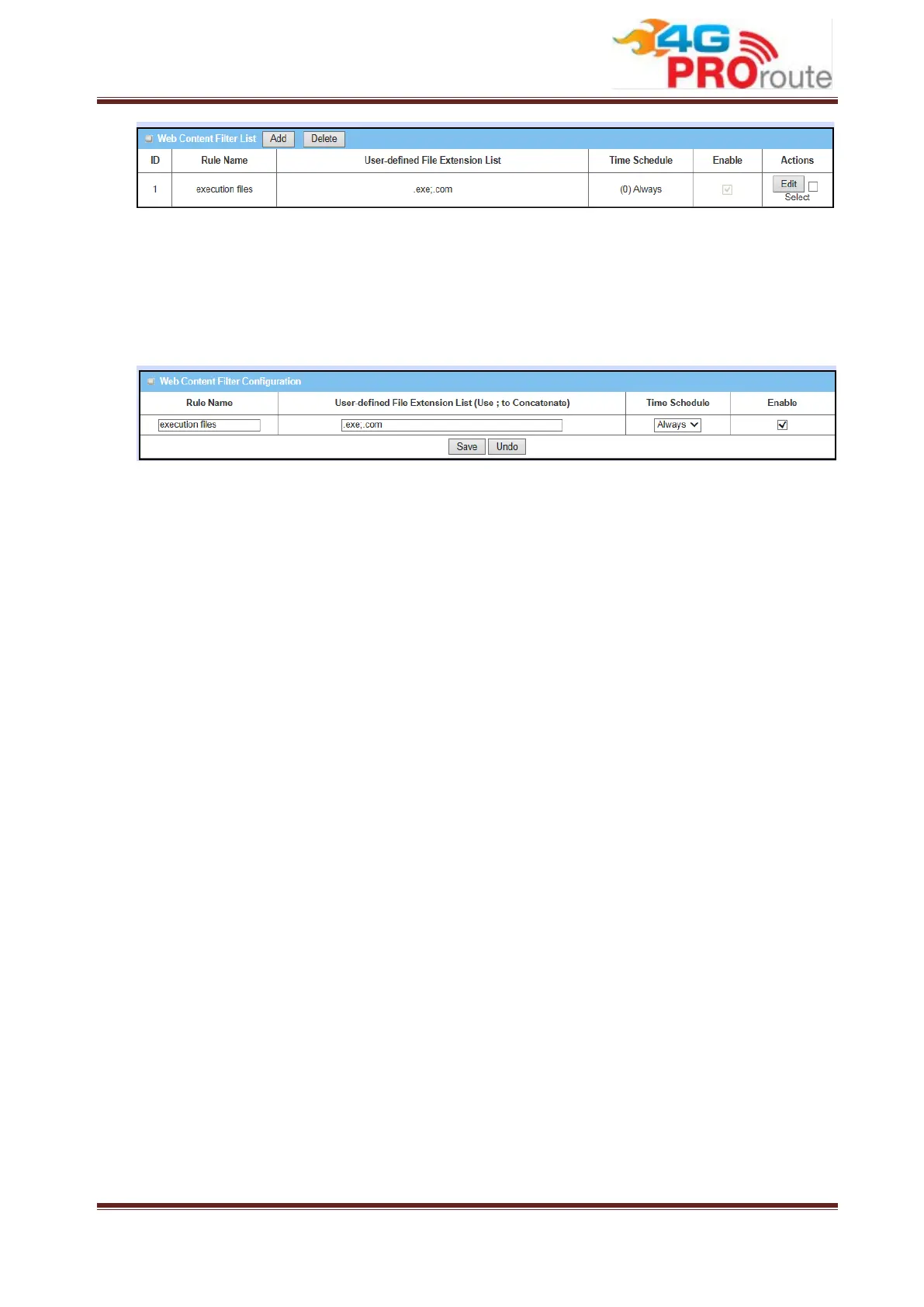
It supports the adding of one new rule or the editing of one existed rule. There are
some parameters need to be specified in one Web Content Filter rule. They are Rule
Name, User-defined File Extension List, Time Schedule and finally, the rule enable.
1. Rule Name: The name of Web Content Filter rule.
2. User-defined File Extension List: You can enter up to 10 file extensions to be
blocked in a rule by using ‘;’ to concatenate these file extensions.
3. Schedule: The rule can be turn on according to the schedule rule you specified,
and give user more flexibility on access control. By default, it is always turned on
when the rule is enabled. For more details, please refer to the System ->
Scheduling menu.
4. Enable: Check the box if you want to enable the rule. Each rule can be enabled or
disabled individually.
Afterwards, click on “Save” to store your settings or click “Undo” to give up the
changes.
3.2.1.5 MAC Control
MAC Control allows you to assign different access right for different users based on
device’s MAC address.



 To Next Page