Proroute GEM420 4G M2M Router
GEM420 User Manual 123
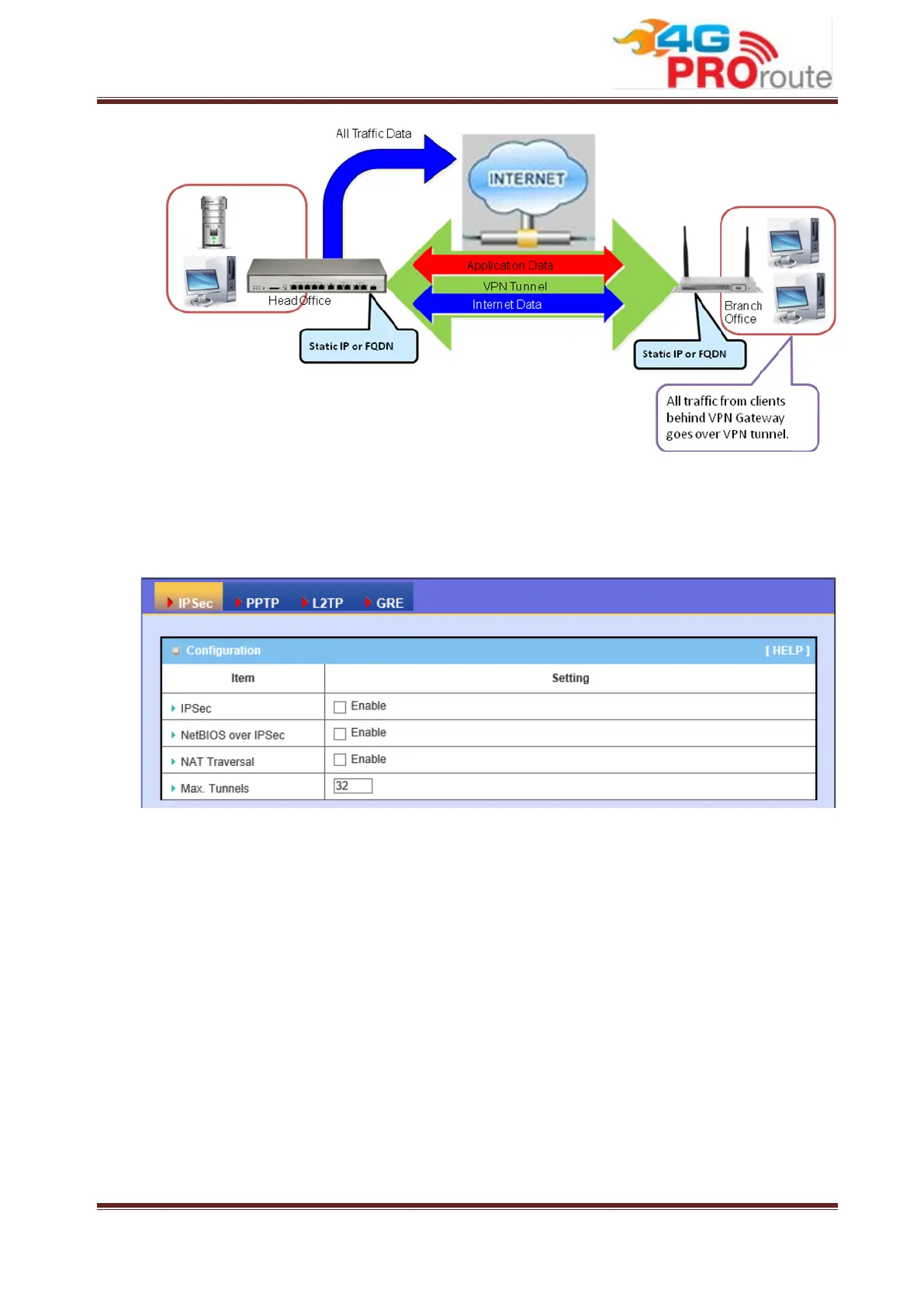
3.2.3.1.2 IPSec Configuration
1. IPSec: You could trigger the function of IPSec VPN if you check “Enable” box.
2. NetBIOS over IPSec: If you would like two Intranets behind two Business
Security Gateways to receive the NetBIOS packets from Network Neighborhood,
you have to check “Enable” box.
3. NAT Traversal: Some NAT routers will block IPSec packets if they don’t support
IPSec pass through. If your Business Security Gateway connects to this kind of
NAT router which doesn’t support IPSec pass through, you need to activate this
option in your Business Security Gateway.
4. Max. Tunnels: The device supports up to 32 IPSec tunnels, but you can specify
it with the number of maximum current activated IPSec tunnels that is smaller or
equal to 32.
5. You can add new, edit or delete some IPSec tunnels in Tunnel List & Status as
follows.



 To Next Page