Proroute GEM420 4G M2M Router
GEM420 User Manual 151
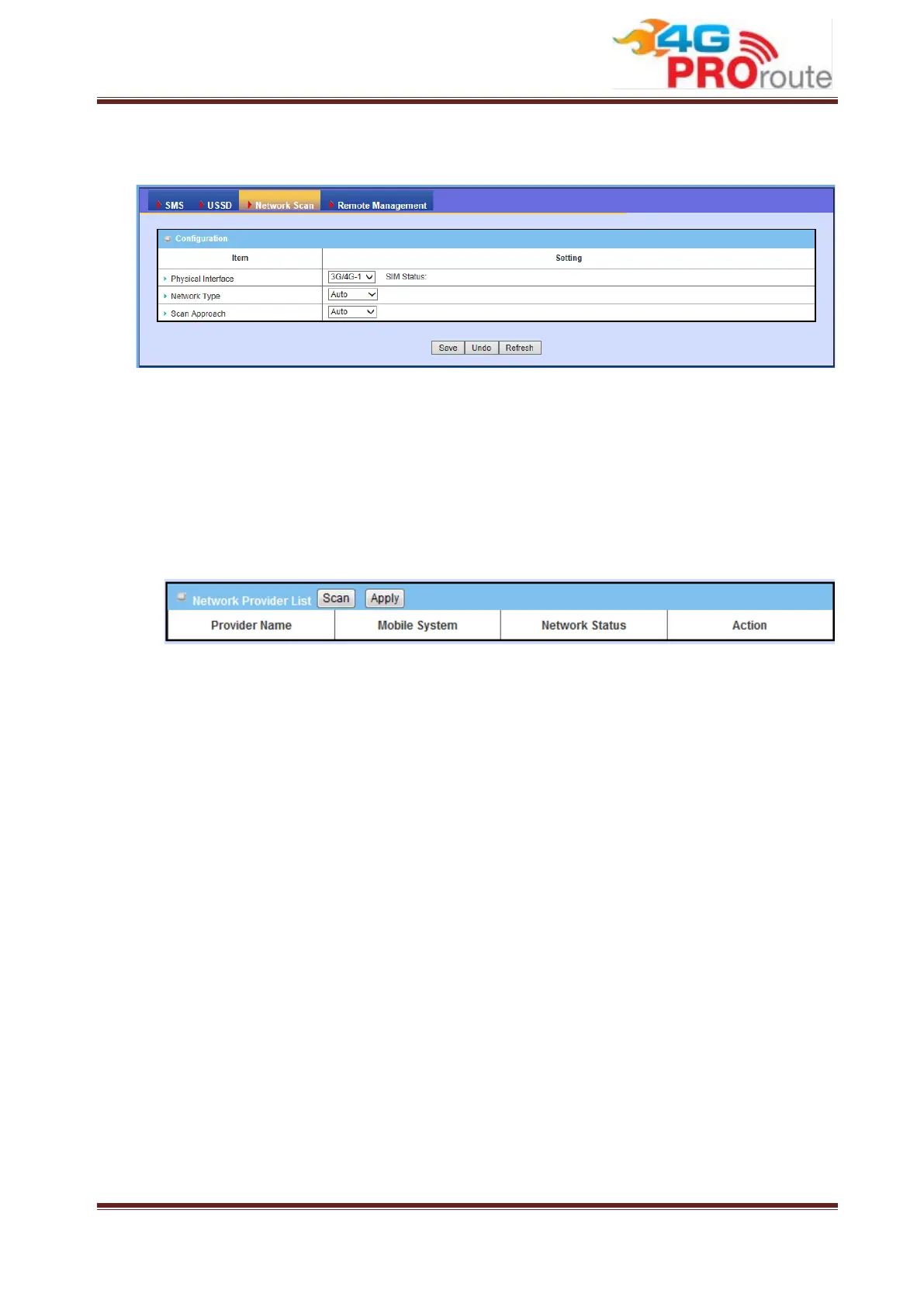
This part is for 3G/LTE cellular network scan. Usually, this part would be done
automatically. Manual scan is used for problem diagnosis.
1. Physical Interface: Indicate which 3G/LTE modem is used for network scan. And
SIM Status indicates which SIM card is used to Network Scan.
2. Network Type: Set network type of network scan. You can choose “2G Only”,
“3G Only”, “LTE Only”, or “Auto”.
3. Scan Approach: You can choose “Auto” or “Manually”. If you choose “Manually”,
press “Scan” button to scan cellular network nearby in your environment and
select one network provider to apply by clicking on the “Apply” button.
Note. Incorrect setting here may cause 3G/LTE connection problems.
3.3.1.4 Remote Management
This part is for remote management functions that are done by text SMS (Short
Message Service). Users can send certain SMS to this gateway to activate some
actions, such as connect/disconnect/reconnect WAN connection or reboot the system.
Besides, gateway can also send SMS to users to alert some events automatically.



 To Next Page