Proroute GEM420 4G M2M Router
GEM420 User Manual 88
Private port 80) at 192.168.123.3, and a VPN server at 192.168.123.6, then you
need to specify the following virtual server mapping table
21 192.168.123.1 TCP Enable
80 192.168.123.2 TCP Enable
8080 192.168.123.3 80 TCP Enable
1723 192.168.123.6 Both Enable
3.1.5.2.2 Virtual Computer
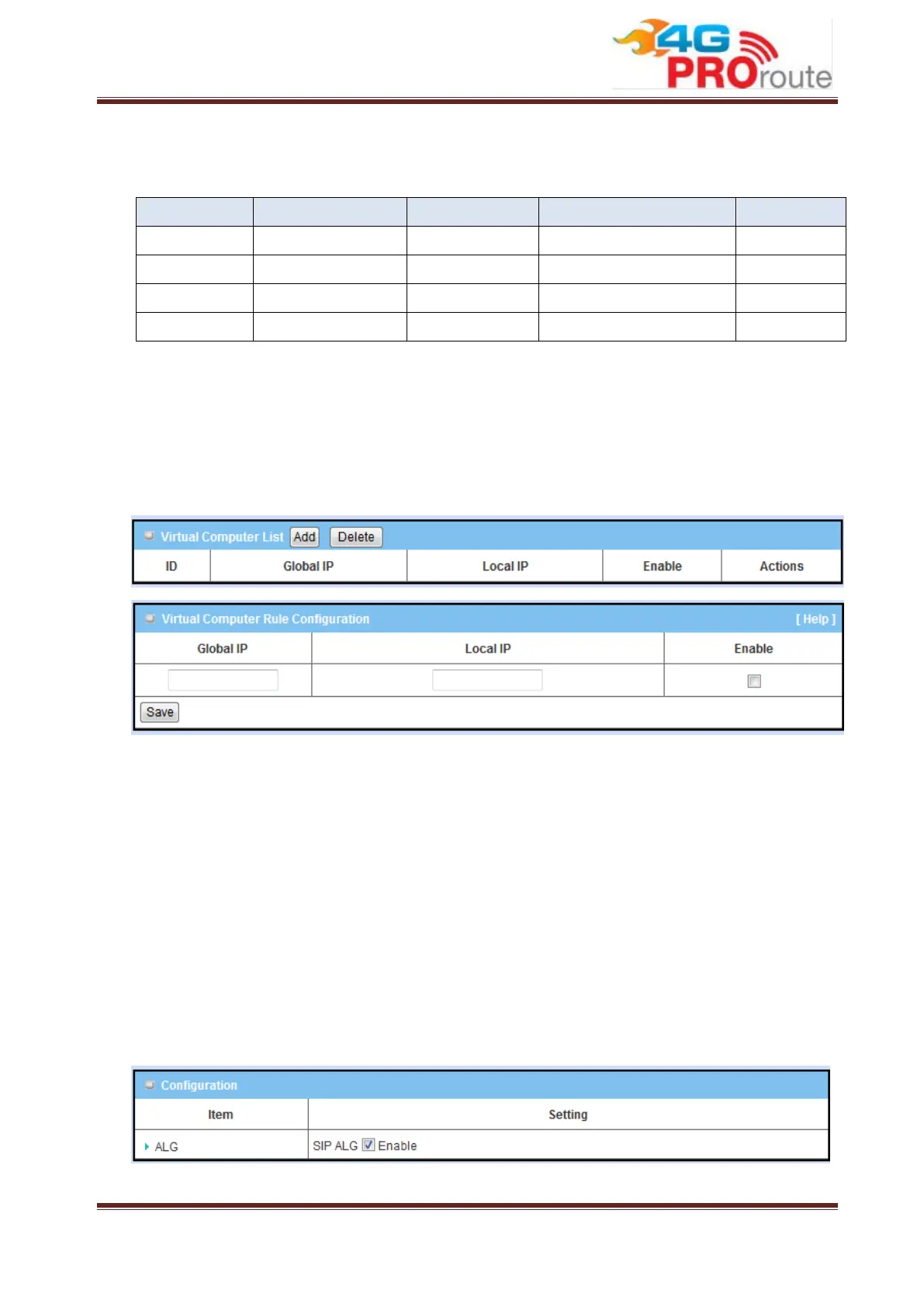
Virtual Computer enables you to use the original NAT feature, and allows you to setup
the one-to-one mapping of multiple global IP address and local IP address. Press
“Add” button to add new rule for Virtual Computer.
1. Global IP: Enter the global IP address assigned by your ISP.
2. Local IP: Enter the local IP address of your LAN PC corresponding to the global
IP address.
3. Enable: Check this item to enable the Virtual Computer feature.
3.1.5.2.3 Special AP & ALG
NAT feature can protect Intranet from outside attacks, but sometimes also blocks
some applications, such as SIP VoIP. In this situation, the NAT gateway needs to do
special process (ALG) for each application. This gateway can handle SIP ALG, so you
need to enable this option if you want to use SIP applications at LAN side of this
gateway.
Some applications require multiple connections, like Internet games, Video



 To Next Page