Proroute GEM420 4G M2M Router
GEM420 User Manual 139
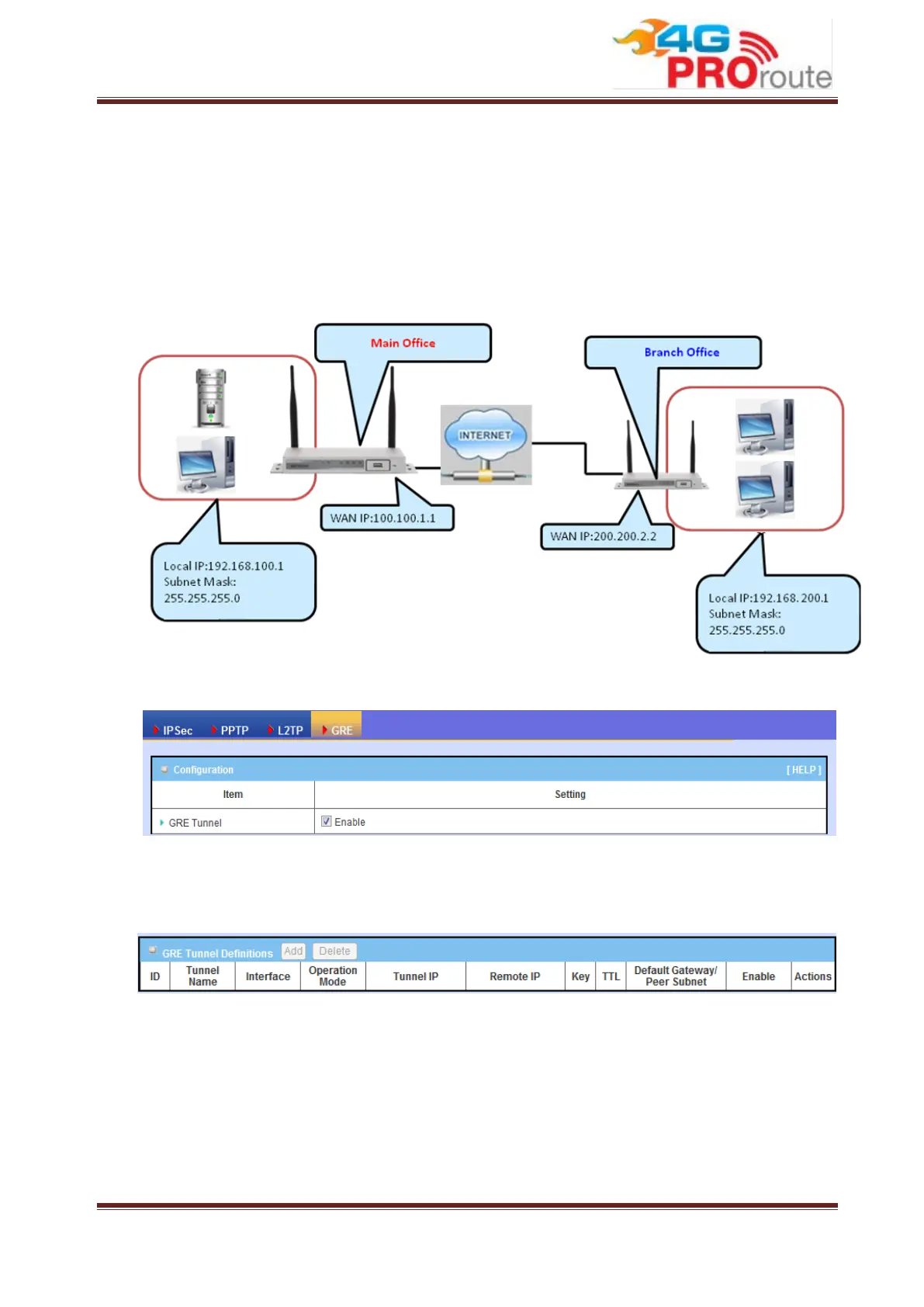
There is one common GRE VPN connection scenario as follows:
GRE Server / Client Application
The Business Security Gateway acts as GRE Server or Client role in SMB
Headquarters or Branch Office.
3.2.3.4.2 GRE Configuration
1. GRE Tunnel: Check the “Enable” box to activate the GRE tunnel function.
3.2.3.4.3 GRE Tunnel Definitions
1. Add: You can add one new GRE tunnel by clicking on the “Add” button.
2. Delete: Delete selected tunnels by checking the “Select” box at the end of each
tunnel list and then clicking on the “Delete” button.
3. Tunnel: Check the “Enable” box to activate the GRE tunnel.
4. Edit: You can edit one tunnel configuration by clicking the “Edit” button at the end
of each tunnel list.



 To Next Page