Proroute GEM420 4G M2M Router
GEM420 User Manual 12
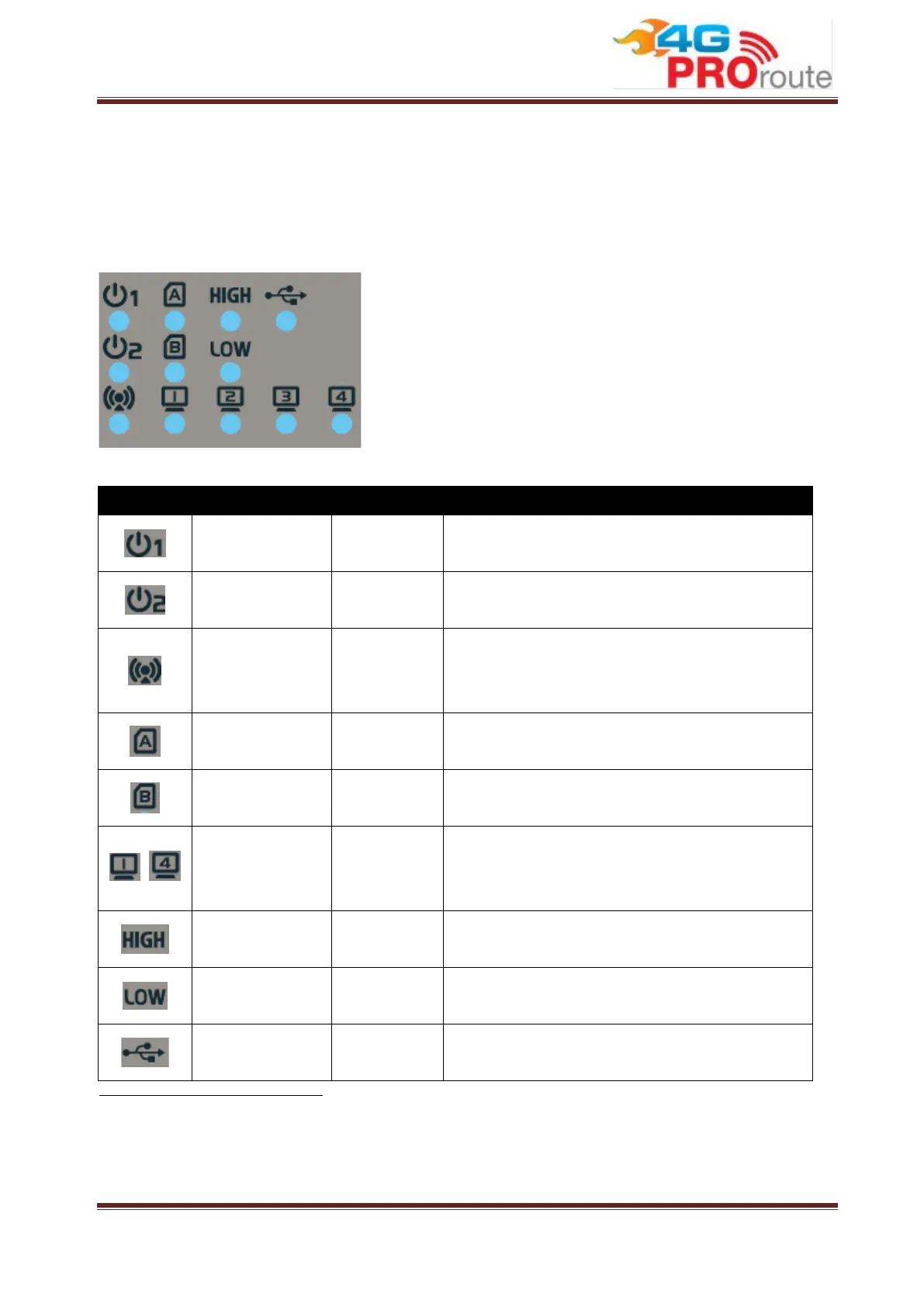
1.2.4 LED Indication
LED Icon Indication LED Color Description
Power Source 1
Green
Steady ON: D
evice is powered on by power
source 1
Power Source 2
(*
1
)
Green
Steady ON: D
evice is powered on by power
source 2
WLAN (WiFi) Green
Steady ON: Wireless radio is enabled
Flash: Data packets are transferred
Wireless radio is disabled
SIM A
(*
2
)
Green
Steady ON: SIM card A is chosen for
connection
SIM B Green
Steady ON: SIM card B is chosen for
connection
~
LAN 1 ~ LAN 4 Green
Steady ON: Ethernet connection of LAN is
established
Data packets are transferred
High Cellular
Signal
Green
Steady ON: The signal strength of Cellular
is strong
Low Cellular
Signal
Green
Steady ON: The signal strength of Cellular
is weak
USB Green
Steady ON: If USB 3G dongle is attached
1 If both of power source 1 and power source 2 are connected, the device will choose power source 1 first. The LED
of power source 2 will remain OFF at this condition.
2 The SIM LED indicates which SIM socket will be chosen for connection by system setting, no matter SIM card is
inserted or not.



 To Next Page