Proroute GEM420 4G M2M Router
GEM420 User Manual 117
defined as an IP range. And “Group Object” is defined in the System -> Grouping
menu. But what kinds of groups to use depend on model.
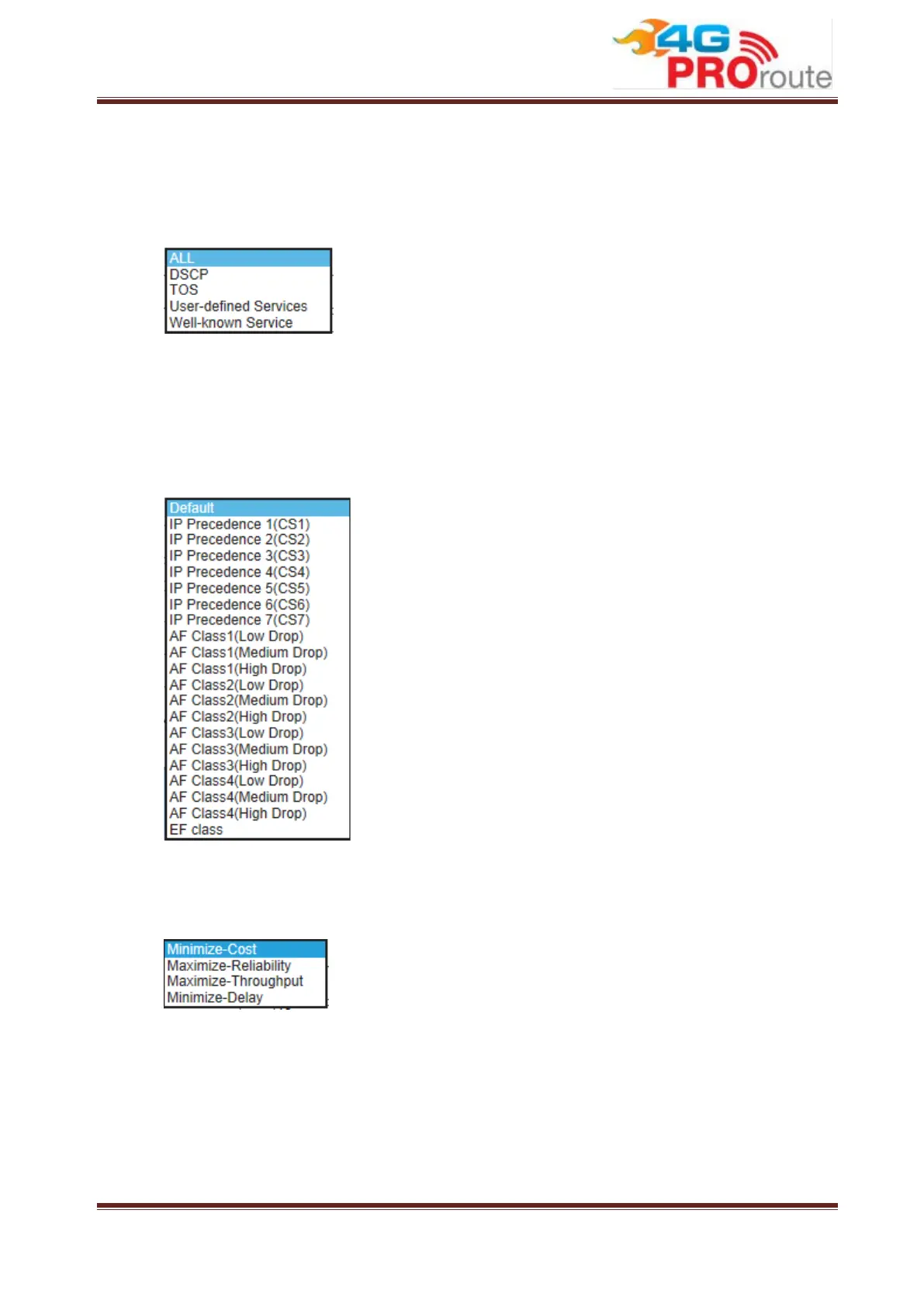
3. Service: There are 5 options for service, including All, DSCP, TOS, User-defined
Services and Well-known Service, like
By default, it is “All”. It defines “what” kinds of service packets need to be
managed. When “DSCP” is selected, another “DiffServ CodePoint” value must be
specified. DSCP means DiffServ Code Point, as known as advanced TOS. You
can choose this option if your local service gateway supports DSCP tags. The
DSCP categories that this gateway can detect are as below.
You need to choose a correct one according to your device’s specification. When
“TOS” is selected for Service, TOS value must be chosen from a list of 4 options.
For example:
When “User-defined Services” is selected, two more parameters, Protocol
Number and Service Port Range, must be defined. Protocol Number is either TCP
or UDP or Both. Finally, when “Well-known Service” is selected, you can choose
the well-known from a list like:



 To Next Page