Proroute GEM420 4G M2M Router
GEM420 User Manual 148
“SIM Card Only” for SMS storage.
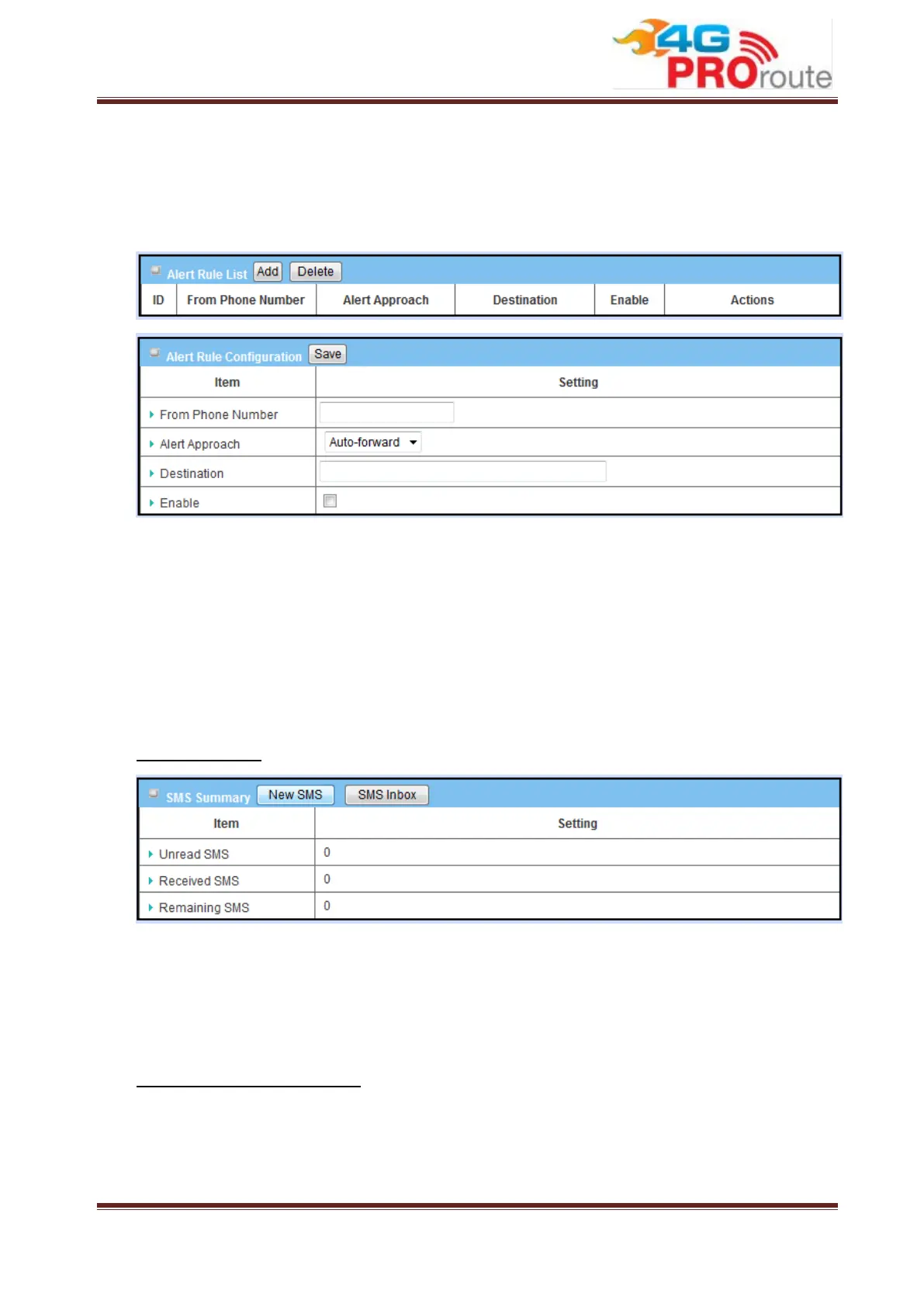
This gateway can forward received SMS message automatically. Press “Add” to add
new rule.
1. From Phone Number: Indicate phone number of sender.
2. Alert Approach: Decide the way to forward message. You can forward this
message to another phone number, or to a mail address, or to a syslog server.
3. Destination: Please enter the phone number of receiver if you choose
“Auto-forward”. Or enter a mail address if choosing “By Email”. Or enter the IP
address of syslog server if choosing “By Syslog”.
4. Enable: Enable this rule.
SMS Summary
1. Unread SMS: Indicate number of unread SMS message.
2. Received SMS: Indicate number of total received SMS message.
3. Remaining SMS: Indicate number of new message can be received because of
SMS storage limit.
Create New SMS Message
You can create a new SMS message on this page. After finishing the content of
message, and filling with phone number of receiver(s), you can press the “Send”
button to send this message out. You can see “Send OK” if the new message has
been sent successfully.



 To Next Page