Proroute GEM420 4G M2M Router
GEM420 User Manual 16
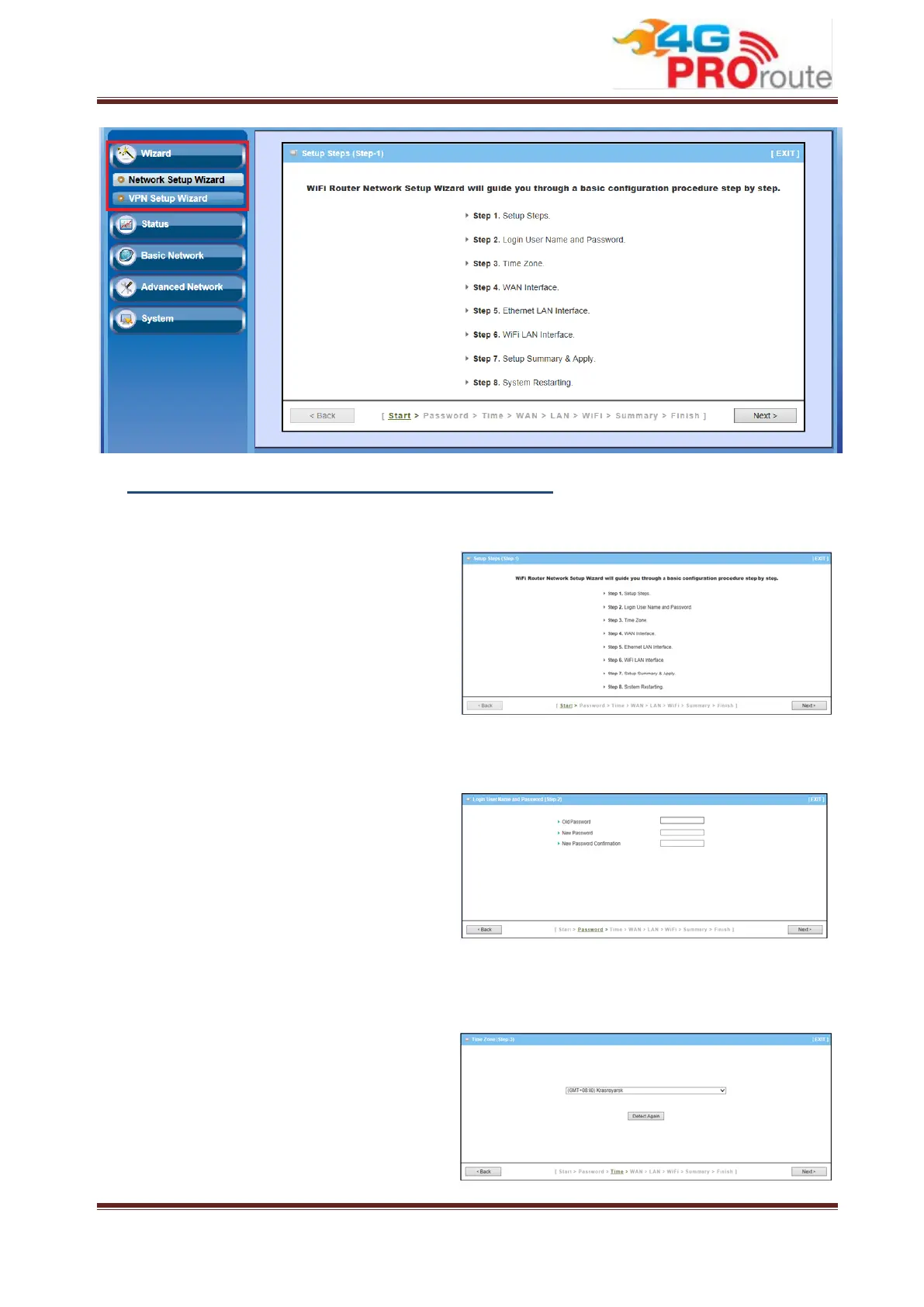
A. Configure with the Network Setup Wizard
Step 1
The network setup wizard will guide you to
finish some basic settings, including login
password, time zone, WAN interface,
Ethernet LAN interface and WiFi LAN
interface.
Press
to start the wizard.
Step 2: Change Password
Password Configuration: You can change
the login password of Web UI here. It’s
strongly recommending you to change this
login password from default value.
Press
to continue.
Step 3: Time Zone
Time Zone Configuration: It will detect
your time zone automatically. If the result
of auto detection is not correct, you can
press “Detect Again” button or select
manually.



 To Next Page